
Solved
Two AEM Forms on one page
Dear community,
I don't know if it is the right place, because I don't know if it is an AEM Forms or an AEM problem. But at first I'll try it here.
Following setup:
- AEM 6.5.9.0
- Two simple forms with a text input and a submit based on the default blank form template
- I added two AEM Form components to a content page and adjusted the paths to the forms
- Author and Preview mode works but when I switch in Disabled mode, there is only a loading sign and nothing happens.
I also tried to reproduce it on our cloud instance sandbox with following setup:
- Adobe Experience Manager 2021.11.6023.20211111T113531Z-211000
- Adobe Experience Manager 2021.11.6023.20211111T113531Z-211000
- the forms are created in the same way like described above
- I reworked the WKND content page template and enabled the AEM Form component and added the forms to a test content page.
- I also get only the loading icon in disabled mode.
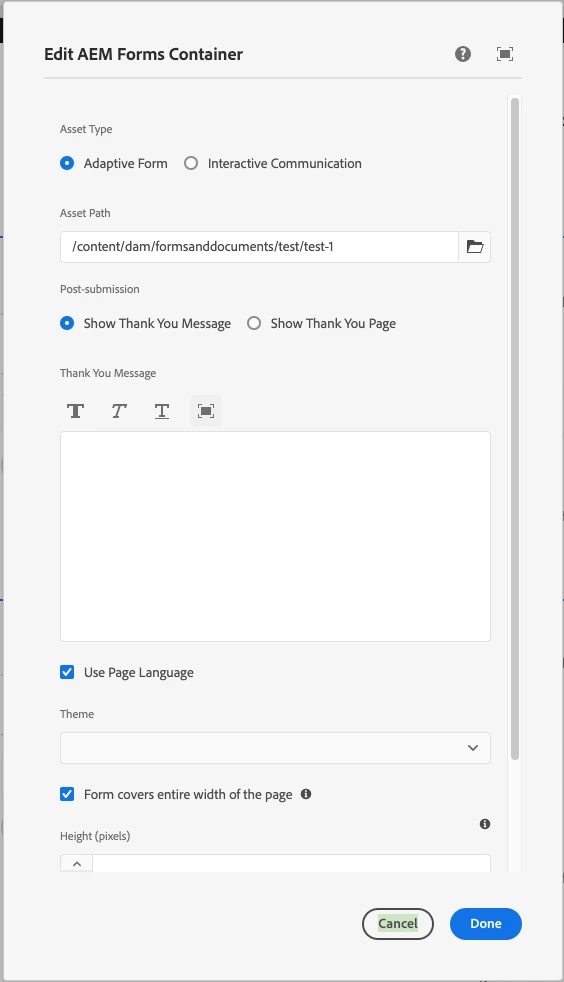
Here my adjustments for the AEM Form component. For the second it's the same except the path to the form:
What do you think? Is this a AEM (Forms) bug?