Hi @kolluax,
Thanks for sharing the details and screenshots. Based on what you described, the issue appears to be with how the fragment binding is being resolved in relation to the parent panel.
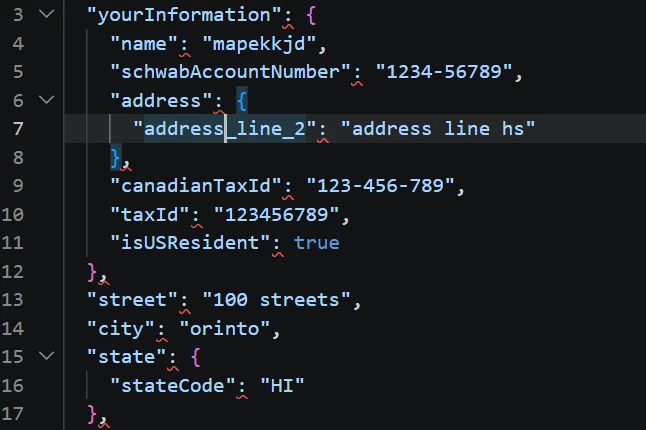
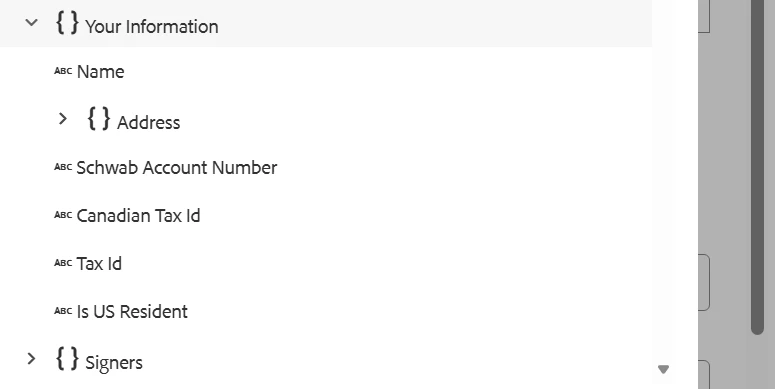
Your Adaptive Form is already bound to a .schema.json, so the submitted JSON needs to remain aligned with that schema structure. In your case, the address object is expected to sit under yourinformation. Since the submitted JSON is placing address outside yourinformation, the resulting payload no longer matches the schema, which would also explain why prefill into the XDP is failing.
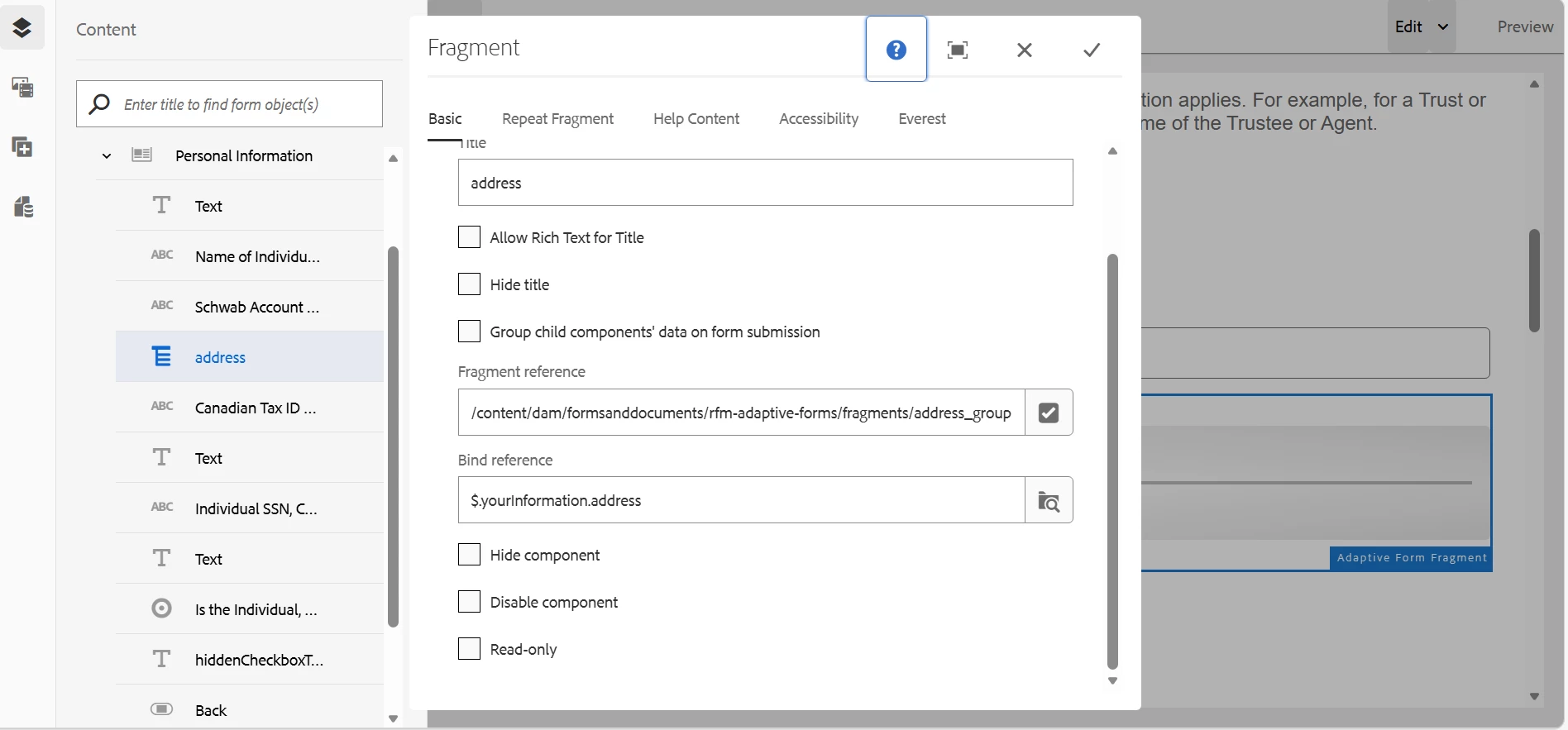
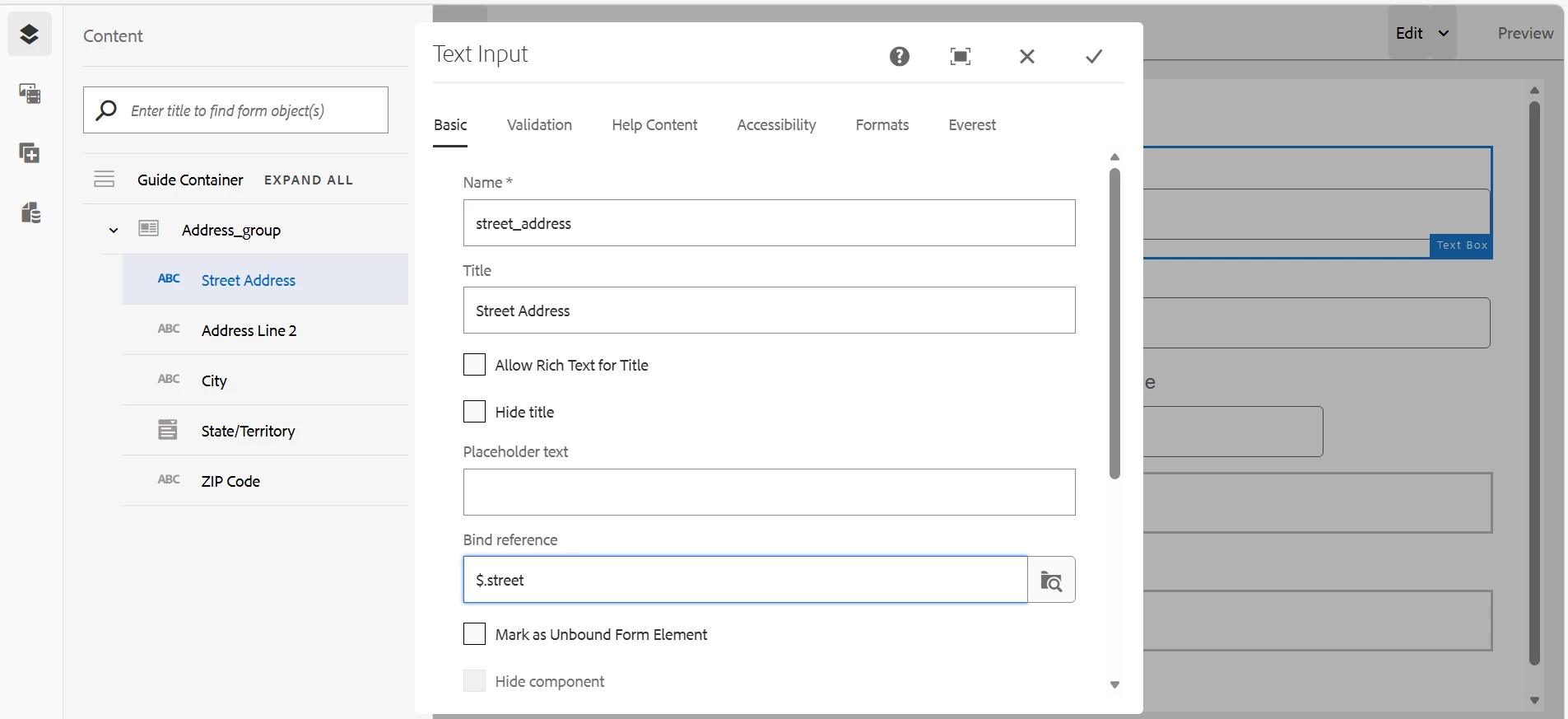
From your setup, it sounds like the fragment was inserted inside the yourinformation panel, but the fragment itself was then bound to $.yourinformation.address, while the fields inside the fragment were bound as $.street, $.city, and so on. That combination can cause the fragment data to resolve outside the intended parent context rather than nest under yourinformation.address.
The recommended approach is:
- Keep the parent panel bound to
$.yourinformation - Bind the inserted fragment relative to that parent as
$.address - Keep the fields inside the fragment relative to the fragment object, for example:
$.street$.city$.state$.zip
With that setup, the submitted JSON should remain structured like this:
{
  "yourinformation": {
    "address": {
      "street": "...",
      "city": "...",
      "state": "...",
      "zip": "..."
    }
  }
}
That structure would then remain compliant with the form’s JSON schema and should align correctly for downstream prefill.
If after updating the bind references the JSON still places address at the top level, then the fragment itself may need to be recreated as a schema-based fragment rooted on the address object, rather than reusing a manually replaced panel. That ensures the fragment model root matches the schema object it represents.
If you’d like, we can also help review the exact bind references from your current form and fragment configuration to confirm whether the fragment root is the part causing the mismatch.
Thanks
Pranay