Not enough access privileges to Run the AEM HTML workspace | Community
Skip to main content
Level 3
August 4, 2021
Solved

Not enough access privileges to Run the AEM HTML workspace

  • August 4, 2021
  • 2 replies
  • 1810 views

Hi Experts,


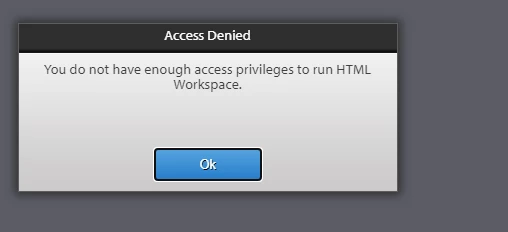
All of sudden I am getting the below error when I access HTML workspace. It was working and able to access the applications in workspace. May i know the reason and fix?
 

This post is no longer active and is closed to new replies. Need help? Start a new post to ask your question.
Best answer by Pulkit_Jain_

@user97597 

Can you clear the cache/cookies from the browser and try to re-login as "administrator"?

We usually see this error when the browser caches the "admin" user credentials from login(s) to crx URLs while the workspace expects "administrator" or a user with equivalent permissions.


2 replies

Pulkit_Jain_
Adobe Employee
Pulkit_Jain_Adobe EmployeeAccepted solution
Adobe Employee
August 4, 2021

@user97597 

Can you clear the cache/cookies from the browser and try to re-login as "administrator"?

We usually see this error when the browser caches the "admin" user credentials from login(s) to crx URLs while the workspace expects "administrator" or a user with equivalent permissions.


user97597Author
Level 3
August 4, 2021

Hi Pulkit,


I did but login page itself not displaying directly logging to site(s) /lc/aem/start.html page

Adobe Employee
August 13, 2021

The problem that you are seeing is because you have provided administrator credentials within 'Apache Sling Authentication Service' in configMgr. Please remove the Anonymous User Name and Anonymous Password. You can also disable the 'Allow Anonymous Access' option and check.
