Level 3
January 24, 2022
Solved

How to hide AEM HTML Workspace forms in the categories section

Hi Experts,


Please suggest me how to hide AEM HTML workspace forms to all users except certain user group from the categories section. 

What I did is,

    I have created user group and added under Security -- > Add Principal (selected Invoke_Perm) but still other users are also able to view the forms. Please let me know any other configuration I have to enable/disable?


Regards,

Srujan

This post is no longer active and is closed to new replies. Need help? Start a new post to ask your question.
Mayank_Tiwari
Mayank_TiwariAccepted solution
Adobe Employee
January 26, 2022

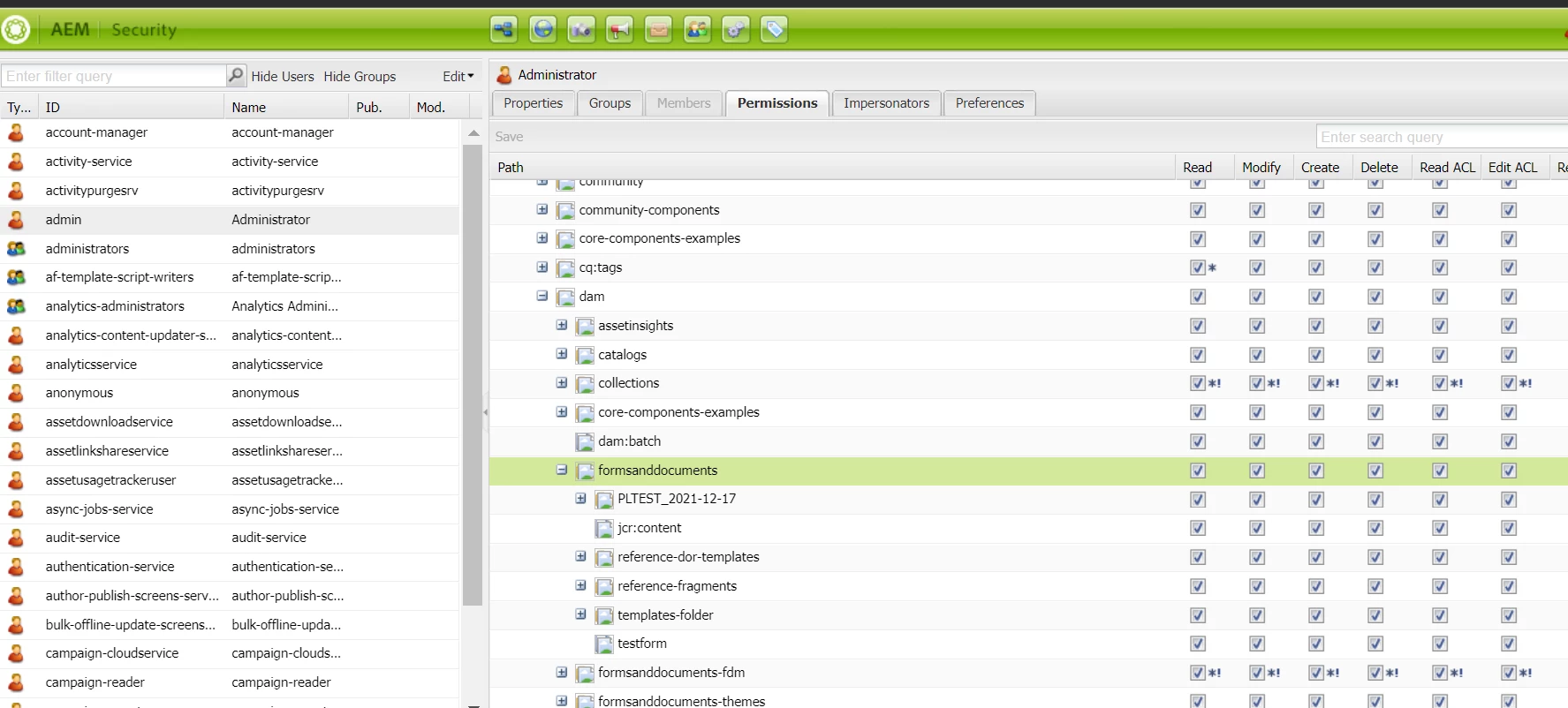
Have you tried using http://serverhost:port/lc/useradmin  to change the permission for the users and groups on the form's location, from the permission tab, as shown below:


1 reply

Mayank_Tiwari
Adobe Employee
Mayank_TiwariAdobe EmployeeAccepted solution
Adobe Employee
January 26, 2022

Have you tried using http://serverhost:port/lc/useradmin  to change the permission for the users and groups on the form's location, from the permission tab, as shown below:


Translate