how could I add a message that appear when you open the form | Adobe Higher Education
Skip to main content
Level 2
December 22, 2018
Respondido

how could I add a message that appear when you open the form

  • December 22, 2018
  • 8 respostas
  • 4879 Visualizações

how could I add a message that appear only when you open the Form 1st time

and this message contain text with multi lines

exactly like this :
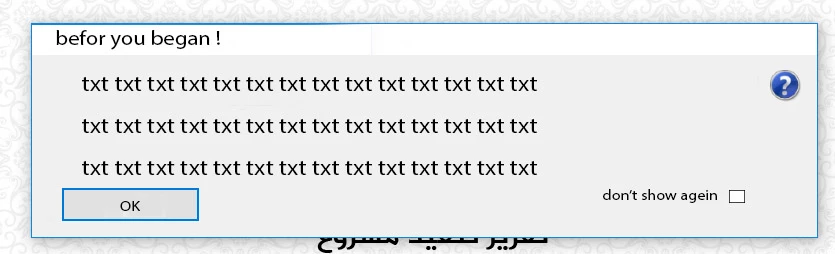
I need the  whole the code  , and where could I put it   please

I mad this photo on photoshop

Adobe Experience Manager Forms

Este tópico foi fechado para respostas.
Melhor resposta por Mayank_Gandhi

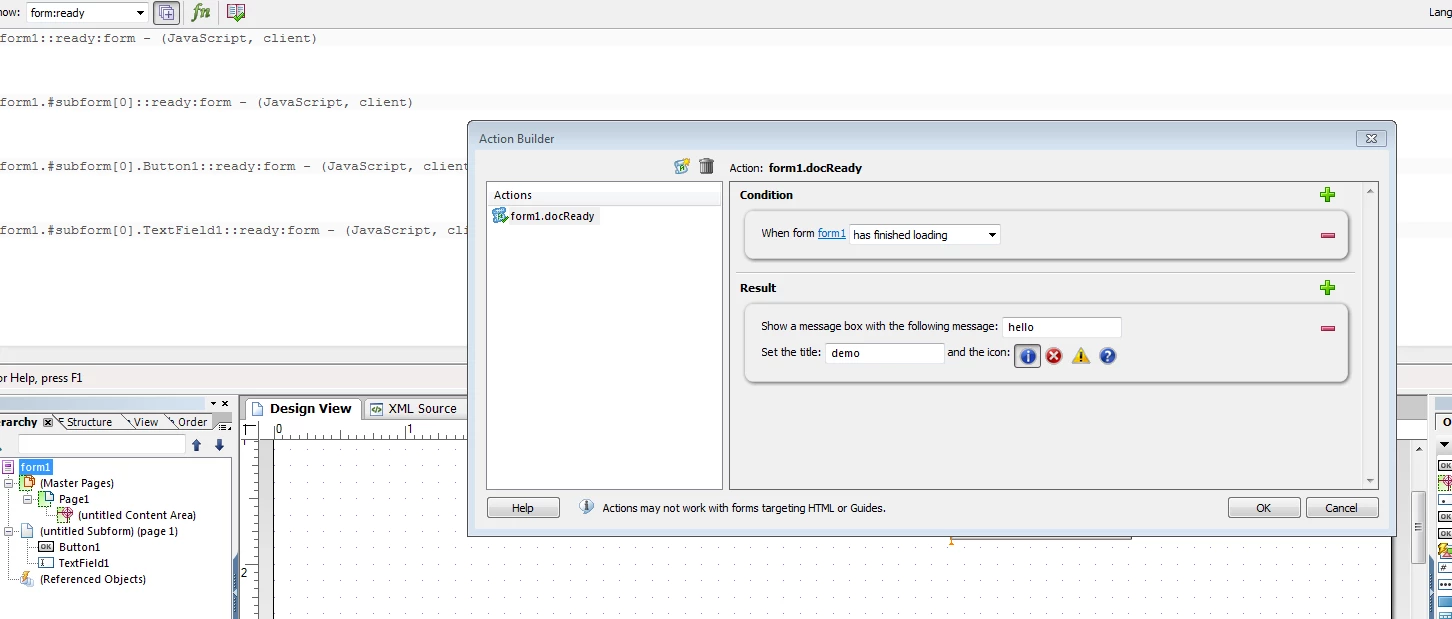
to call a script on form initialize place the script on the docReady event:

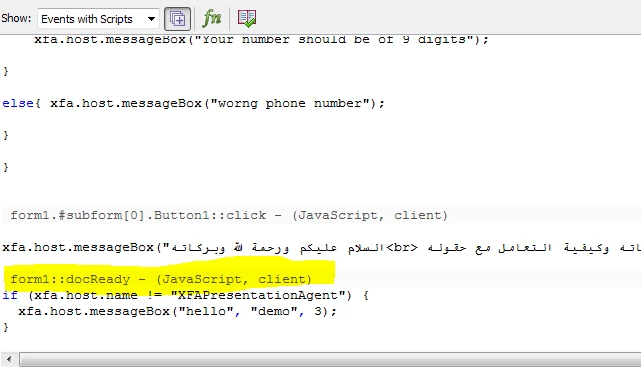
Once you create the script you can edit in the script editor:

8 Respostas

Mayank_Gandhi
Adobe Employee
Adobe Employee
December 26, 2018

You can put the message on form initialise of guideroot container.

Level 2
December 27, 2018

this code give the message

===========

xfa.host.messageBox("   السلام عليكم ورحمة الله وبركاته ... يعطيك قالب التقارير تعليمات مباشرة عن مكوناته وكيفية التعامل مع حقوله    كل ما عليك فعله هو وضع زر الماوس على الحقل لتعرف المطلوب ", "Alert", 3);

but I need the message apear on there lines :

first line :

السلام عليكم ورحمة الله وبركاته

2nd line :

يعطيك قالب التقارير تعليمات مباشرة عن مكوناته وكيفية التعامل مع حقوله

3rd line :

يعطيك قالب التقارير تعليمات مباشرة عن مكوناته وكيفية التعامل مع حقوله    كل ما عليك فعله هو وضع زر الماوس

==how can write the code to make the message on 3 lines ?

James_R_Green
Level 6
December 27, 2018

Have you tried inserting \n

It may insert a new line character.

E.g.

"Abc def"

"Abc\n def"

Ravi_Pampana
Community Advisor
Community Advisor
December 27, 2018

In html string you can try adding <br> for new line

"This text contains<br>a line break."

Mayank_Gandhi
Adobe Employee
Adobe Employee
December 28, 2018

Use this

xfa.host.messageBox("السلام عليكم ورحمة الله وبركاته\u000a يعطيك قالب التقارير تعليمات مباشرة عن مكوناته وكيفية التعامل مع حقوله \u000a يعطيك قالب التقارير تعليمات مباشرة عن مكوناته وكيفية التعامل مع حقوله    كل ما عليك فعله هو وضع زر الماوس ");

Thanks,

Mayank

Mayank_Gandhi
Adobe Employee
Adobe Employee
December 28, 2018

to call a script on form initialize place the script on the docReady event:

Once you create the script you can edit in the script editor:

Level 2
December 29, 2018

thanks Mayank .. thank you so much

I have have one more Q  .. hope you can help me

https://forums.adobe.com/message/10836233#10836233

Mayank_Gandhi
Adobe Employee
Adobe Employee
December 29, 2018

Great that the solution worked for you!

I will check and let you know about the other question also.

Thanks,

Mayank Gandhi