Header of table not working (SAP form, Livecycle Designer) | Community
Skip to main content
Level 2
December 19, 2022
Solved

Header of table not working (SAP form, Livecycle Designer)

  • December 19, 2022
  • 2 replies
  • 4009 views

Hi,


I'm using Adobe Livecycle Designer 11.0 for SAP Solutions and I have the following problem: If the form has more than one page, there is no table-header on the following pages.


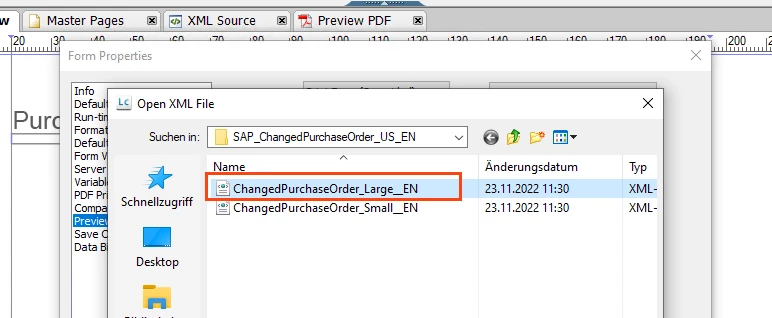
1. The used form (with a default preview file)
 

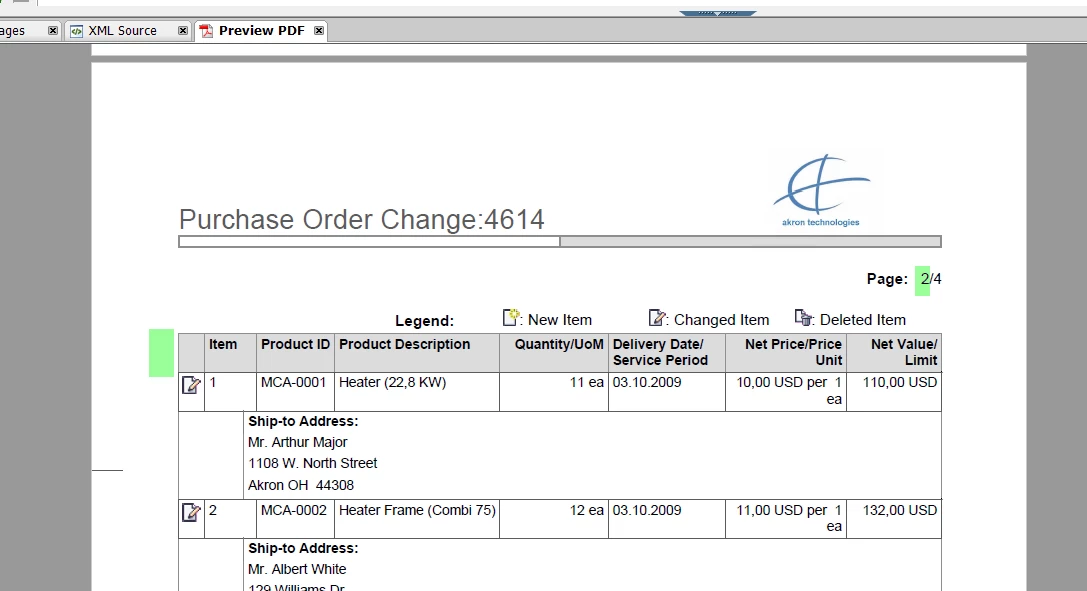
we get the following result (first page with items has a header) - as desired:
 

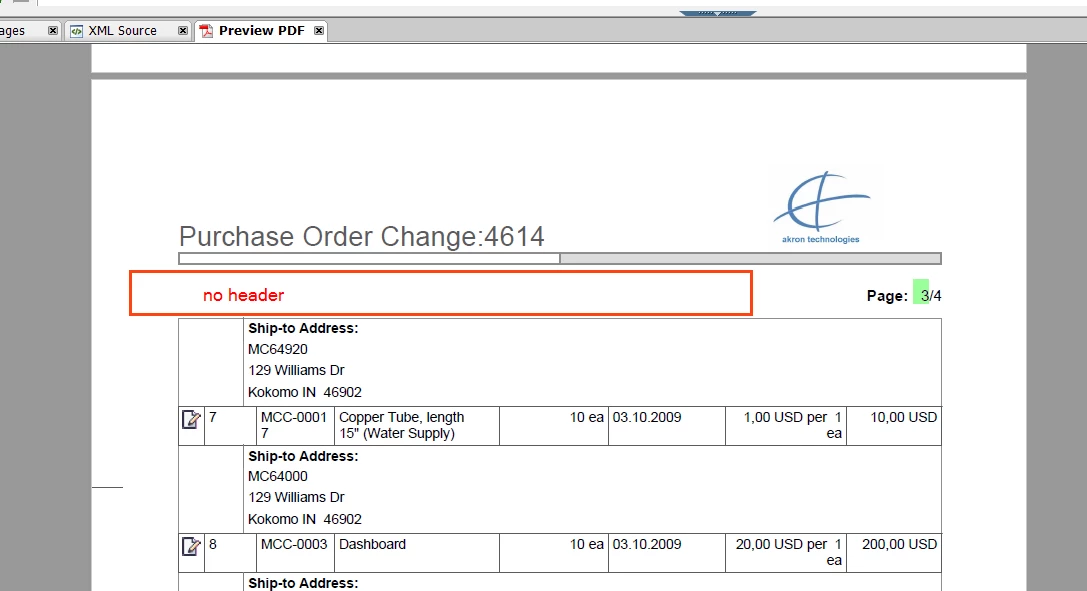
3. problem is the next page where the header is MISSING:
 

4. Trying to select "Include Header Row in Subsequent Page" - for object hdrHeader:
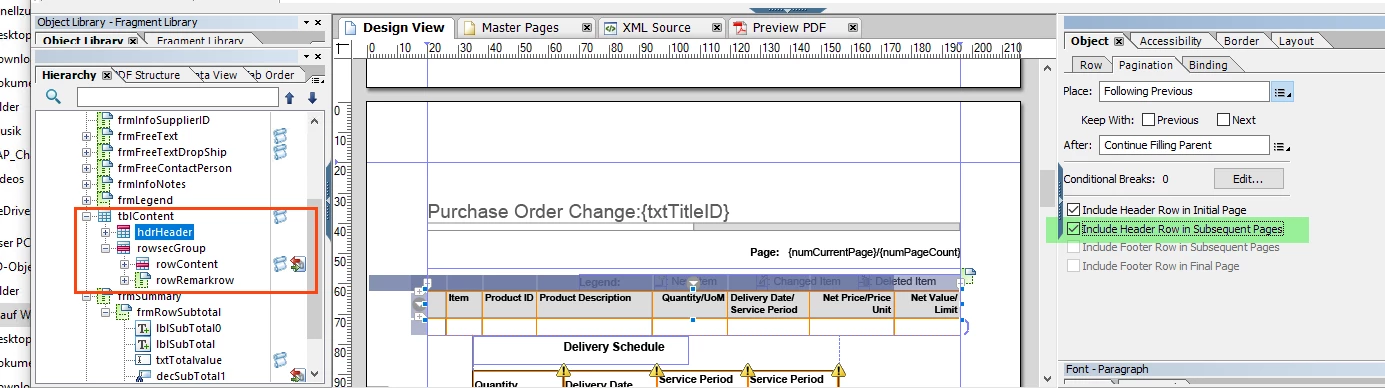
 

5. results in the first page with items and header (as the initial on)
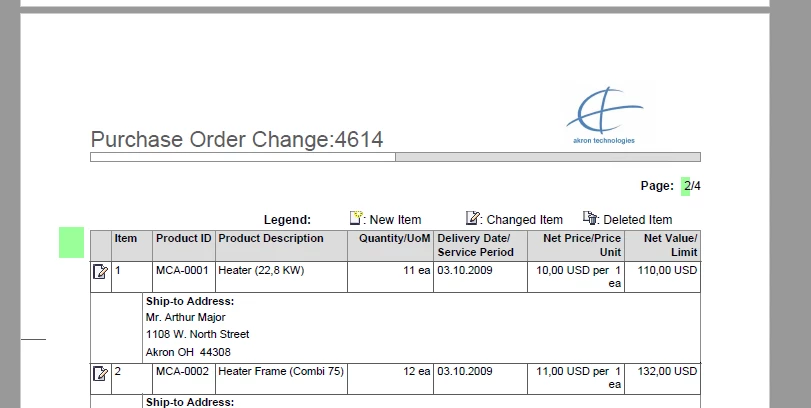
 

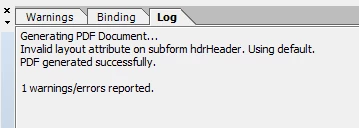
BUT the next page is somehow messed up and also shows an error:
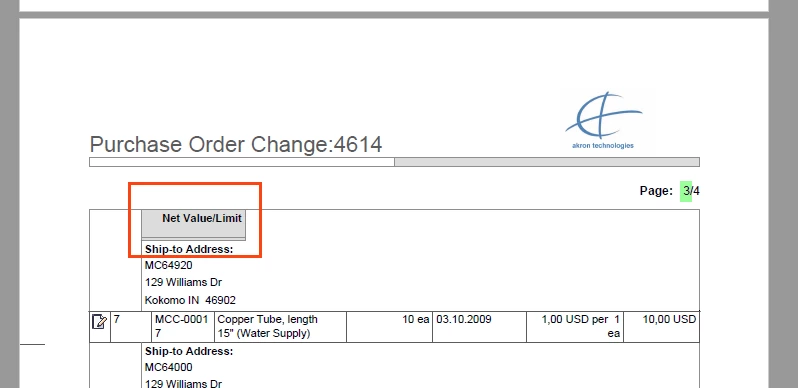
 

Please help me to get rid of this behaviour. I just want a header on each page. If further infos are necessary, just let me know.


BR

Stan

This post is no longer active and is closed to new replies. Need help? Start a new post to ask your question.
Best answer by Vijay_Katoch

Remove the "Allow page break within Content" for  "rowRemarkrow".

It worked for me.

Try and let me know.

2 replies

Mayank_Gandhi
Adobe Employee
Adobe Employee
December 19, 2022

@stan_at the version is out of support and end of life but just a suggestion, can you try in a new form? The approach is fine I think something might be missing in the objects

Stan_ATAuthor
Level 2
December 19, 2022

Hi @mayank_gandhi ,


thanks for your fast reply (and thanks for info that the approach is fine).


Sorry if I answer with a question: what do you mean with "the version is out of support". The version of the form OR the version of Livecycle Designer?

Because SAP delivers this tool up to now (including several patch levels, the latest is from 6th of december 2022) and I took the latest possible form too.


Maybe you can be more detailled on what might be missing in the objects.


BR

Stan

Mayank_Gandhi
Adobe Employee
Adobe Employee
December 19, 2022

@stan_at the current version adobe gives is AEM forms designer and designer 11 is a bit old. May be supported from the SAP side

https://helpx.adobe.com/in/support/programs/eol-matrix.html


My suggestion would be to try in a new form and set allow page breaks and include a header in a new form. It will be easy to troubleshoot 

Vijay_Katoch
Community Advisor
Community Advisor
December 22, 2022

Do you have two rows for the header? if it is the case then group them as a section and then set the section to repeat on subsequent pages.

Stan_ATAuthor
Level 2
December 22, 2022

Hi Vijay,


no, there are not two rows. The even funnier part is, that for other SAP delivered forms (e.g. Customer Invoice) it works BUT not for all versions. Version for UK in englisch is wrong and the version for AT in english shows the header as we want it.


I absoluteley have no clue, what causes this behaviour and in the call with SAP they stated, that this should not be, but their output mgmt team as well as the development team have no clue).


Nevertheless, I tried your tip with section, but unfortunateley this doesn't work either.

Vijay_Katoch
Community Advisor
Vijay_KatochCommunity AdvisorAccepted solution
Community Advisor
December 22, 2022

Remove the "Allow page break within Content" for  "rowRemarkrow".

It worked for me.

Try and let me know.