GuideDropDownList resetData() does not work | Community
Skip to main content
Level 4
February 12, 2024
Solved

GuideDropDownList resetData() does not work

  • February 12, 2024
  • 2 replies
  • 1331 views


I created a test with a textbox, a dropdown list (multiselect), and button
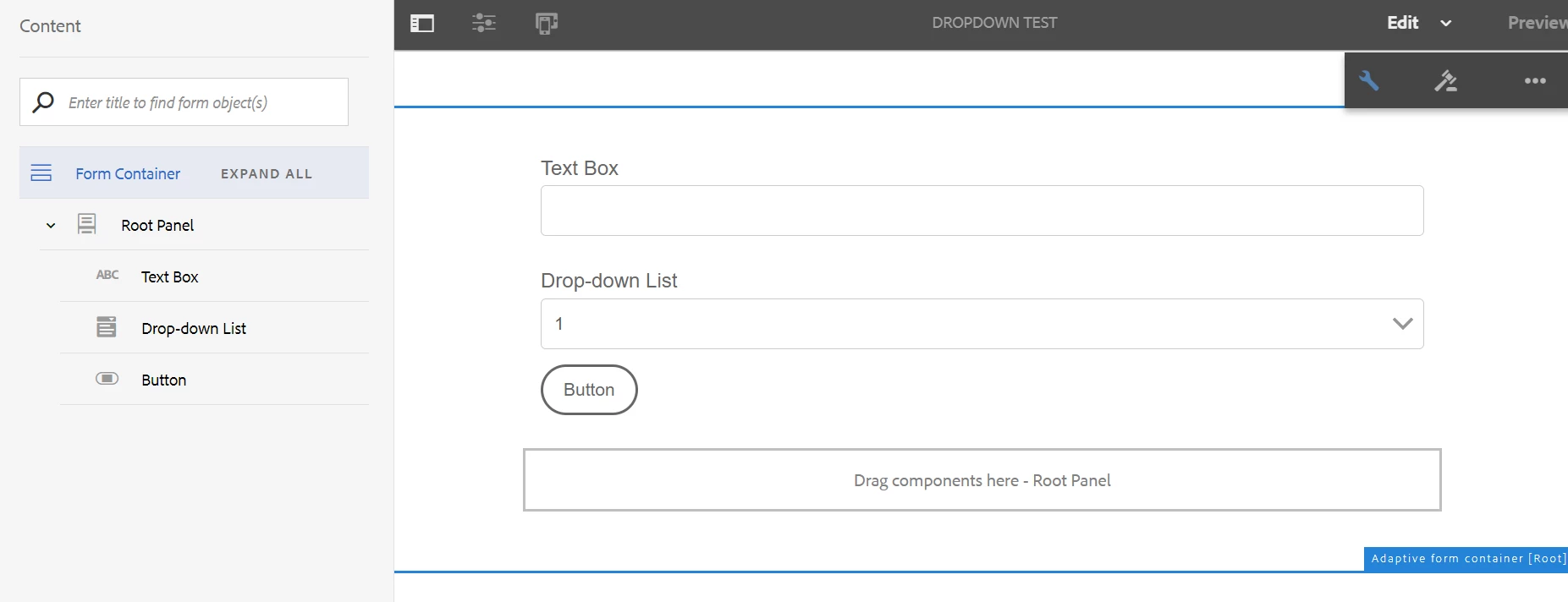


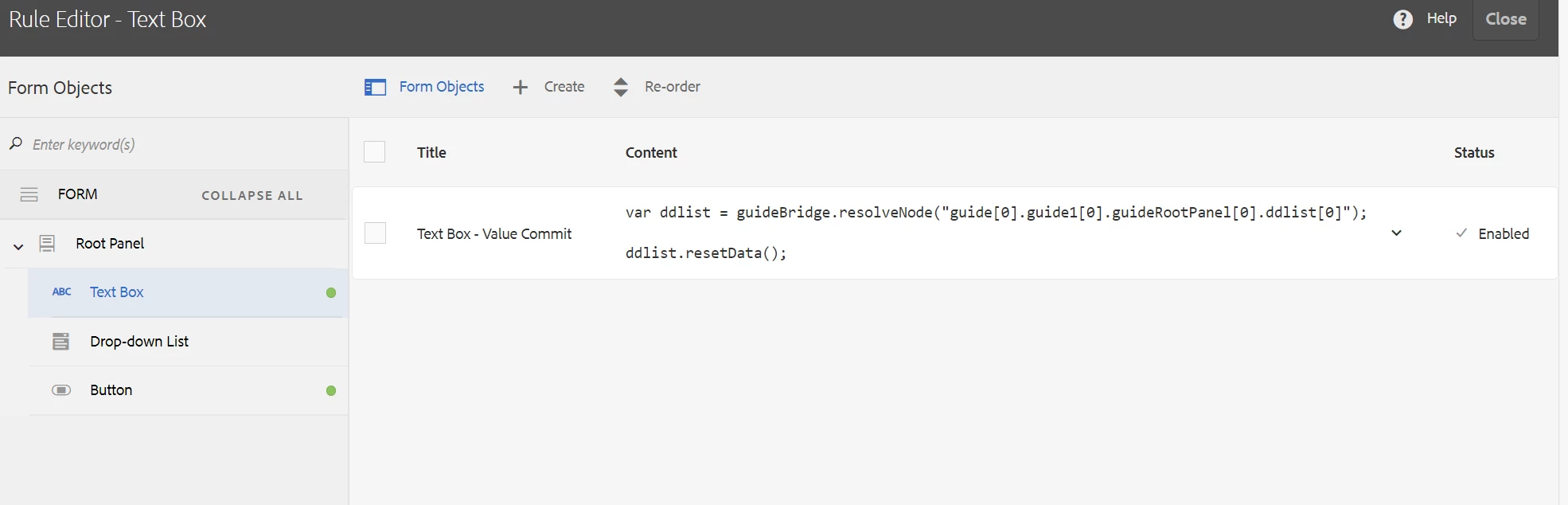
the textbox resets the dropdown list when you change the value of the textbox.
 

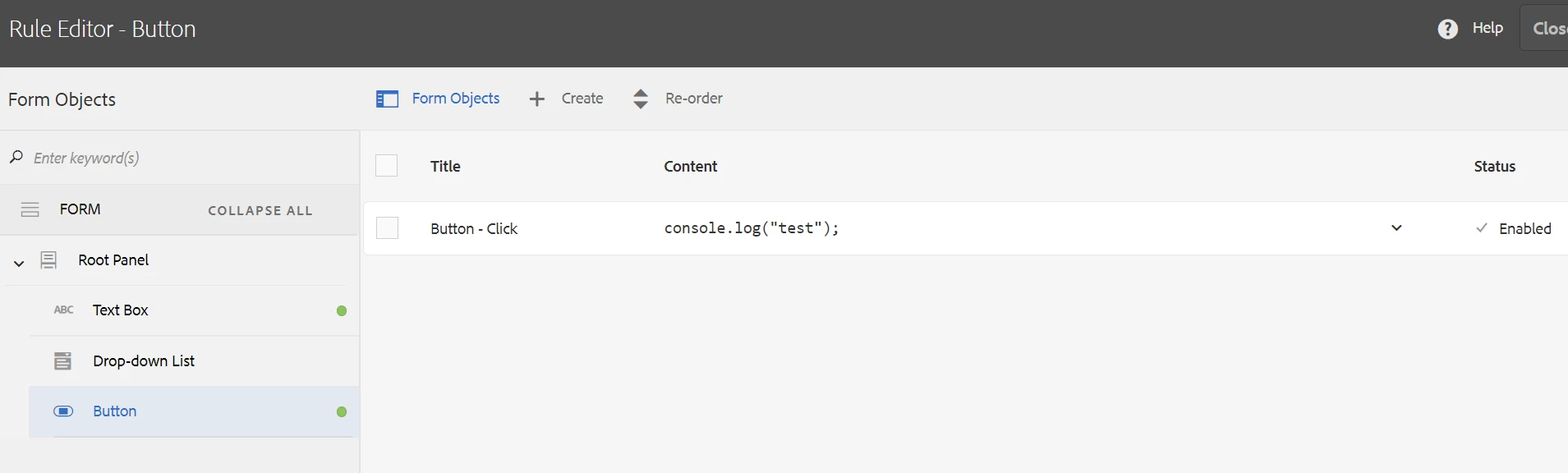
the button is just a click event that is there for pretending i am doing something with the textbox value. it actually just writes to the console.


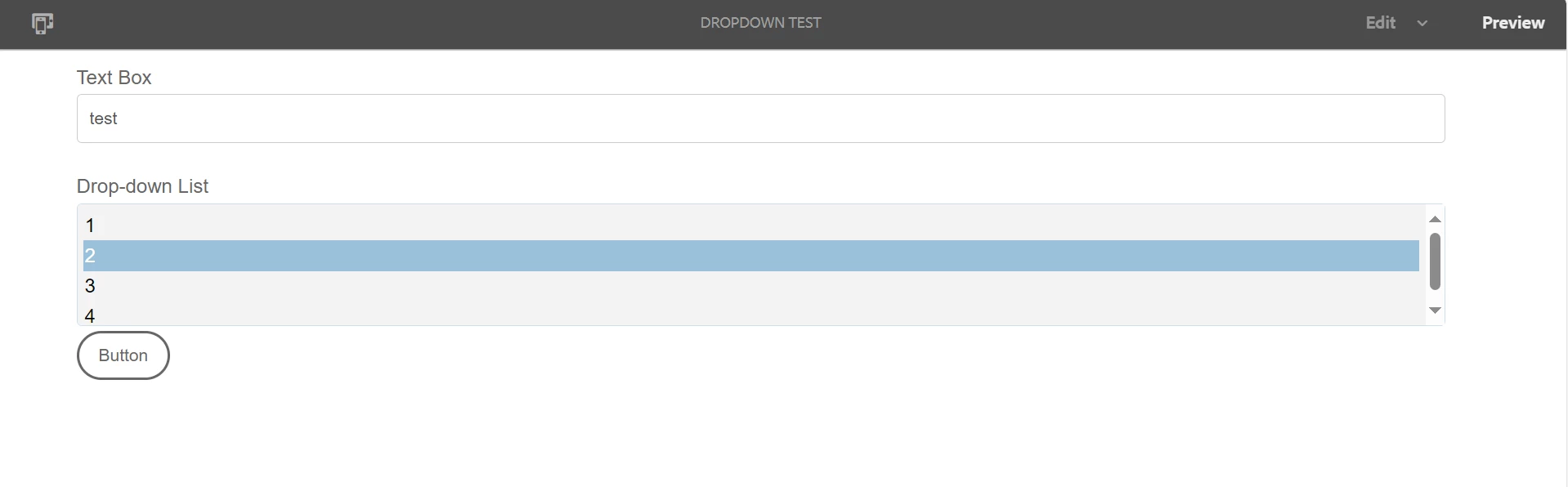
so i write something on the textbox and click the button, this should reset the values of the dropdown. then I choose one item
 

then i do it again i write "test again" and click the button, this clears the items from the dropdown list
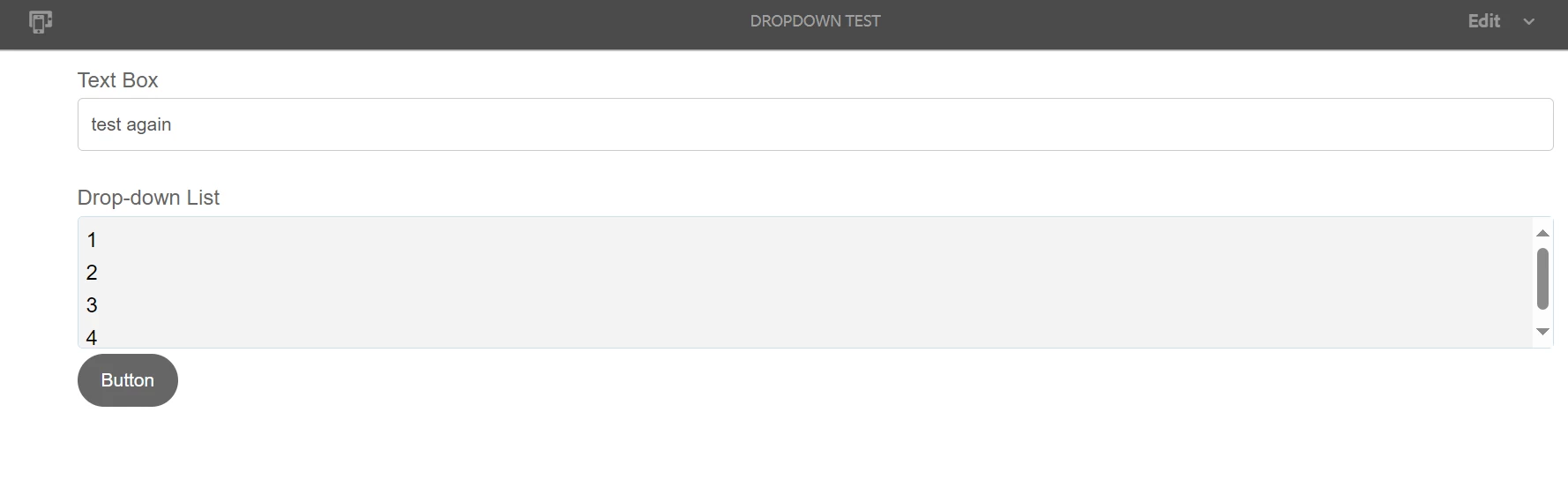
 

then i click on "4" item of the drop down list and the value "2" comes back. 
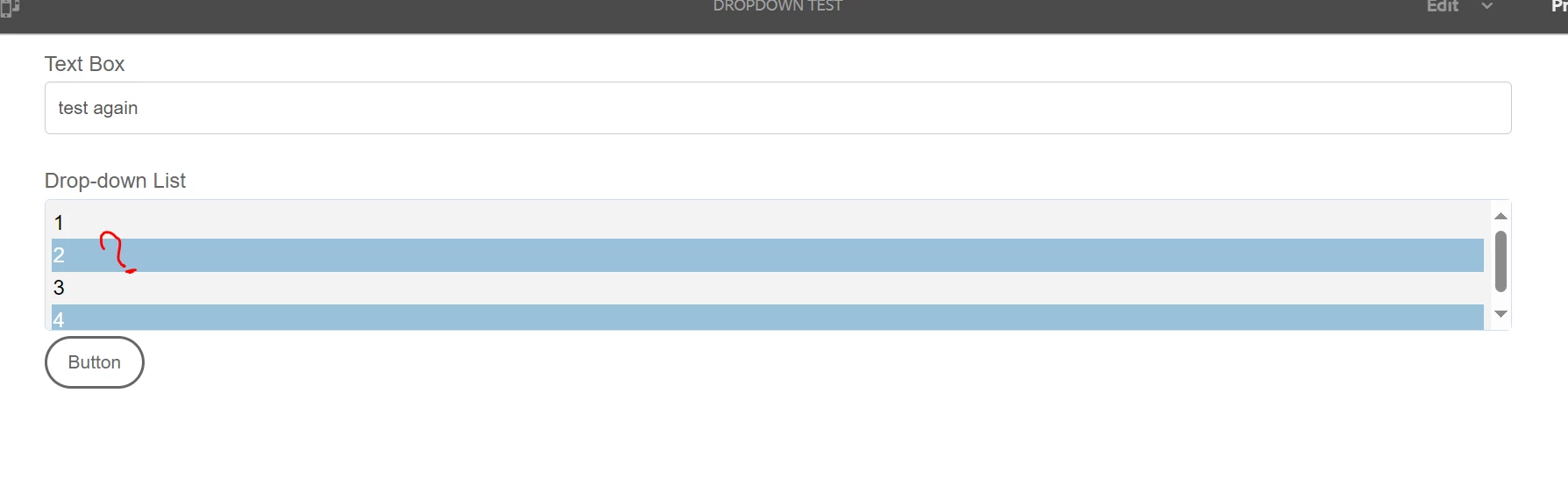


but ddlist.resetData() was supposed to reset the data of the dropdown and "2 was not supposed to be highlighted. this is happening in AEM forms 6.5 SP19. can you please try in other services packs? or did i miss something ? 


thanks in advance.


This post is no longer active and is closed to new replies. Need help? Start a new post to ask your question.
Best answer by PowerUserOne

there is still no solution to this bug. I had an adobe representative look into it and was also able to confirm this bug. I hope it is fix in SP20 because it renders the multichoice dropdown obsolete since SP11

2 replies

Mayank_Gandhi
Adobe Employee
Adobe Employee
February 13, 2024

@poweruserone send me your form I will test in lower version

Level 4
February 13, 2024

yesterday i tested it in SP11 it did not work


it is very simple, add a text box, a multiselect and a button (button is just for pretending you are clicking after changing the text on the textbox) just like in the pictures. the textbox Value Commit event of the textbox should reset the multiselect dropdown and it does. but when you click something after that the selections from before the reset comes back. please try it. let me know.


thanks 

Mayank_Gandhi
Adobe Employee
Adobe Employee
February 13, 2024

@poweruserone I will test and let you know

kautuk_sahni
Community Manager
Community Manager
February 21, 2024

@poweruserone Did you find the suggestions from users helpful? Please let us know if more information is required. Otherwise, please mark the answer as correct for posterity. If you have found out solution yourself, please share it with the community.

Kautuk Sahni
PowerUserOneAuthorAccepted solution
Level 4
February 21, 2024

there is still no solution to this bug. I had an adobe representative look into it and was also able to confirm this bug. I hope it is fix in SP20 because it renders the multichoice dropdown obsolete since SP11

kautuk_sahni
Community Manager
Community Manager
February 22, 2024

I am closing this thread as this is a bug. But I would request you to please share with the community the solution/fix or update that you hear from the support team. 

Kautuk Sahni