Error in in importing Xfa Json caused while creating adaptive form from xdp template | Community
Skip to main content
Level 4
March 19, 2026
Solved

Error in in importing Xfa Json caused while creating adaptive form from xdp template

  • March 19, 2026
  • 3 replies
  • 83 views

hi,

I am trying to create an adaptive form using form template (xdp) (foundation components) on aem 6.5.

The issue is after creating adaptive form using xdp, the data source is not populating 
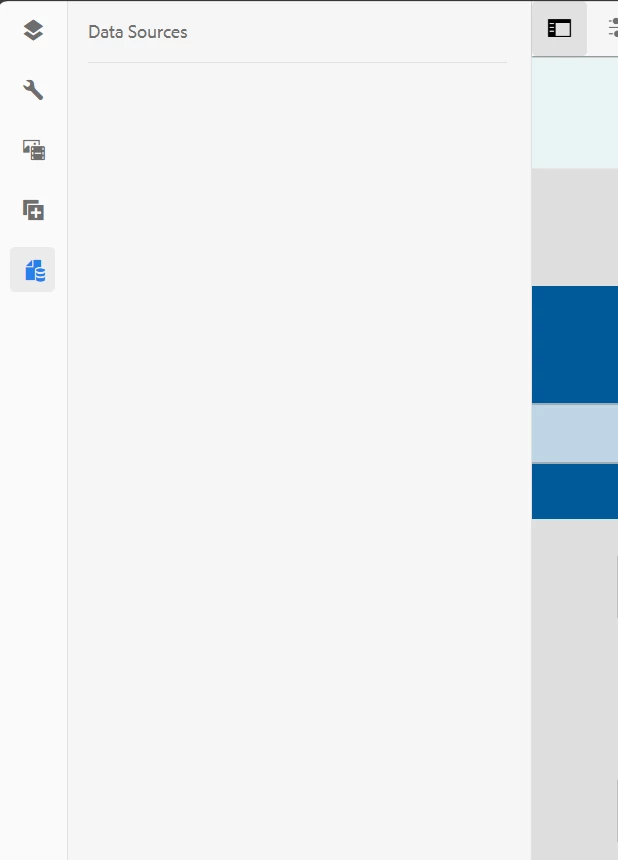
 

Even though an XDP is referenced in this form, it shows blank and the error.log as following errors:

19.03.2026 13:56:52.576 *ERROR* [10.238.22.152 [1773924978316] GET /content/forms/af/FOFO/adaptive-forms/A123-abc/jcr:content/guideContainer.xfajson HTTP/1.1] com.adobe.aemds.guide.xfa.XFAJSONTransformer Error in transforming xfa json:null
java.lang.NullPointerException: null
19.03.2026 13:56:52.577 *ERROR* [10.238.22.152 [1773924978316] GET /content/forms/af/FOFO/adaptive-forms/A123-abc/jcr:content/guideContainer.xfajson HTTP/1.1] com.adobe.aemds.guide.service.impl.GuideModelImporterImpl Error in importing Xfa Json
com.adobe.aemds.guide.service.GuideException: null
at com.adobe.aemds.guide.xfa.XFAJSONTransformer.transform(XFAJSONTransformer.java:104) [com.adobe.aemds.guide.aemds-guide-core:6.0.688]
at com.adobe.aemds.guide.service.impl.GuideModelImporterImpl.importFromXFA(GuideModelImporterImpl.java:1140) [com.adobe.aemds.guide.aemds-guide-core-impl:6.0.688]
at com.adobe.aemds.guide.service.impl.GuideModelImporterImpl.importFromXFA(GuideModelImporterImpl.java:1095) [com.adobe.aemds.guide.aemds-guide-core-impl:6.0.688]
at org.apache.jsp.libs.fd.af.components.guideContainer.xfajson__002e__jsp._jspService(xfajson__002e__jsp.java:334)
at org.apache.sling.scripting.jsp.jasper.runtime.HttpJspBase.service(HttpJspBase.java:70) [org.apache.sling.scripting.jsp:2.6.0]
at javax.servlet.http.HttpServlet.service(HttpServlet.java:764) [org.apache.felix.http.servlet-api:1.2.0]
at org.apache.sling.scripting.jsp.jasper.servlet.JspServletWrapper.service(JspServletWrapper.java:521) [org.apache.sling.scripting.jsp:2.6.0]
at org.apache.sling.scripting.jsp.jasper.servlet.JspServletWrapper.service(JspServletWrapper.java:464) [org.apache.sling.scripting.jsp:2.6.0]
at org.apache.sling.scripting.jsp.JspScriptEngineFactory$JspScriptEngine.callJsp(JspScriptEngineFactory.java:500) [org.apache.sling.scripting.jsp:2.6.0]
at org.apache.sling.scripting.jsp.JspScriptEngineFactory$JspScriptEngine.eval(JspScriptEngineFactory.java:582) [org.apache.sling.scripting.jsp:2.6.0]
at org.apache.sling.scripting.core.impl.DefaultSlingScript.call(DefaultSlingScript.java:395) [org.apache.sling.scripting.core:2.4.8]
at org.apache.sling.scripting.core.impl.DefaultSlingScript.eval(DefaultSlingScript.java:191) [org.apache.sling.scripting.core:2.4.8]
at org.apache.sling.scripting.core.impl.DefaultSlingScript.service(DefaultSlingScript.java:500) [org.apache.sling.scripting.core:2.4.8]
at org.apache.sling.engine.impl.request.RequestData.service(RequestData.java:545) [org.apache.sling.engine:2.15.10]
at org.apache.sling.engine.impl.filter.SlingComponentFilterChain.render(SlingComponentFilterChain.java:45) [org.apache.sling.engine:2.15.10]
at org.apache.sling.engine.impl.filter.AbstractSlingFilterChain.doFilter(AbstractSlingFilterChain.java:88) [org.apache.sling.engine:2.15.10]
at com.day.cq.wcm.core.impl.WCMDebugFilter.doFilterWithErrorHandling(WCMDebugFilter.java:192) [com.day.cq.wcm.cq-wcm-core:5.12.260]
	at org.eclipse.jetty.util.thread.ReservedThreadExecutor$ReservedThread.run(ReservedThreadExecutor.java:409) [org.apache.felix.http.jetty:4.2.26]
at org.eclipse.jetty.util.thread.QueuedThreadPool.runJob(QueuedThreadPool.java:883) [org.apache.felix.http.jetty:4.2.26]
at org.eclipse.jetty.util.thread.QueuedThreadPool$Runner.run(QueuedThreadPool.java:1034) [org.apache.felix.http.jetty:4.2.26]
at java.base/java.lang.Thread.run(Thread.java:834)
Caused by: com.adobe.aemds.guide.service.GuideException: Error in in importing Xfa Json
at com.adobe.aemds.guide.service.impl.GuideModelImporterImpl.importFromXFA(GuideModelImporterImpl.java:1145) [com.adobe.aemds.guide.aemds-guide-core-impl:6.0.688]
at com.adobe.aemds.guide.service.impl.GuideModelImporterImpl.importFromXFA(GuideModelImporterImpl.java:1095) [com.adobe.aemds.guide.aemds-guide-core-impl:6.0.688]
at org.apache.jsp.libs.fd.af.components.guideContainer.xfajson__002e__jsp._jspService(xfajson__002e__jsp.java:334)
at org.apache.sling.scripting.jsp.jasper.runtime.HttpJspBase.service(HttpJspBase.java:70) [org.apache.sling.scripting.jsp:2.6.0]
at javax.servlet.http.HttpServlet.service(HttpServlet.java:764) [org.apache.felix.http.servlet-api:1.2.0]
at org.apache.sling.scripting.jsp.jasper.servlet.JspServletWrapper.service(JspServletWrapper.java:521) [org.apache.sling.scripting.jsp:2.6.0]
at org.apache.sling.scripting.jsp.jasper.servlet.JspServletWrapper.service(JspServletWrapper.java:464) [org.apache.sling.scripting.jsp:2.6.0]
... 156 common frames omitted
Caused by: com.adobe.aemds.guide.service.GuideException: null
at com.adobe.aemds.guide.xfa.XFAJSONTransformer.transform(XFAJSONTransformer.java:104) [com.adobe.aemds.guide.aemds-guide-core:6.0.688]
at com.adobe.aemds.guide.service.impl.GuideModelImporterImpl.importFromXFA(GuideModelImporterImpl.java:1140) [com.adobe.aemds.guide.aemds-guide-core-impl:6.0.688]
... 162 common frames omitted
Caused by: java.lang.NullPointerException: null
19.03.2026 13:56:52.822 *ERROR* [10.238.22.152 [1773924978316] GET /content/forms/af/FOFO/adaptive-forms/A123-abc/jcr:content/guideContainer.xfajson HTTP/1.1] com.day.cq.wcm.core.impl.WCMDebugFilter Exception: An exception occurred processing JSP page /libs/fd/af/components/guideContainer/xfajson.jsp at line 27 : Error in in importing Xfa Json

Has anyone faced this before? thanks

Best answer by Pranay_M

Hi ​@SmrithiGo,

Thanks for sending the full stack trace; that confirms what we’re dealing with.

The relevant part is:

XFA Element for: Frm Info Bild 3 does not contain bindRef.
XFA Element for: Frag HL F 010 does not contain bindRef.
XFA Element for: Frm Sammanstallning does not contain bindRef.
...
com.adobe.aemds.guide.xfa.XFAJSONTransformer Error in transforming xfa json:null
java.lang.NullPointerException
...
Error in in importing Xfa Json

What this tells us:

  1. Fragments/paths are being resolved correctly – the transformer is able to walk the XFA and log specific elements by name, so it’s not a “cannot resolve fragment/XDP” situation.
  2. It is specifically unhappy about subforms/containers that don’t have a bindRef:
    • Frm Info Bild 3
    • Frag HL F 010
    • Frm Sammanstallning
  3. Immediately after logging those warnings, it falls over with a NullPointerException inside XFAJSONTransformer, and GuideModelImporterImpl wraps that as “Error in importing Xfa Json”.

That pattern, together with:

  • the XDPs rendering fine as interactive PDFs, and
  • simpler XDPs working as Adaptive Form templates in the same environment,

is very characteristic of a limitation/bug in the XFA→AF JSON transformer, not a broken environment.

What the warnings actually mean

In XFA, it is perfectly legal to have:

  • subforms that are purely layout containers (no data binding / bindRef), which contain:
    • static text, images, etc., and/or
    • fields below them that are bound.

The PDF renderer is tolerant of this and clearly handles your templates correctly.

However, the Adaptive Form transformer has to build a bindable JSON model from the XFA. When it hits a particular pattern of:

  • deep/nested subforms that have no bindRef at container level, and
  • the specific template structure you are using across these forms,

it logs “does not contain bindRef” and then hits a null state internally, leading to the NPE.

The fact that you see:

  • multiple XDPs from the same template family failing with the same warnings and NPE, and
  • other XDPs working,

is strong evidence that this is not a random corruption, but a repeatable transformer edge case for this design pattern.

Practical next steps

You’ve already checked all of the “standard” things (fragments present, script syntax OK, same XDP works for PDF). There are two tiers of next steps:

1) Optional local experiments (only if you can change a copy of the XDP)

On a copy of one failing XDP:

  • Locate those subforms in Designer:
    • Frm Info Bild 3
    • Frag HL F 010
    • Frm Sammanstallning
  • For one of them, try either:
    • Assigning a very simple data binding (bindRef) at the container level, or
    • Temporarily simplifying/removing that subform (and its contents).

Then upload that copy and create an AF from it:

  • If the Adaptive Form suddenly starts loading the data source and guideContainer.xfajson no longer throws, that tells us the transformer is specifically choking on unbound container(s) in this template.
  • If nothing changes, we know the problem is deeper in the overall structure and it still needs engineering attention.

These experiments are not mandatory, but if they work they give you a short‑term workaround and very precise evidence for engineering.

2) Raise this as a product issue (recommended at this point)

Given what we know now, I’d treat this as a product defect or limitation in AEM 6.5 Forms and involve Adobe Support/Engineering.

For the ticket, I’d include:

  • A clear statement of the symptom:

    When we create an Adaptive Form (foundation components) using specific complex XDP templates, the AF data source does not populate and /guideContainer.xfajson fails with XFAJSONTransformer NullPointerException. The same XDPs render interactive PDFs correctly and other (simpler) XDPs work as AF templates in the same environment.

  • The exact error snippet:

    XFA Element for: Frm Info Bild 3 does not contain bindRef.
    XFA Element for: Frag HL F 010 does not contain bindRef.
    XFA Element for: Frm Sammanstallning does not contain bindRef.
    ...
    com.adobe.aemds.guide.xfa.XFAJSONTransformer Error in transforming xfa json:null
    java.lang.NullPointerException
    ...
    Error in in importing Xfa Json
  • Environment details:

    • AEM 6.5.x version
    • AEM Forms add‑on version (com.adobe.aemds.guide.aemds-guide-core:6.0.688 and related bundles)
  • Assets needed for reproduction:

    • One failing XDP + its fragments,
    • One simpler XDP that works in the same environment (for comparison),
    • Optionally, a modified copy where adding bindRef or simplifying one of the logged subforms changes the behavior.

That’s exactly the kind of input engineering needs to either:

  • fix the transformer, or
  • provide a documented constraint/workaround for this template pattern.

Short answer

You’re not missing an obvious configuration switch at this point; the logs show the transformer walking your XFA, hitting unbound subforms, and then crashing. That, coupled with the fact that PDF rendering is clean, is almost certainly a product limitation in XFAJSONTransformer for this particular template structure.

Thanks
Pranay


3 replies

AmitVishwakarma
Community Advisor
Community Advisor
March 19, 2026

Hi ​@SmrithiGo 

This specific XFAJSONTransformer NPE when hitting guideContainer.xfajson is almost always bad XDP binding or a broken environment.

1.Verify Forms is correctly installed

  • Check AEM 6.5 SP and Forms add‑on match (e.g. 6.5.21 + Forms 6.5.21) from Tools > Deployment > Product Info.
  • In /system/console/bundles ensure these bundles are Active (not Installed/Resolved):
    • com.adobe.aemds.guide.aemds-guide-core
    • com.adobe.aemds.guide.aemds-guide-core-impl
    • com.adobe.aemds.guide.aemds-guide-addon

2. Prove your XDP is good and the model binding works

  • Upload a tiny test XDP (1–2 fields, created in Designer) into DAM: /content/dam/formsanddocuments/test/sample-form.xdp.
  • Create a new Adaptive Form (Foundation):
    • Form Model: Form Template
    • Template: sample-form.xdp
  • Open it and check the Data Model Objects tab:
    • If the fields appear, the environment is fine; your original XDP or its fragments are the problem.
    • If even this fails with the same error, fix step 1 (versions/add‑on) again until this sample works.

3.Fix the broken form by rebasing on a clean XDP

  • Open your failing form's Properties > Form Model:
    • Ensure Select From = Form Template.
    • Point it to a freshly uploaded, validated XDP (open in Designer > run consistency check > save > upload again).
    • Do not fight the existing AF. Instead:
      • Create a brand‑new Adaptive Form using that fixed XDP (Form Model = Form Template).
      • Confirm the Data Model Objects tab now shows fields (no xfajson error).
      • Copy any custom layout/rules from the old form into the new one and delete/retire the broken AF.

In practice, once a sample XDP works and you recreate the Adaptive Form from a clean, validated XDP, this error disappears unless you hit a very rare product bug.

Amit Vishwakarma - Adobe Commerce Champion 2025 | 16x Adobe certified | 4x Adobe SME
Adobe Employee
March 20, 2026

Hi ​@SmrithiGo,
 

Yes, this pattern is known: when an Adaptive Form (foundation components) is created from an XDP and guideContainer.xfajson throws a XFAJSONTransformer NullPointerException, it almost always means the XDP model couldn’t be converted to the internal XFA JSON representation.

The logs you shared:

com.adobe.aemds.guide.xfa.XFAJSONTransformer Error in transforming xfa json:null
java.lang.NullPointerException
...
com.adobe.aemds.guide.service.impl.GuideModelImporterImpl Error in importing Xfa Json
...
Caused by: com.adobe.aemds.guide.service.GuideException: null
...
Caused by: java.lang.NullPointerException: null

This also matches internal cases we’ve seen with multiple forms customers as well and this is because:

  • the XDP is corrupt or incomplete from an XFA point of view, or
  • the XDP depends on a schema/fragments that are not present/embedded in AEM, or
  • the XDP uses constructs not handled by the transformer (bad SOMs, invalid subform structure, etc.).

To narrow it down, could you please run through the following checks:

  1. Validate the XDP in Designer

    • Open the XDP in AEM Forms Designer.
    • Run the syntax/validation checks and fix any reported XFA issues.
  2. Confirm schema handling (if the form is schema-based)

    • Check whether the XDP is bound to an external XSD.
    • If so, either embed the schema into the XDP or make sure the XSD is also available on AEM in the expected path.
  3. Check fragments and references

    • If the XDP uses fragments, ensure all fragment XDPs are uploaded to AEM (via Forms → Forms & Documents) with the same folder structure as the original project.
    • Missing or moved fragments are a common cause for this NPE.
  4. Re-upload the XDP using Forms UI

    • Delete the existing XDP asset in AEM.
    • Re-upload it via Forms → Forms & Documents → Create → File Upload (not via CRX/Package Manager), then recreate the Adaptive Form using “Form Template” as the form model.
  5. Sanity check with a simple XDP

    • Create a very simple XDP (one text field), upload it, create an AF from it, and see if that renders.
    • If the simple XDP works but your complex one fails, the problem is in the content of the original XDP rather than the environment.

If you can share the following, I can help you pinpoint it more precisely:

  • The AEM path of the XDP (e.g. /content/dam/formsanddocuments/.../A123-abc.xdp), and
  • Whether it is schema-bound and/or uses fragments.

Based on that, we can decide whether this is something that can be fixed by adjusting the XDP/assets or whether we need to involve product engineering for a transformer edge case.

Thanks


SmrithiGoAuthor
Level 4
March 20, 2026

HI ​@Pranay_M and ​@AmitVishwakarma , thanks for the detailed response.

@Pranay_M , the xpd is not schema bound, instead it uses fragments.

And we have other XDPs which are working fine on our environment. We have created Adaptive form using XDP templates and it is loading data source correctly. This is specifically for this XDP.

I will try to validate the XDP in the designer, which I have not done previously. Will keep you updated.

Adobe Employee
March 20, 2026

Hi ​@SmrithiGo,


Thanks for the extra detail.

The fact that:

  • this XDP is not schema‑bound but does use fragments, and
  • other XDP‑based Adaptive Forms in the same environment work fine

strongly suggests this is an issue specific to this XDP or one of its fragments, rather than with AEM or the overall configuration.

In that situation, the most common causes we’ve seen are:

  1. A structural or scripting issue in the main XDP or in one fragment that the transformer can’t handle, or
  2. A fragment reference that is broken (e.g. renamed/moved/not uploaded correctly).

Validating the XDP in Designer is exactly the right next step. When you do that, it’s worth:

  • Running the full syntax/validation check on the main XDP and each referenced fragment.
  • Confirming that all fragments it references are:
    • present in AEM,
    • uploaded via Forms → Forms & Documents, and
    • in the same relative folder structure as in your original project.

If validation shows issues, or if you find any missing/moved fragment, fixing those and then re‑uploading should resolve the XFAJSONTransformer NullPointerException you’re seeing.

Please keep me posted on what Designer reports. If validation comes back clean but the AF still fails, we can go one level deeper by:

  • taking a copy of the XDP with some fragments temporarily removed (to isolate which fragment breaks it), or
  • comparing it to one of your working XDPs to see what’s structurally different.

Happy to review specific findings if you want to send a short summary of what Designer flags or which fragment looks suspicious.

Thanks

partyush
Community Advisor
Community Advisor
April 3, 2026

Hi ​@SmrithiGo 

Assuming you are referring to the XDP XFAJSONTransformer NullPointerException from previous discussion..

The Root Cause: Your AEM environment and configurations are completely fine. The error is strictly a payload crash. AEM's internal web parser is choking on a single corrupted element, missing fragment reference, or empty data binding inside that specific XDP.

The Most Efficient Solution:  Force the form to reveal the broken node mechanically:

  1. Copy & Split: Take a local copy of the failing XDP and delete exactly half of its contents (subforms or fragments).

  2. Upload & Test: Upload this halved XDP to AEM and try to create an Adaptive Form.

  3. Evaluate:

    • If the Data Sources load perfectly: The corrupted node was in the half you deleted.

    • If it still throws the NPE: The bad node is in the half you kept.

  4. Repeat: Keep taking the broken section and halving it. Within 3 to 4 quick tests (under 10 minutes), you will isolate the exact field, row, or fragment causing AEM to crash.

The Fix: Once you isolate the specific element, you will almost always find one of three things:

  • An orphaned fragment: The XDP references a fragment path that doesn't perfectly match the /content/dam/formsanddocuments/... structure in AEM.

  • A null binding: A field, table row, or subform lacks a proper internal Name, which crashes the JSON parser.

  • Malformed Rich Text: Hidden XML entities caused by copy-pasting text directly from Microsoft Word.

Fix that single isolated element, and your form will instantly work.

Thanks
Partyush Kumar