Dynamically populating multiselect dropdowns | Community
Skip to main content
Level 2
November 23, 2023
Solved

Dynamically populating multiselect dropdowns

  • November 23, 2023
  • 1 reply
  • 887 views

Hi

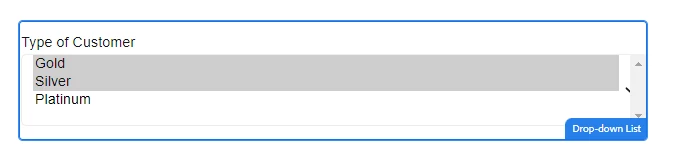
Is it possible to add multiple default values? Like, I have a multiselect dropdown with values:

1=Argentina

2=China

3=Serbia


I would like to preselect values 2 and 3 (China and Serbia). I tried to add 2,3 to the default field, but it doesn't work when I add a comma separated list of values. It works when I only add 1 value.


Is it not possible? 
This post is no longer active and is closed to new replies. Need help? Start a new post to ask your question.
Best answer by workflowuser


1 reply

Adobe Employee
November 23, 2023

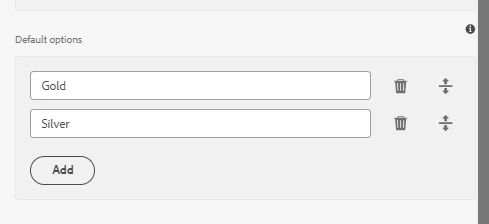
Try adding a new line character between the two values

workflowuserAdobe EmployeeAccepted solution
Adobe Employee
November 23, 2023