Could not initialize class com.rsa.cryptoj.o.dl error | Community
Skip to main content
mansim31441104
Level 2
June 15, 2017
Solved

Could not initialize class com.rsa.cryptoj.o.dl error

  • June 15, 2017
  • 4 replies
  • 3820 views

Hey everyone,

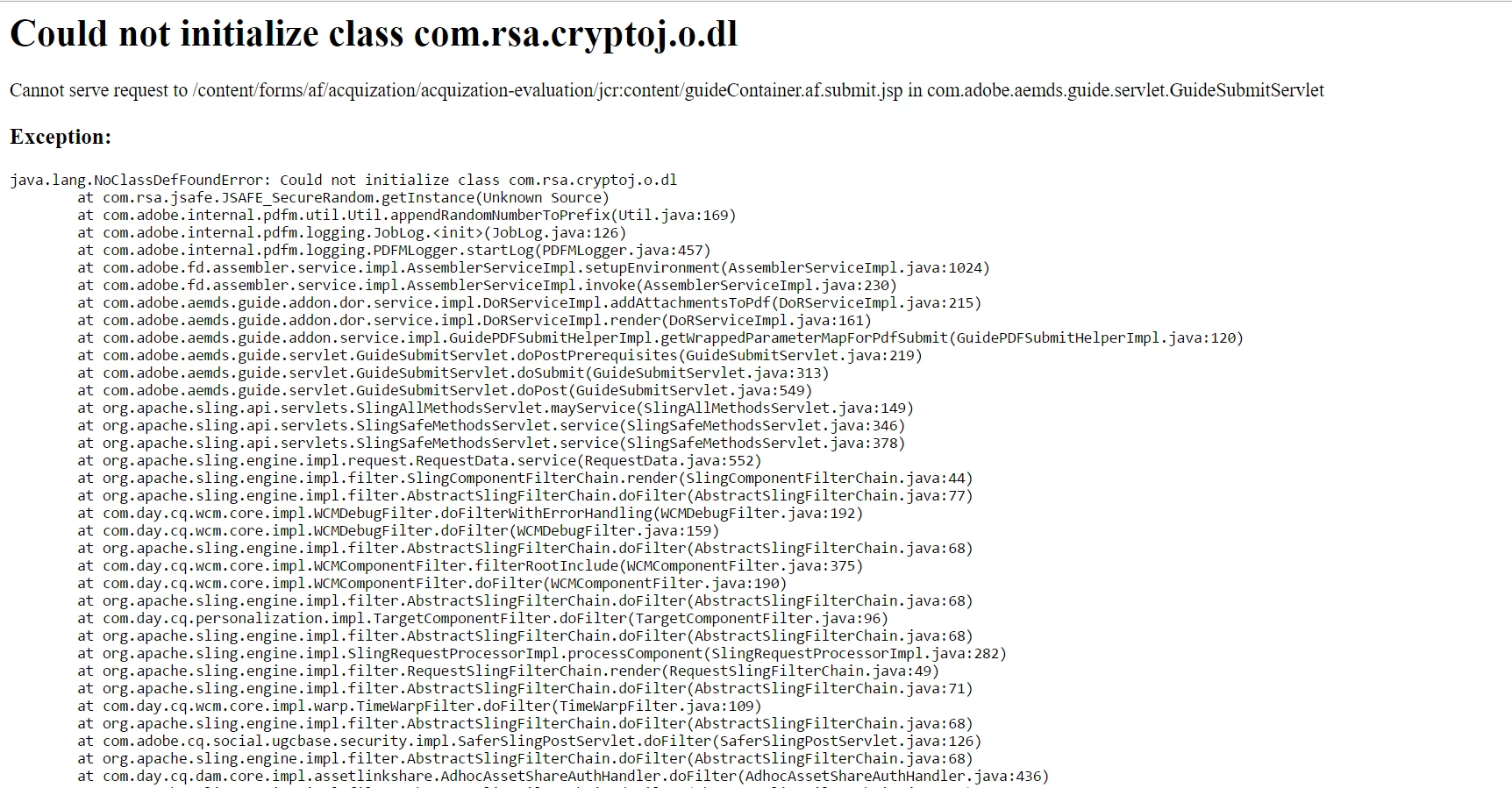
I am working on AEM project. on submitting the adaptive forms I am getting this error. The submission should trigger a workflow. Thanks for help.
This post is no longer active and is closed to new replies. Need help? Start a new post to ask your question.
Best answer by sharoon23

Hi,

are you using attachments in the adaptive forms. This error is seen when the installation path of your AEM has spaces in it i.e., any folder on the installation path of AEM has spaces in its name. Please remove the spaces in the name of the folder and restart the instance, it should work.

4 replies

MC_Stuff
Level 10
June 15, 2017

Hi,

Sounds related to certificate. Are you using IBM jre by any chance?

Thanks,

smacdonald2008
Level 10
June 15, 2017

One option you have is to submit to an OSGi service from the adaptive form:

Adobe Experience Manager Help | Posting Adobe Experience Manager Form Data to Custom Services

Then from the OSGi service - invoke a workflow using Workflow APIS:

Adobe Experience Manager Help | Invoking Adobe Experience Manager Workflows using the AEM Java API

kautuk_sahni
Community Manager
Community Manager
June 16, 2017

Moving this thread to AEM forms.

~kautuk

Kautuk Sahni
sharoon23Adobe EmployeeAccepted solution
Adobe Employee
June 16, 2017

Hi,

are you using attachments in the adaptive forms. This error is seen when the installation path of your AEM has spaces in it i.e., any folder on the installation path of AEM has spaces in its name. Please remove the spaces in the name of the folder and restart the instance, it should work.