background fill color disappears when something else is chosen | Community
Skip to main content
Level 5
January 9, 2022
Solved

background fill color disappears when something else is chosen

  • January 9, 2022
  • 1 reply
  • 1218 views

Good day,


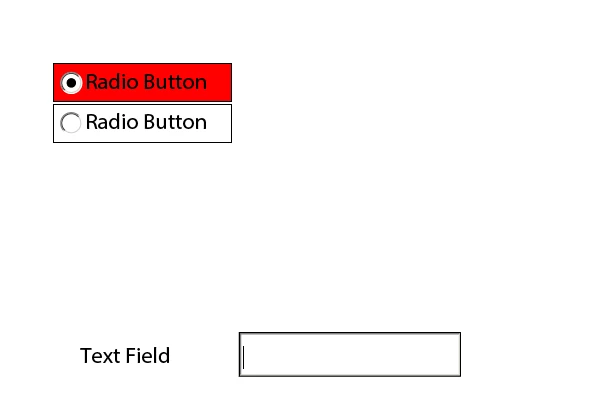
I have two radio buttons that when one of them is chosen, the background fill color changes to red.  The problem is that when I click any other box or tab out of the chosen button on the form, the fill color is removed, i.e. it disappears/shows no background color.  How can I get the background fill color to stay red when I choose anything else on the form?

This post is no longer active and is closed to new replies. Need help? Start a new post to ask your question.
Best answer by Mayank_Tiwari

Can you please explain - "Background Fill color changes to red" of which object? of Radio button?

Please check out this form, and let me know if this is what you are expecting. As you can see, the background color remains red when I select the textfield below. Thanks!


1 reply

Mayank_Tiwari
Adobe Employee
Mayank_TiwariAdobe EmployeeAccepted solution
Adobe Employee
January 9, 2022

Can you please explain - "Background Fill color changes to red" of which object? of Radio button?

Please check out this form, and let me know if this is what you are expecting. As you can see, the background color remains red when I select the textfield below. Thanks!


Level 5
January 14, 2022

Good day,

Yes, this is what I want, but for some reason, on my form, when I click back to the first button, the second one stays red and it changes it's brightness.  Your example does not do this.  Can you help me fix it on my form?


Mayank_Tiwari
Adobe Employee
Adobe Employee
January 17, 2022

Can you share your form? You may use Google drive to share.