AEM Forms 6.3 - Upload JSON Schema | Community
Skip to main content
James_R_Green
Level 6
July 26, 2018
Solved

AEM Forms 6.3 - Upload JSON Schema

  • July 26, 2018
  • 3 replies
  • 3531 views

Hi,

Has anyone managed to upload a JSON schema to AEM forms using the UI? It works for the XML XSD example here:

AEM 6.0 Forms Help | Creating adaptive forms using XML Schema

But the JSON equivalent example does not work and does not give an error (neither in the browser or AEM logs):

Adobe Experience Manager Help | Creating adaptive forms using JSON Schema

Is it just me or this functionality broken?

FYI I did workaround this by first uploading an XML schema VLT'ing the form back to my project and amending the content.xml for the xml schema to be application json then replacing the XML with a JSON schema. But would prefer to do it through the UI

Thanks,

Jim

This post is no longer active and is closed to new replies. Need help? Start a new post to ask your question.
Best answer by Mayank_Gandhi

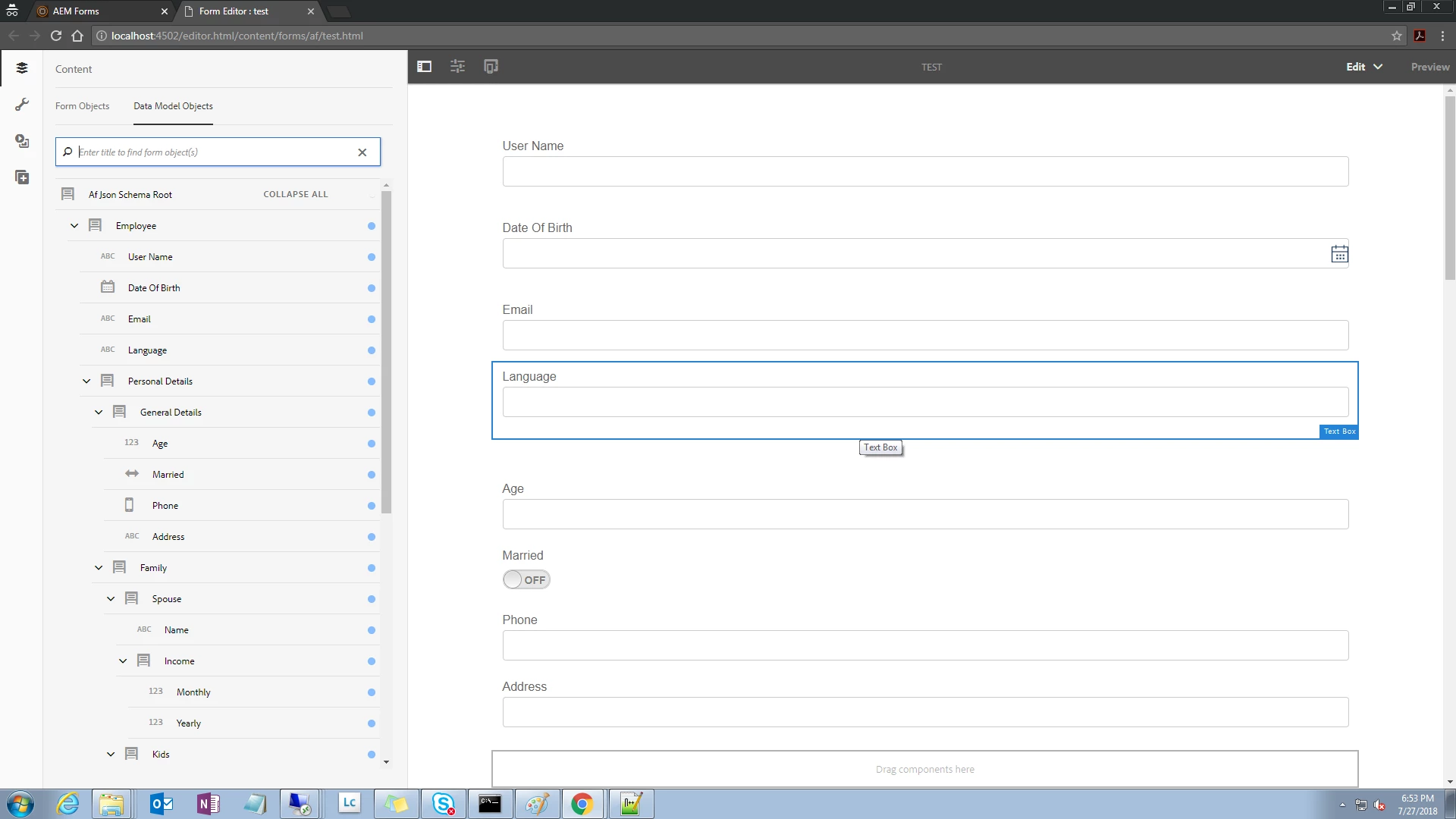
DarrenBiz is absolutely correct. All you got to do is save the file with extension as schema.json and it would let you create the form with JSON schema. You may keep the schema on the repository or just upload it via disk, either would work. I used the same sample schema given in the document and here is the result.

3 replies

DarrenBiz
Level 6
July 27, 2018

I'm not sure what your specific issue is from your description, but I suspect you need to name the JSON schema with a particular name: e.g. sample.schema.json [1] [Read the little "Caution" note]

Then you can upload it using Create > File Upload and select the JSON schema file from your local. It should then appear in your forms UI.

You can then select it during form creation e.g. Form Model > Schema > Select Schema > Search in Repository > sample.schema.json during the form creation:

[1] Adobe Experience Manager Help | Creating an adaptive form

Mayank_Gandhi
Adobe Employee
Mayank_GandhiAdobe EmployeeAccepted solution
Adobe Employee
July 27, 2018

DarrenBiz is absolutely correct. All you got to do is save the file with extension as schema.json and it would let you create the form with JSON schema. You may keep the schema on the repository or just upload it via disk, either would work. I used the same sample schema given in the document and here is the result.

smacdonald2008
Level 10
July 27, 2018

NIce Response Mayank