AEM 6.5 OSGi Spanish Font in forms output | Community
Skip to main content
Level 5
November 15, 2021
Solved

AEM 6.5 OSGi Spanish Font in forms output

  • November 15, 2021
  • 1 reply
  • 723 views

Hi,

This is a follow up from https://experienceleaguecommunities.adobe.com/t5/adobe-experience-manager-forms/spanish-characters-entered-in-form-s-input-fields-not-saved/m-p/430764#M7982.

I added the path to the Windows OS System Fonts, Adobe Server Fonts, and the Customer Fonts directories in CQ-DAM-Handler-Gibson Font Managers service and restarted the AEM instance. This did not resolve the issue.

1. In the server:port/libs/fd/pdfg/config/ui.html the current configuration setting is as below. This works fine for English fonts in the output PDF form. 
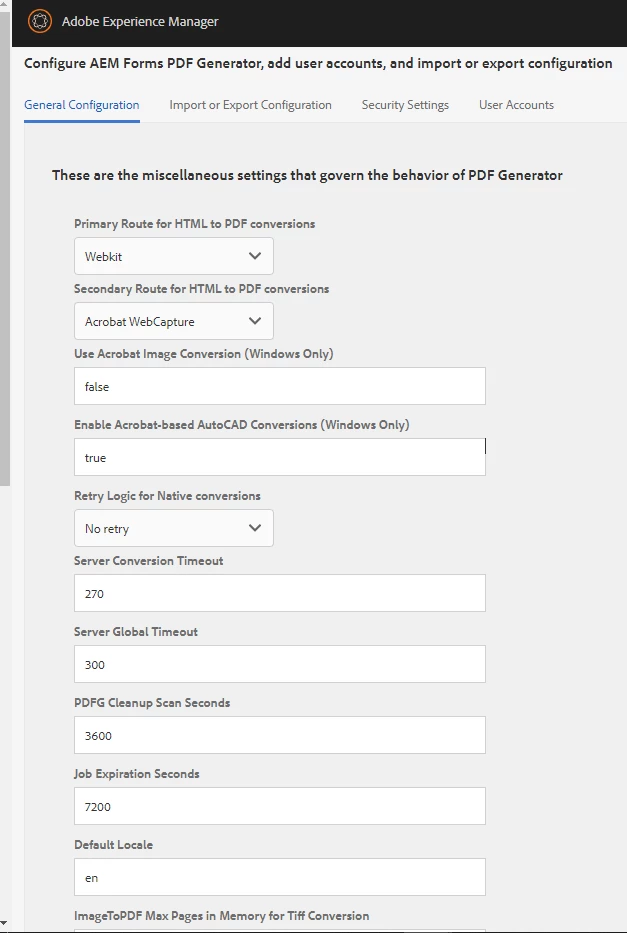
2. Is there anything else I can try or verify in the AEM instance?

Thanks in advance for the response.

Leena

 

This post is no longer active and is closed to new replies. Need help? Start a new post to ask your question.
Best answer by Pulkit_Jain_

@aemuser001 

Seems there is no issue with the font as it has worked for you previously

I would suggest that you follow the helpdoc[0] to generate debug logs to troubleshoot the font issue and raise a support ticket.


[0] - https://experienceleague.adobe.com/docs/experience-manager-learn/forms/troubleshooting/how-to-debug-font-related-issue-for-forms-and-output-service.html%3Flang%3Dsv


1 reply

Pulkit_Jain_
Adobe Employee
Pulkit_Jain_Adobe EmployeeAccepted solution
Adobe Employee
November 15, 2021

@aemuser001 

Seems there is no issue with the font as it has worked for you previously

I would suggest that you follow the helpdoc[0] to generate debug logs to troubleshoot the font issue and raise a support ticket.


[0] - https://experienceleague.adobe.com/docs/experience-manager-learn/forms/troubleshooting/how-to-debug-font-related-issue-for-forms-and-output-service.html%3Flang%3Dsv


Level 5
November 15, 2021

Thanks for the suggestion. Will do.

Leena