Node Module Import in EDS site | Community
Skip to main content
Level 2
March 10, 2025
Solved

Node Module Import in EDS site

  • March 10, 2025
  • 1 reply
  • 437 views

Hi,


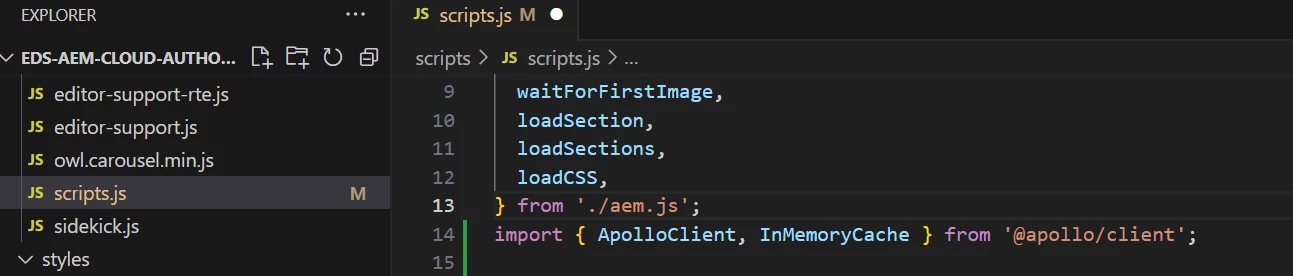
I have installed node module "@apollo/client" from npm install, i am trying to use that in scripts.js file, using import, but getting error in browser console "Uncaught TypeError: Failed to resolve module specifier "@apollo/client". Relative references must start with either "/", "./", or "../""


I am new to AEM edge delivery services, please let me know what am missing.


Thanks,

Parvathi


This post is no longer active and is closed to new replies. Need help? Start a new post to ask your question.
Best answer by PavanGaddam

@parvathiso1 The root cause of your issue is that browsers cannot directly resolve bare module specifiers like @apollo/client. Unlike Node.js, which has a built-in module resolution system that understands npm package names, browsers require either:

  1. Relative paths (./../)
  1. Absolute paths (/)
  1. URLs (https://...)


For Edge Delivery Services (EDS) projects, the best approach is to use a module bundler in your build process:


# Add bundling dependencies npm install --save-dev rollup @rollup/plugin-node-resolve @rollup/plugin-commonjs


Then create a rollup configuration file (rollup.config.js😞


import resolve from '@rollup/plugin-node-resolve'; import commonjs from '@rollup/plugin-commonjs'; export default { input: 'src/scripts.js', output: { file: 'scripts/scripts.js', format: 'es' }, plugins: [ resolve(), commonjs() ] };


Add a build script to your package.json:


"scripts": { "build": "rollup -c", "watch": "rollup -c -w" }


Note that the "rollup.config.js" needs to be placed in your project root folder.
1 reply

PavanGaddamAdobe EmployeeAccepted solution
Adobe Employee
March 12, 2025

@parvathiso1 The root cause of your issue is that browsers cannot directly resolve bare module specifiers like @apollo/client. Unlike Node.js, which has a built-in module resolution system that understands npm package names, browsers require either:

  1. Relative paths (./../)
  1. Absolute paths (/)
  1. URLs (https://...)


For Edge Delivery Services (EDS) projects, the best approach is to use a module bundler in your build process:


# Add bundling dependencies npm install --save-dev rollup @rollup/plugin-node-resolve @rollup/plugin-commonjs


Then create a rollup configuration file (rollup.config.js😞


import resolve from '@rollup/plugin-node-resolve'; import commonjs from '@rollup/plugin-commonjs'; export default { input: 'src/scripts.js', output: { file: 'scripts/scripts.js', format: 'es' }, plugins: [ resolve(), commonjs() ] };


Add a build script to your package.json:


"scripts": { "build": "rollup -c", "watch": "rollup -c -w" }


Note that the "rollup.config.js" needs to be placed in your project root folder.