WARN: Lucene Facet "dam:status" Not Indexed with SortedSetDocValues on Omnisearch Filter | Community
Skip to main content
March 11, 2026
Question

WARN: Lucene Facet "dam:status" Not Indexed with SortedSetDocValues on Omnisearch Filter

  • March 11, 2026
  • 3 replies
  • 103 views

While using Omnisearch in AEM, when I click Filter → File Type → any option, the following warning appears in the logs
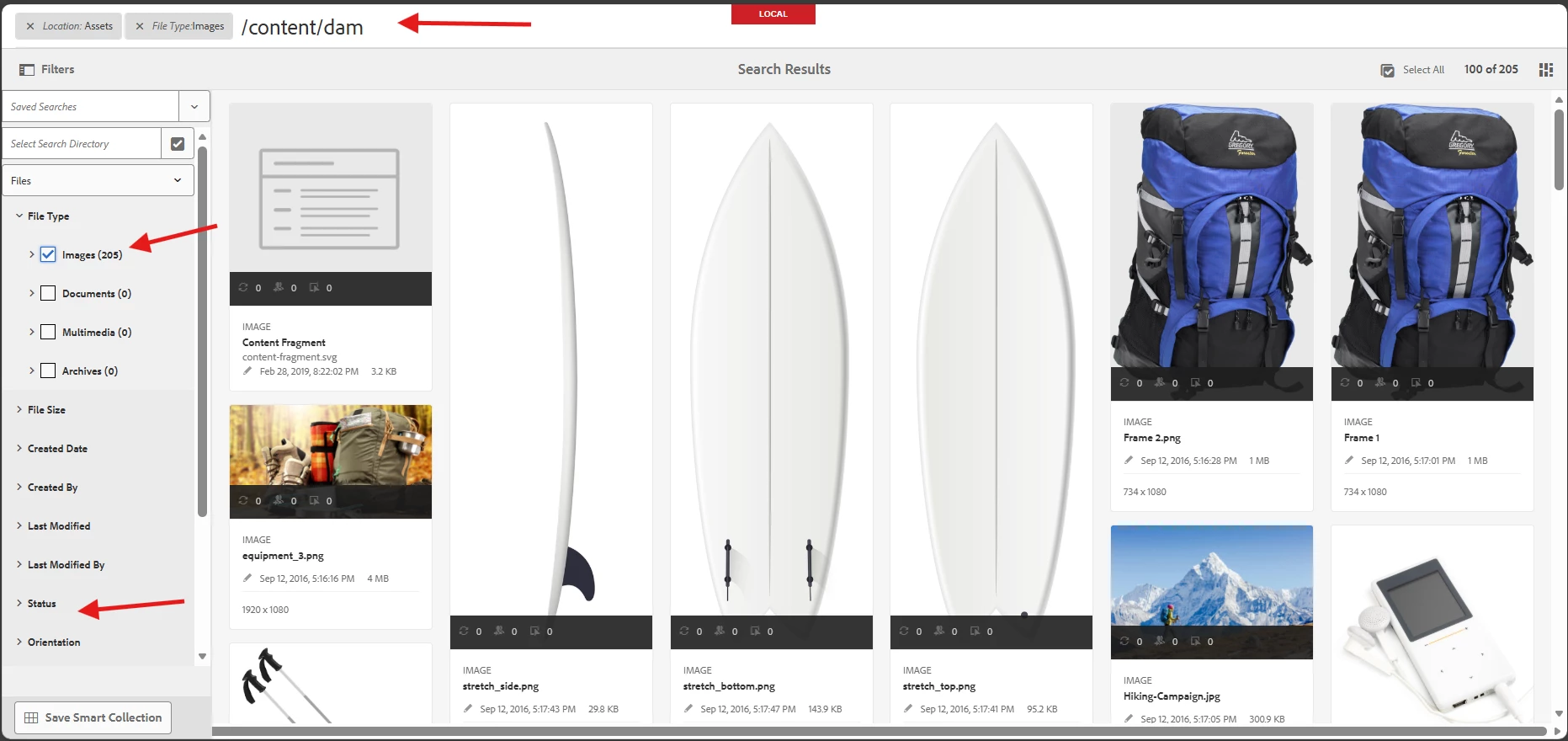
LOGS:

it started on Nov 29th, 2025, it’s still showing warning 


how to fix the issue? like how to stop the warning?

3 replies

kautuk_sahni
Community Manager
Community Manager
March 16, 2026

@arunpatidar ​@BrianKasingli ​@Saravanan_Dharmaraj ​@sarav_prakash ​@lukasz-m ​@SivakumarKanoori ​@Ravi_Pampana Tagging you to see if you might want to share any best practices or insights on this topic. Your expertise would be greatly appreciated, thank you!

Kautuk Sahni
sarav_prakash
Community Advisor
Community Advisor
March 17, 2026

@Priyanga_TabuTa , do you have custom property indices in repo? Recently I got error with AEM Cost-Selector picked out of box indicies rather than my custom indices. My logs were throwing similar above errors. This is AEMaaCS. And started happening after November updates. 


working with adobe, I had to remove my index and create new index as per new documentation. https://experienceleague.adobe.com/en/docs/experience-manager-cloud-service/content/operations/indexing#adding-an-index. It resolved.


So try checking, if you have custom property index, compare the documentation if index is named exactly in proper naming, delete obselete index. 

AmitVishwakarma
Community Advisor
Community Advisor
March 18, 2026

Hi ​@Priyanga_TabuTa 
Omnisearch filter is asking Oak/Lucene for a facet on jcr:content/metadata/dam:status, but in your damAssetLucene index that property is not stored with SortedSetDocValues. Hence the repeated warning:

  • field "jcr:content/metadata/dam:status_facet" was not indexed with SortedSetDocValues

To stop it, you must fix the index definition for dam:status and reindex (or remove the facet if you don't need it).

Applies to AEM 6.5 and AEMaaCS (Cloud) – adjust the path/index name to your version (e.g. damAssetLucene, damAssetLucene-9, or your custom copy).

  1. Open the DAM index definition
    In CRXDE or via code:
    • Path is typically: /oak:index/damAssetLucene or a custom copy like /oak:index/damAssetLucene-9-custom-1.
  2. Find or create the property node for dam:status
    Under: /oak:index/damAssetLucene/indexRules/dam:Asset/properties
    ensure there is a child node (name doesn't matter, e.g. damStatus) with at least:
    name            = "jcr:content/metadata/dam:status"
    type = "String"
    propertyIndex = true
    facets = true
    useDocValues = true
  3. Trigger reindexing
    On the index root node (/oak:index/damAssetLucene or your custom index):
    reindex       = true
    reindexCount = <increment by 1 if present>

    Save. Let Oak finish the async reindex (watch logs until reindexing completes).

  4. Verify

    • Use Omnisearch -> Filters -> File Type / Status again.

    • The WARN line about dam:status_facet should disappear.

If you don't use the "Status" facet:
If you don't care about that facet at all, simpler option:

  • Go to Tools -> Assets -> Search Forms.
  • Edit "Assets Admin Search Rail" form.
  • Remove the "Approval Status / dam:status" predicate from the form.
  • Save and test Omnisearch again.

Since the facet isn't queried anymore, the warning stops.

any property you use as a Lucene facet (like dam:status) must be configured in the DAM index with facets=true and useDocValues=true, then reindexed.

Amit Vishwakarma - Adobe Commerce Champion 2025 | 16x Adobe certified | 4x Adobe SME