Uploading into the AEM | Community
Skip to main content
August 25, 2017
Solved

Uploading into the AEM

  • August 25, 2017
  • 4 replies
  • 2907 views

Hi all,

I wanted to know if anyone knew how to make the most recent files that I upload come out at the top of the page instead of the very bottom of the page?

Thanks in advance!

This post is no longer active and is closed to new replies. Need help? Start a new post to ask your question.
Best answer by Diego_Fontan

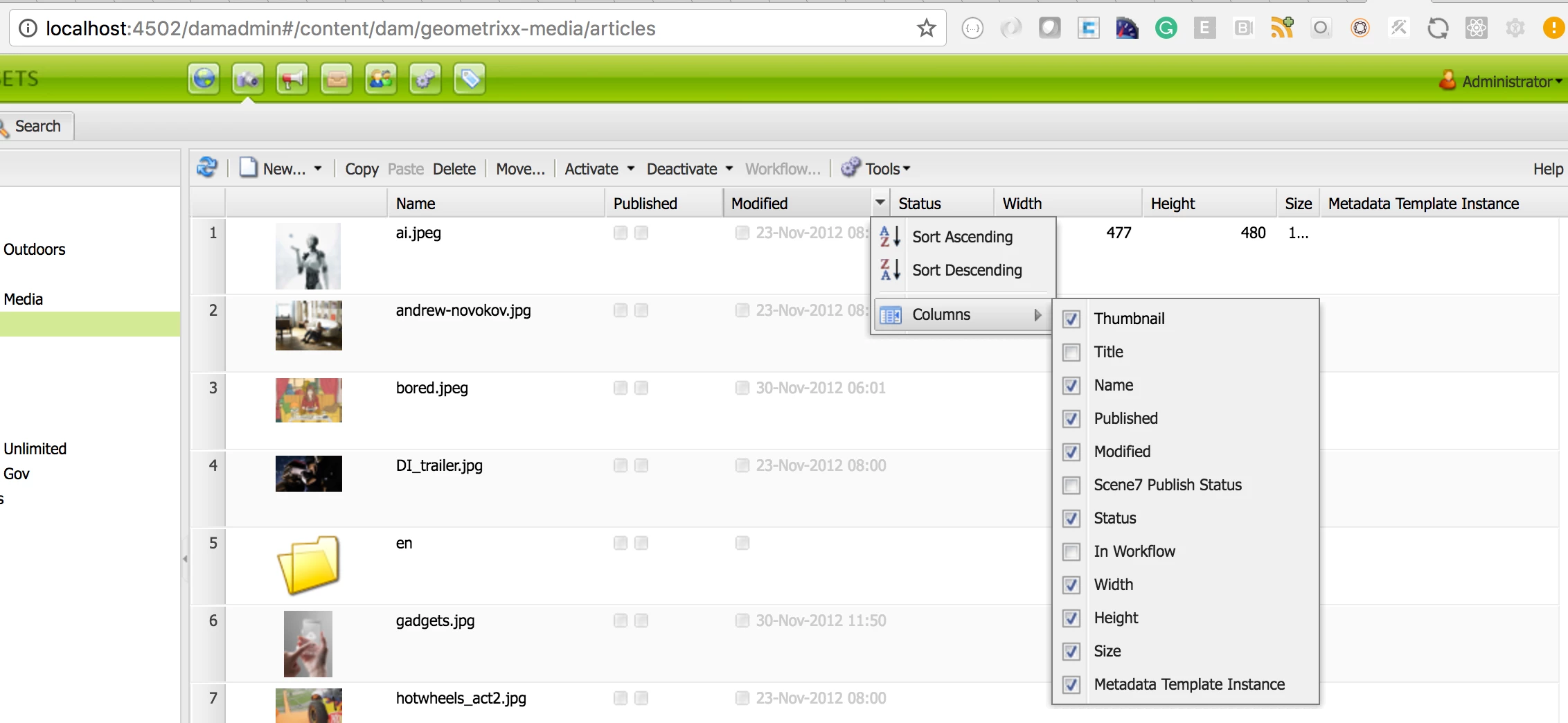
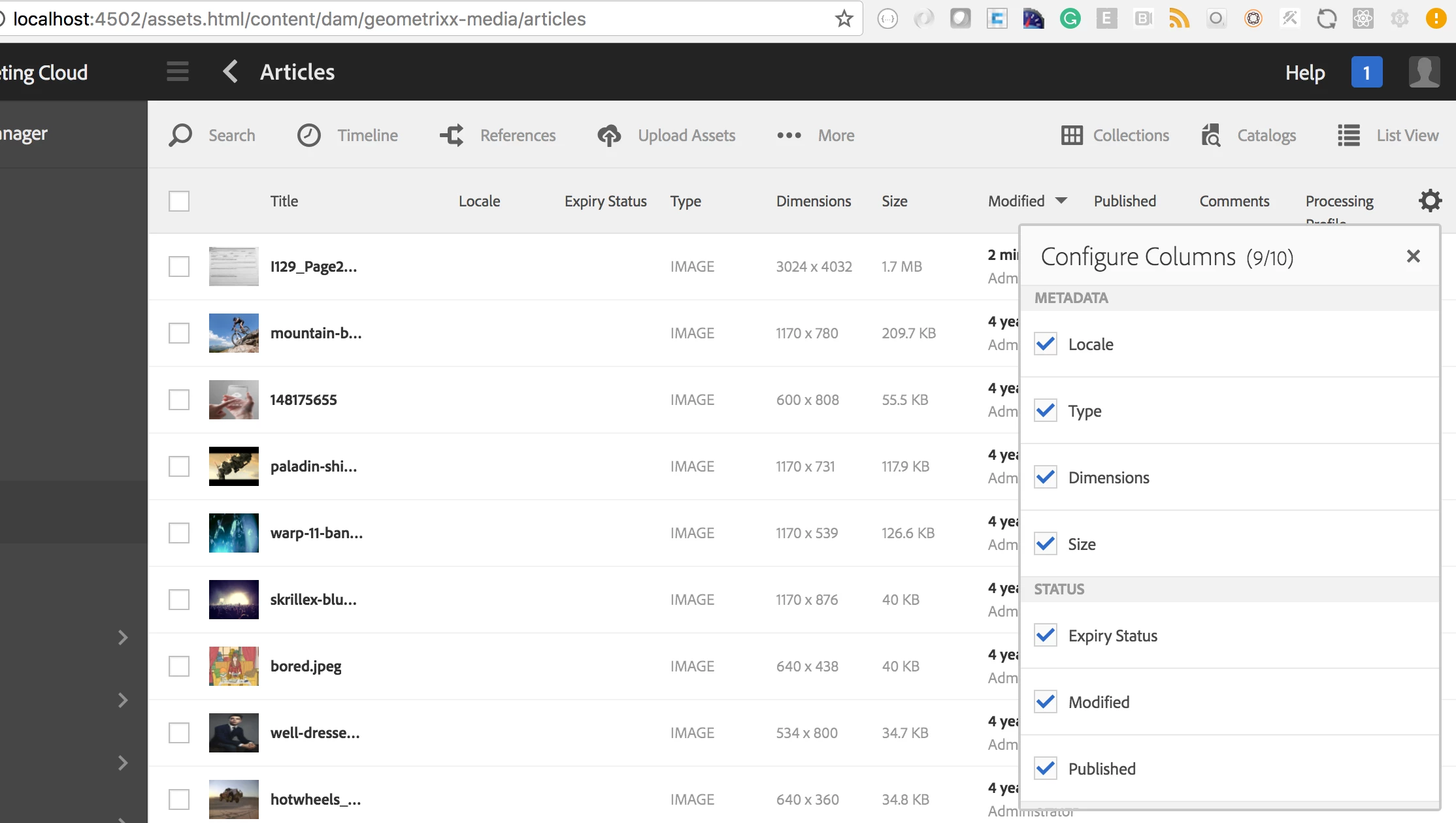
All column enabled(you can configure the list of columns to be displayed) has a "Sort Action" associated - Ascending & Descending - for classic and touch ui. (2 images attached)

Classic UI

Touch UI

4 replies

Level 2
August 25, 2017

If you are talking about assets in aem , then you can sort assets by modified in list view then the most recent added asset will appear on top

Please refer [0] for more details

[0] Enhanced Sort

Diego_Fontan
Diego_FontanAccepted solution
Level 4
August 31, 2017

All column enabled(you can configure the list of columns to be displayed) has a "Sort Action" associated - Ascending & Descending - for classic and touch ui. (2 images attached)

Classic UI

Touch UI

Lokesh_Shivalingaiah
Level 10
August 31, 2017

As Diego mentioned, it has to be sorted manually. You may have to customize if you need it in the default view.

Prince_Shivhare
Community Advisor
Community Advisor
August 31, 2017

Agree with Lokesh, You will have to customize the console to sort it.

Also when you works in edit mode of page, the most recent asset you can see in left rail.

Related threads:

How to sort the assets ascending order using query builder?

Regards,
Prince