Smart Collection Empty | Community
Skip to main content
Level 2
November 8, 2023
Solved

Smart Collection Empty

  • November 8, 2023
  • 3 replies
  • 1025 views

Hello,


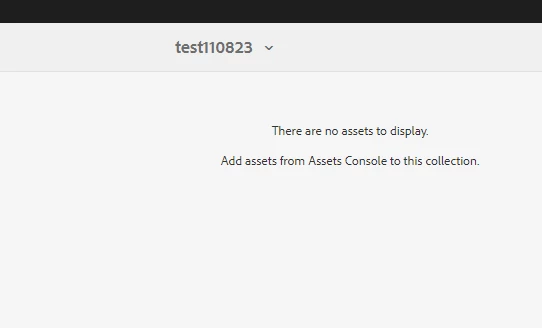
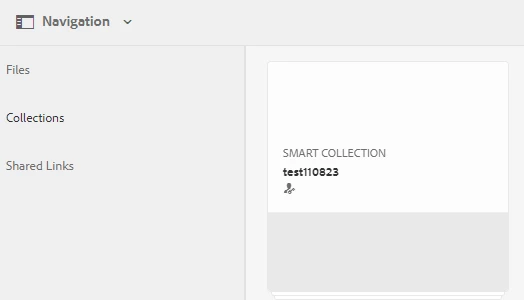
I saved a smart collection with about 10 files. I can see the files when I filter by saved searches. But when I try to access the files through the Collections section, the collection is empty and the following text is displayed: "There are no assets to display. Add assets from Assets Console to this collection." And when I try to share the collection link, no assets show up and there is text that says "There is no content to display"


Any insight on what is causing this?


This post is no longer active and is closed to new replies. Need help? Start a new post to ask your question.
Best answer by diksha_mishra

@morganme1 Can you ask another user to create a collection and try sharing with you? You both can check permissions as below:

To enable the members to share collections with other users, provide the dam-users group read permissions at the path home/users. Give permission to the users at /content/dam/collections location to allow the users to view the Collections in pop up lists. Alternatively, make the user a part of dam-users group.

3 replies

typehack
Level 2
November 11, 2023

Hi!

Hard to say for sure but, this sounds like a permissions issue. Sorry, but we'd probably need more information ...

Just curious, are you able to create a static collection and see its contents?

Thx!


diksha_mishra
Community Advisor
diksha_mishraCommunity AdvisorAccepted solution
Community Advisor
November 15, 2023

@morganme1 Can you ask another user to create a collection and try sharing with you? You both can check permissions as below:

To enable the members to share collections with other users, provide the dam-users group read permissions at the path home/users. Give permission to the users at /content/dam/collections location to allow the users to view the Collections in pop up lists. Alternatively, make the user a part of dam-users group.

kautuk_sahni
Community Manager
Community Manager
December 11, 2023

@morganme1 Did you find the suggestions from users helpful? Please let us know if more information is required. Otherwise, please mark the answer as correct for posterity. If you have found out solution yourself, please share it with the community.

Kautuk Sahni