Notifications for asset download in aem inbox dissapear from inbox after sometime? | Community
Skip to main content
Level 2
January 7, 2025
Solved

Notifications for asset download in aem inbox dissapear from inbox after sometime?

  • January 7, 2025
  • 1 reply
  • 577 views

Hello,


I had downloaded some assets in aem cloud instance some days back and received a notification in inbox for "file is ready" using which I downloaded the files. 

However now the notification has disappeared from inbox, I just wanted to know if there is any time limit from adobe for these notifications to persist in our inbox after the files are downloaded?


Looking for some official documentation from Adobe on this. Thanks.

This post is no longer active and is closed to new replies. Need help? Start a new post to ask your question.
Best answer by EstebanBustamante

Hi,


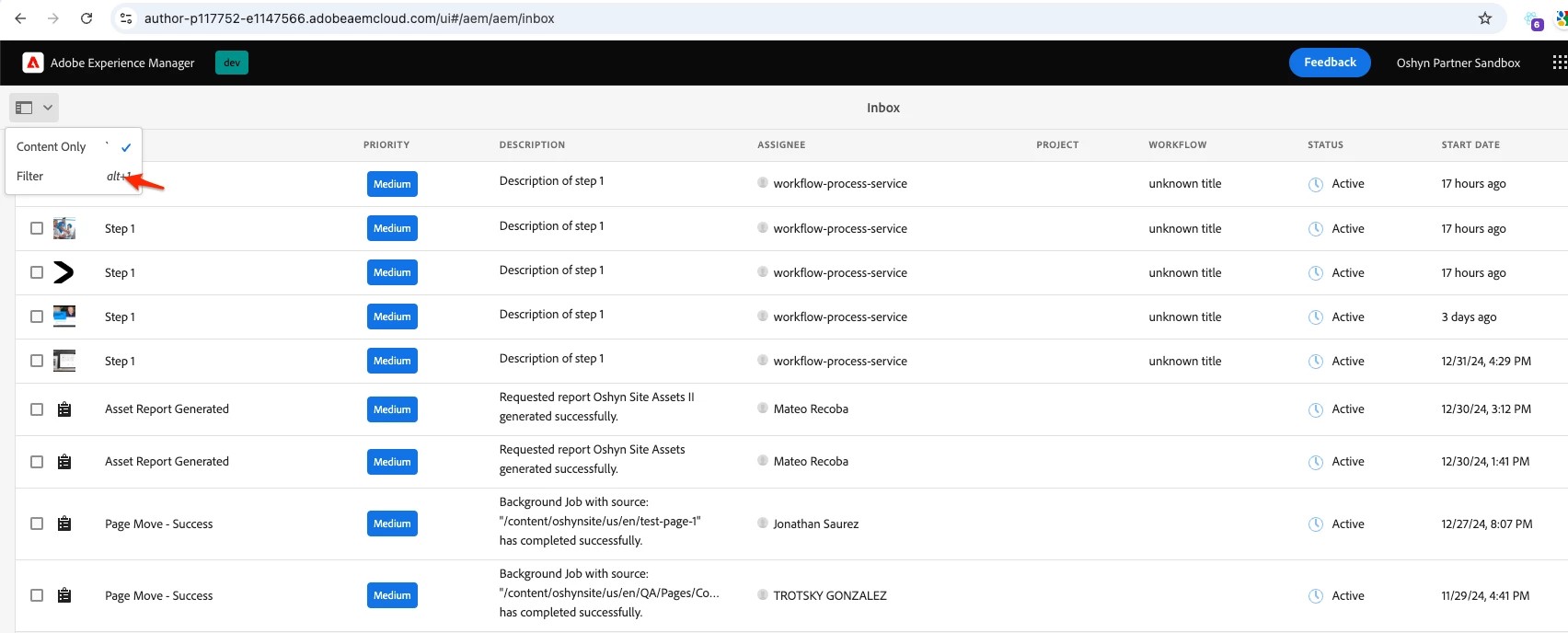
If you're referring to inbox items, only those with an "active" status are displayed on the screen. However, you can still filter for "completed" tasks if you need to check something that’s already been completed. Most likely you will find the notification there. Here is the official source: https://experienceleague.adobe.com/en/docs/experience-manager-learn/foundation/workflow/use-the-inbox 

Regarding when these are purged, this can be configured in the com.adobe.granite.taskmanagement.impl.purge.TaskPurgeMaintenanceTask OSGi config. By default, I believe it’s set to 30 days for completed tasks and 90 days for active tasks.


You can read more here: https://experienceleague.adobe.com/en/docs/experience-manager-cloud-service/content/operations/maintenance#maintenance-tasks-configuring 


Hope this helps

1 reply

EstebanBustamante
Community Advisor and Adobe Champion
EstebanBustamanteCommunity Advisor and Adobe ChampionAccepted solution
Community Advisor and Adobe Champion
January 9, 2025

Hi,


If you're referring to inbox items, only those with an "active" status are displayed on the screen. However, you can still filter for "completed" tasks if you need to check something that’s already been completed. Most likely you will find the notification there. Here is the official source: https://experienceleague.adobe.com/en/docs/experience-manager-learn/foundation/workflow/use-the-inbox 

Regarding when these are purged, this can be configured in the com.adobe.granite.taskmanagement.impl.purge.TaskPurgeMaintenanceTask OSGi config. By default, I believe it’s set to 30 days for completed tasks and 90 days for active tasks.


You can read more here: https://experienceleague.adobe.com/en/docs/experience-manager-cloud-service/content/operations/maintenance#maintenance-tasks-configuring 


Hope this helps

Esteban Bustamante