Hi @avesh_narang
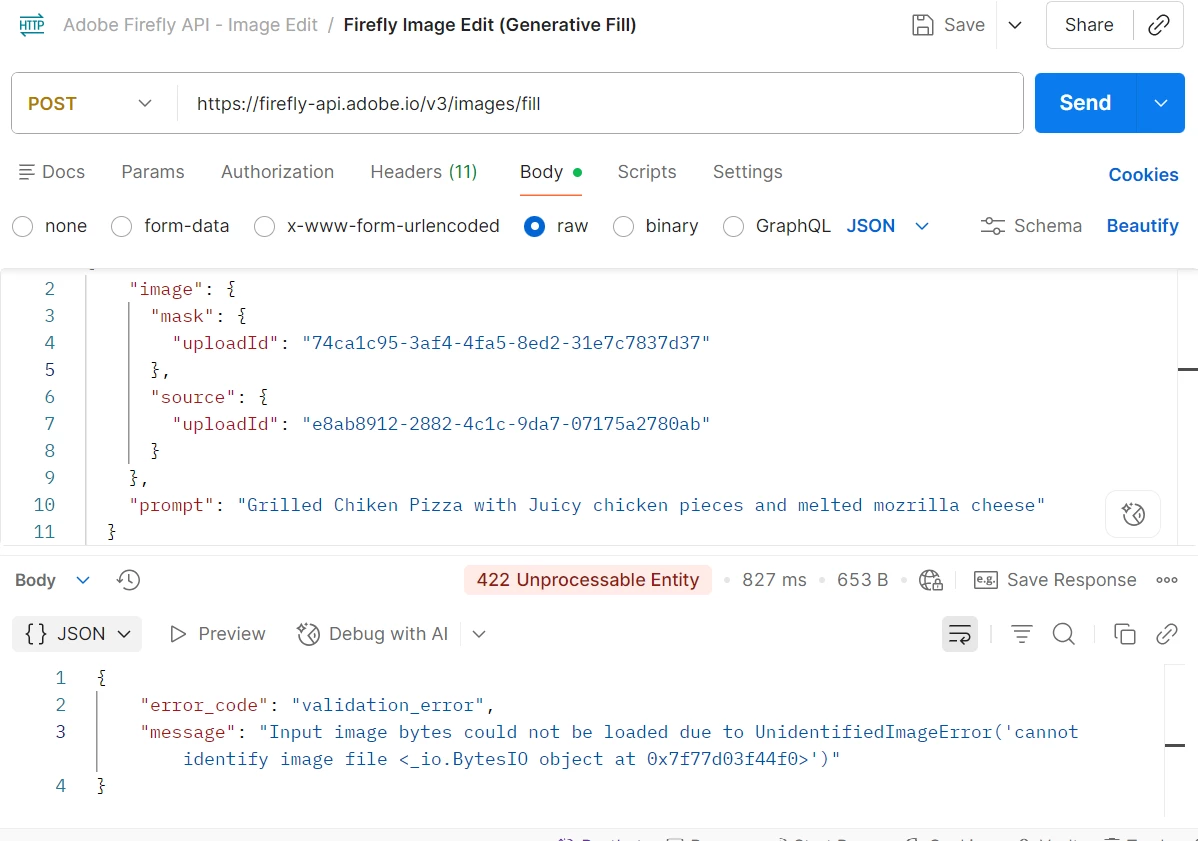
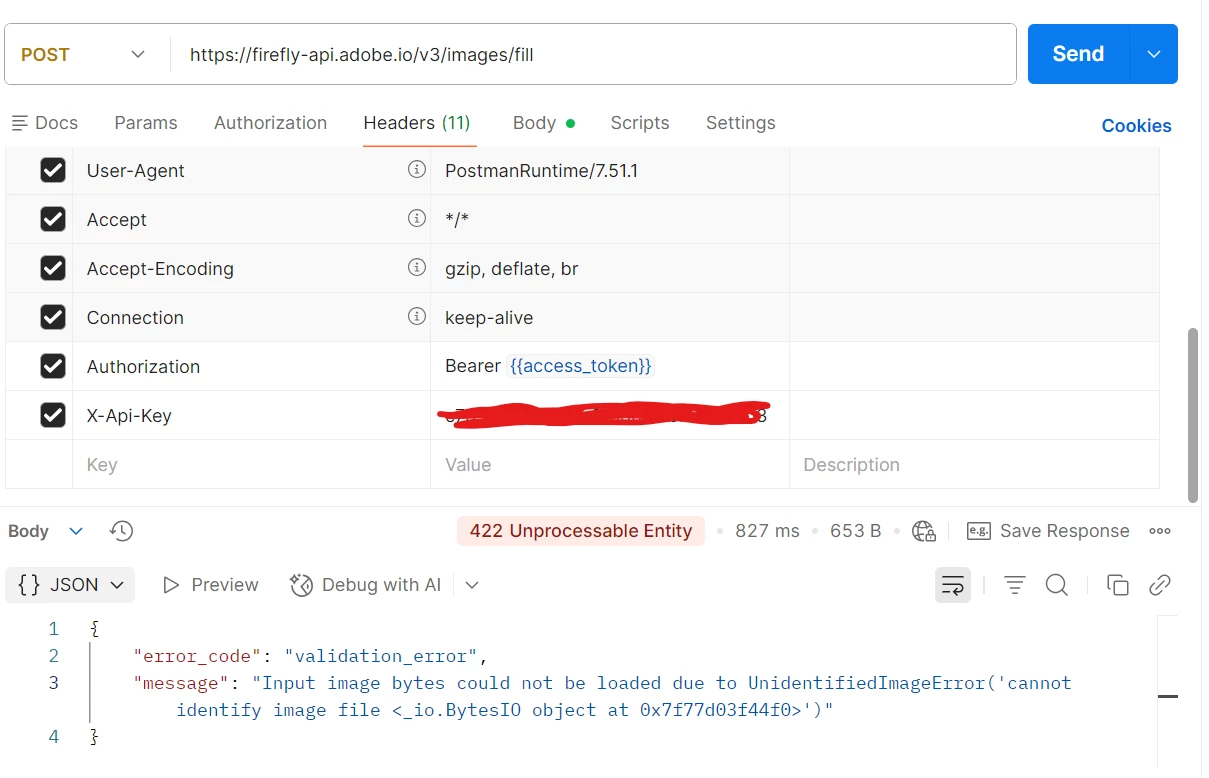
Your error in the screenshot:
- means the bytes stored for that uploadId are not a valid PNG/JPEG/WebP image. This almost always comes from how the upload call is done, not from the /v3/images/fill body.
1. Upload source and mask correctly
For each file (source + mask) call the upload endpoint and send raw binary, not base64, not form‑data with boundaries, not JSON.
With curl:
curl --location 'https://firefly-api.adobe.io/v2/storage/image' \
  --header 'x-api-key: <CLIENT_ID>' \
  --header 'Authorization: Bearer <TOKEN>' \
  --header 'Content-Type: image/png' \
  --data-binary '@/path/to/source.png'
Same for the mask:
curl --location 'https://firefly-api.adobe.io/v2/storage/image' \
  --header 'x-api-key: <CLIENT_ID>' \
  --header 'Authorization: Bearer <TOKEN>' \
  --header 'Content-Type: image/png' \
  --data-binary '@/path/to/mask.png'
In Postman:
Method: POST URL: https://firefly-api.adobe.io/v2/storage/image
Headers:
- Authorization: Bearer <token>
- X-Api-Key: <client_id>
- Content-Type: image/png (or correct type)
Body tab:
- Select binary
- Click "Select File" and choose the PNG/JPG directly
- Do NOT use:
- raw + base64 text
- form-data with image=@file (that introduces multipart boundaries)
- JSON wrapper around the file
Response should be like:
{"images":[{"id":"e42cf05b-d013-479c-9bff-aeb45ed57588"}]}
Keep those id values as your uploadId.
2. Call the Fill API with those IDs
Once you have two valid IDs (one for source, one for mask):
{
  "numVariations": 1,
  "size": { "width": 2048, "height": 2048 },
  "prompt": "your prompt here",
  "image": {
    "source": { "uploadId": "SOURCE_IMAGE_ID" },
    "mask":   { "uploadId": "MASK_IMAGE_ID" }
  }
}
Headers:
- Authorization: Bearer <token>
- X-Api-Key: <client_id>
- Content-Type: application/json
POST to: https://firefly-api.adobe.io/v3/images/fill
If both uploads were truly binary, the UnidentifiedImageError will disappear and the fill call will succeed.
Amit Vishwakarma - Adobe Commerce Champion 2025 | 17x Adobe certified | 6x Adobe SME