Issues with Asset Link not visible for Photoshop 2024 | Community
Skip to main content
Level 2
June 12, 2024
Solved

Issues with Asset Link not visible for Photoshop 2024

  • June 12, 2024
  • 1 reply
  • 2137 views

I've done the configuration for Asset Link and AEM Assets and I'm now testing for function.


I'm wondering if others are noticing issues with the Plugin not being visible in Photoshop - I actually don't see the Extensions label in my instance.


As well I'm unable to checkout Or open files directly from Indesign or Illustrator.


Any ideas or feedback regarding this plugin?

This post is no longer active and is closed to new replies. Need help? Start a new post to ask your question.
Best answer by abhishekanand_

Hi @civison 

i was facing exactly the same issue in M1 system with photoshop after installing the asset link in creative cloud it was not available to me. try the steps that i did may be that will help you.

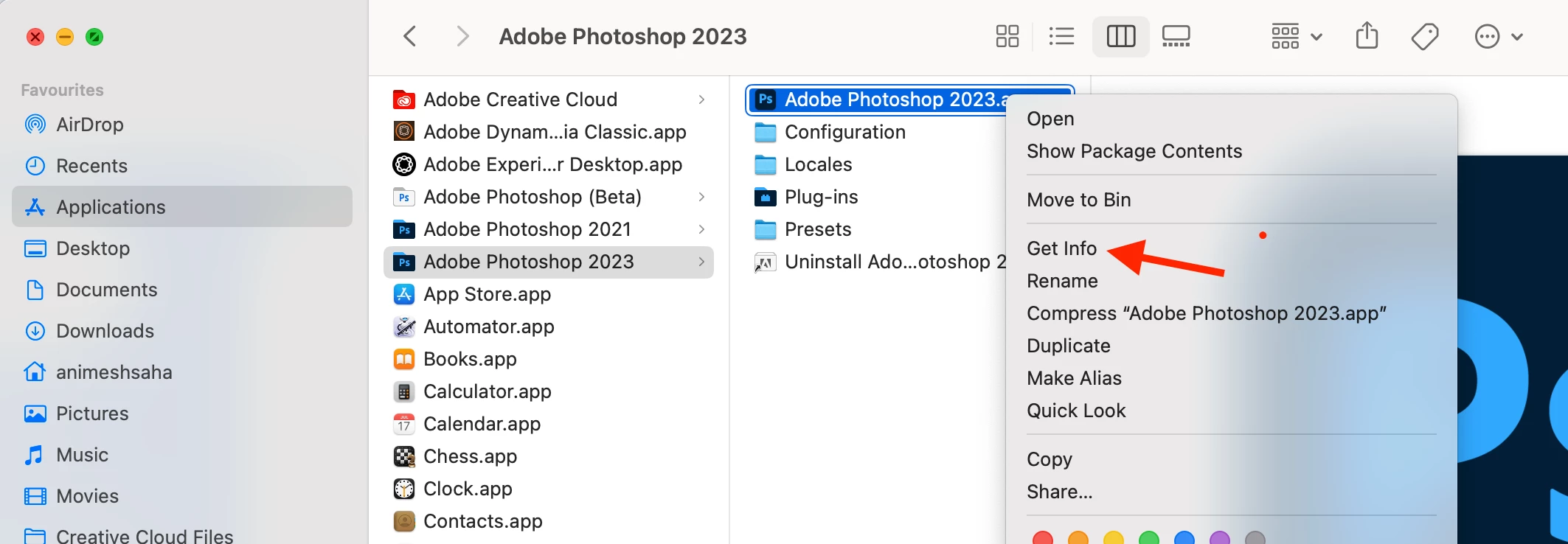
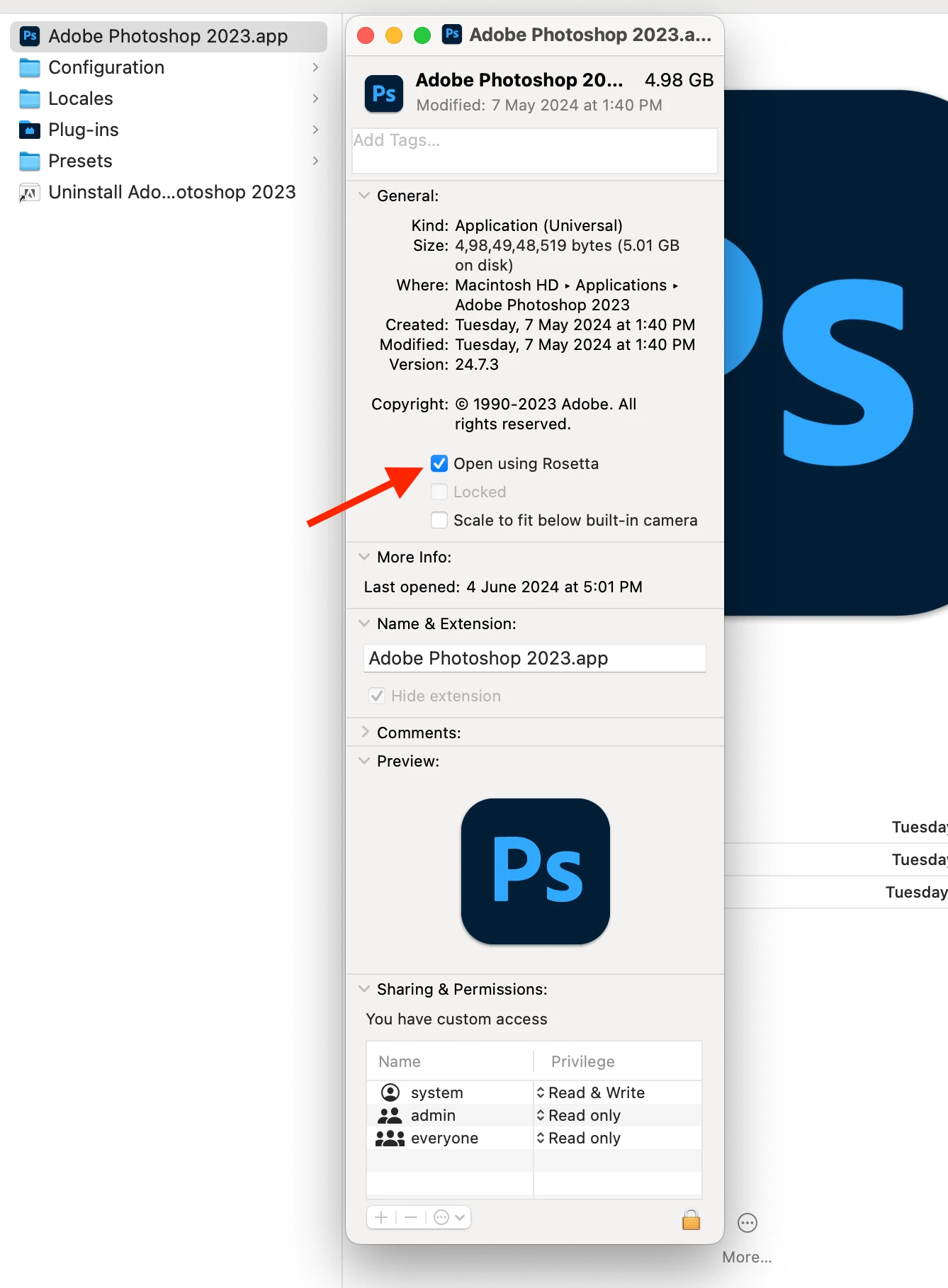
please enable the “Open using Rosetta” option for Adobe Photoshop. This will resolve the Mac OS M1 compatibility issue. After that, follow the steps with (provided you have creative cloud app installed in your system). 1. Open Photoshop 2. Window > Extension (legacy) > Adobe Asset Link Add a new server with the Save. You will get an error, this is okay, try again it will work fine.


Ensure that you have asset link installed.
Attaching reference below for you as well:
https://helpx.adobe.com/in/enterprise/using/adobe-asset-link.html

Hope this helps!

1 reply

abhishekanand_
Community Advisor
abhishekanand_Community AdvisorAccepted solution
Community Advisor
June 14, 2024

Hi @civison 

i was facing exactly the same issue in M1 system with photoshop after installing the asset link in creative cloud it was not available to me. try the steps that i did may be that will help you.

please enable the “Open using Rosetta” option for Adobe Photoshop. This will resolve the Mac OS M1 compatibility issue. After that, follow the steps with (provided you have creative cloud app installed in your system). 1. Open Photoshop 2. Window > Extension (legacy) > Adobe Asset Link Add a new server with the Save. You will get an error, this is okay, try again it will work fine.


Ensure that you have asset link installed.
Attaching reference below for you as well:
https://helpx.adobe.com/in/enterprise/using/adobe-asset-link.html

Hope this helps!

Abhishek Anand
lgaertner
Level 9
September 12, 2024

It's sad that despite 4 years of Apple Silicon, Adobe has not managed to update the plug-in, or felt it necessary to do so...


Regards

Lars