Issue with share button in actions of asset details page | Community
Skip to main content
Level 6
July 4, 2022
Solved

Issue with share button in actions of asset details page

  • July 4, 2022
  • 1 reply
  • 498 views

Hi,

 I downloaded asset share commons ui,apps,ui.content package(1.9.4). I enabled Cart checkbox in the search page(light.html) properties then after I went to asset details page and I configured actions component I added label for the cart as Add But the cart isnt displaying beside share button after I close the dialog of Actions component and do refresh
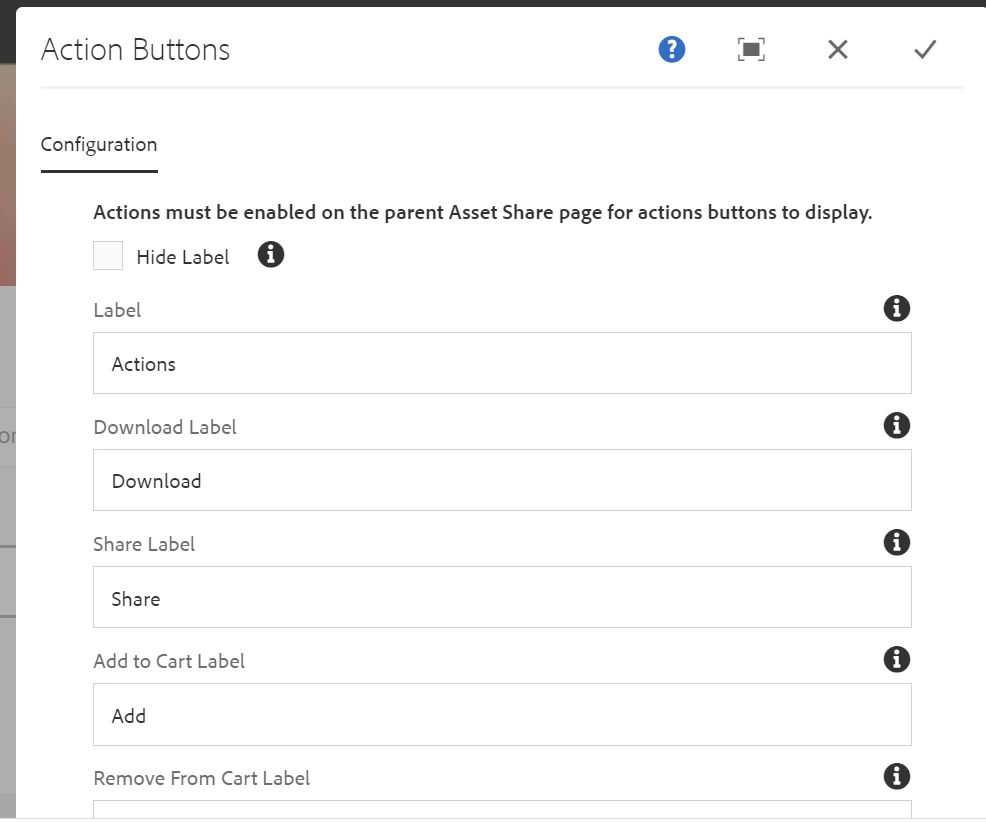
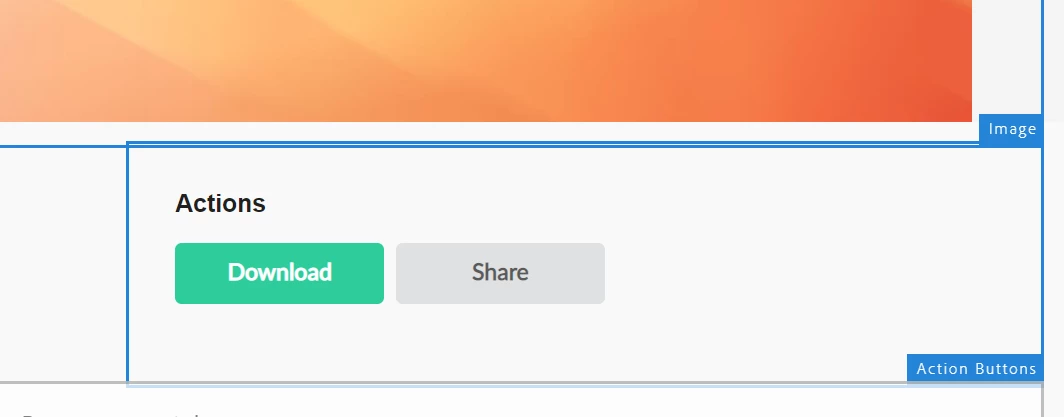
Can anyone help me on this issue

This post is no longer active and is closed to new replies. Need help? Start a new post to ask your question.
Best answer by lukasz-m

Hi @vani1012,

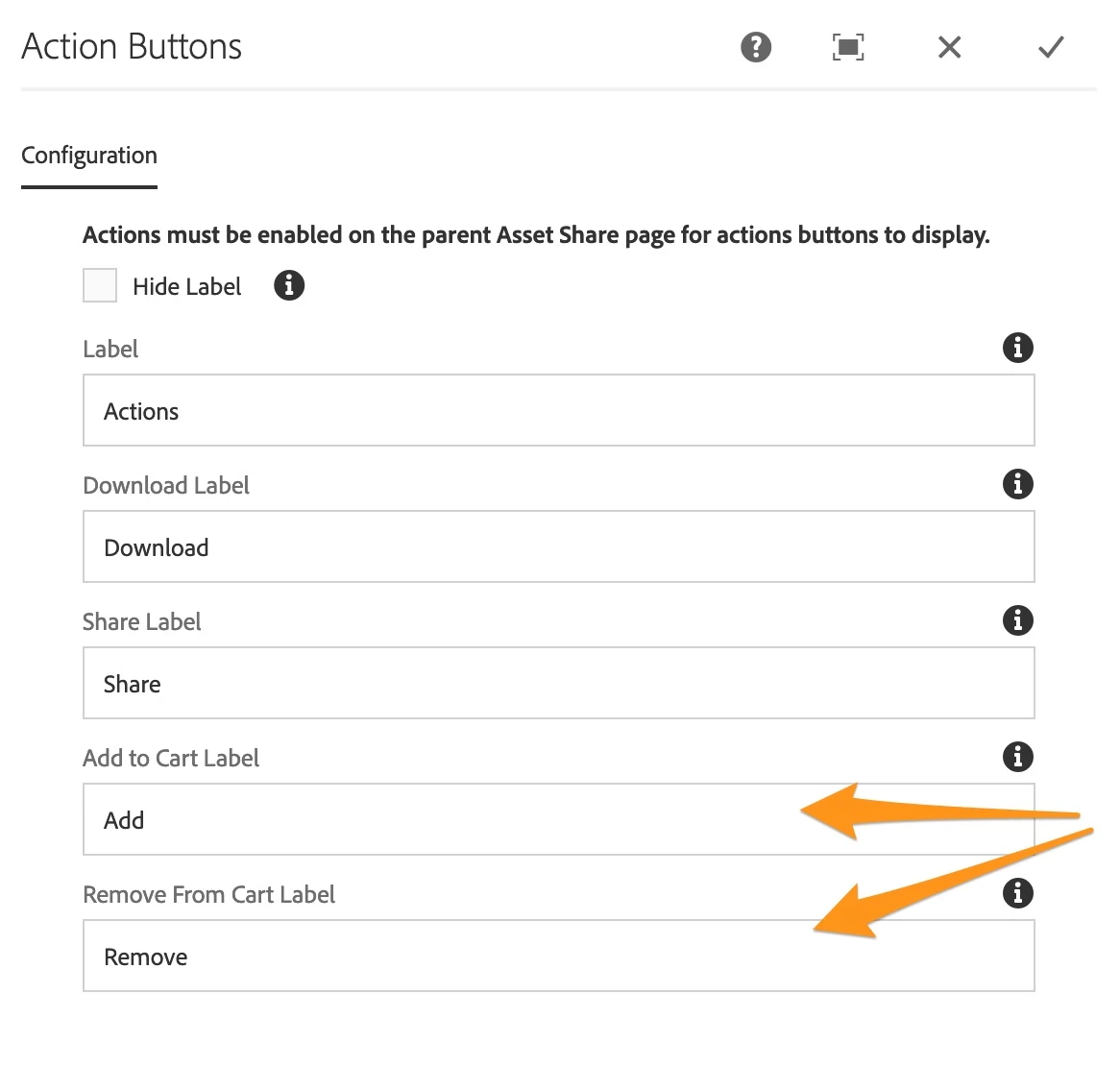
According to the documentation - https://opensource.adobe.com/asset-share-commons/pages/details/action-buttons/ - you have to add both labels for Add and Remove to display Add to cart action button. Adding only one label will not work.

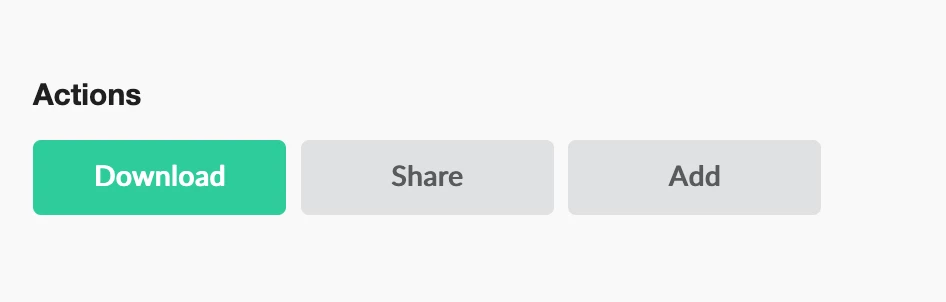
Result:

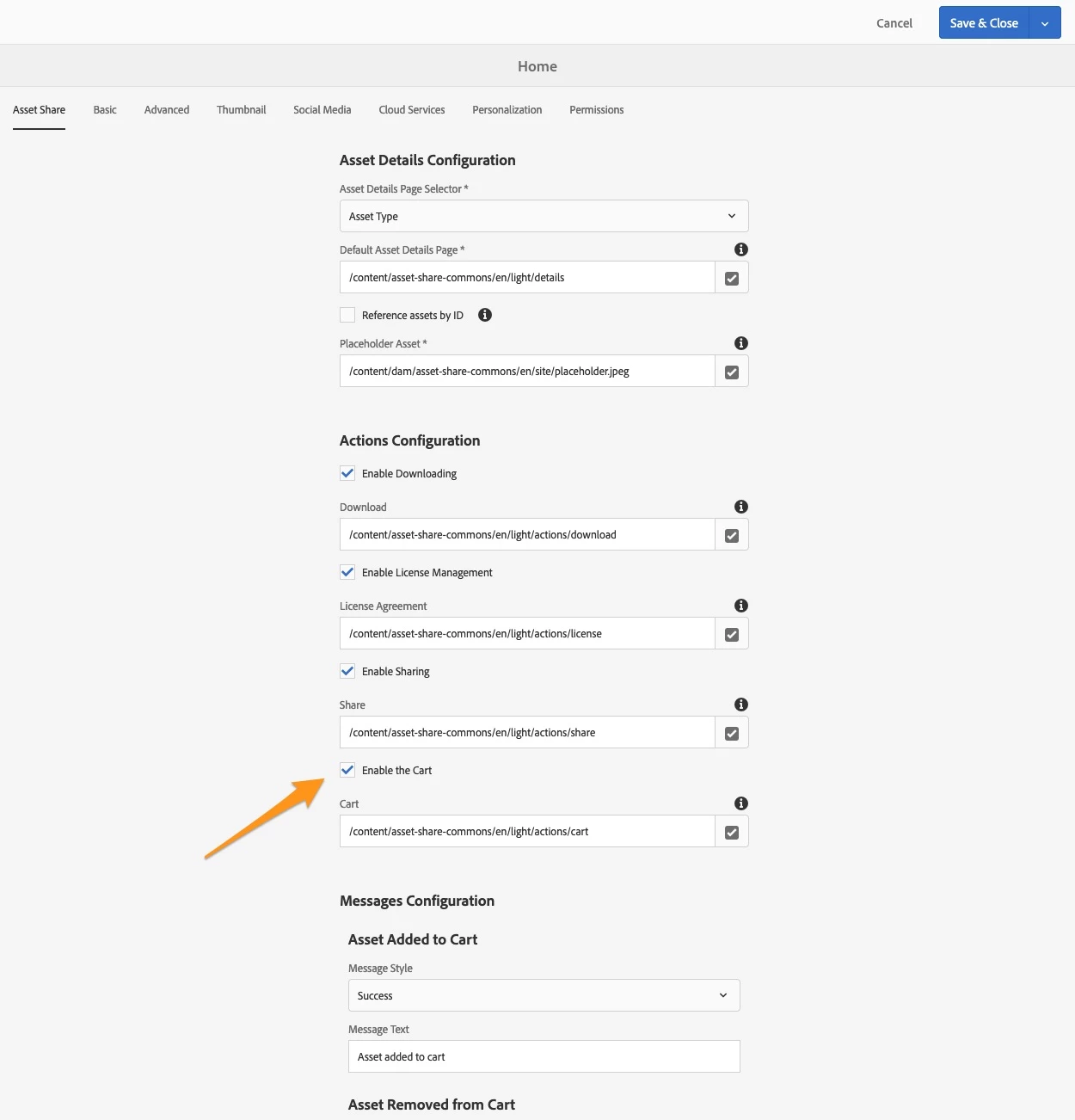
You also have to checked Enabled the Cart in parent page properties, for demo content light version it's /content/asset-share-commons/en/light

1 reply

lukasz-m
Community Advisor
lukasz-mCommunity AdvisorAccepted solution
Community Advisor
July 4, 2022

Hi @vani1012,

According to the documentation - https://opensource.adobe.com/asset-share-commons/pages/details/action-buttons/ - you have to add both labels for Add and Remove to display Add to cart action button. Adding only one label will not work.

Result:

You also have to checked Enabled the Cart in parent page properties, for demo content light version it's /content/asset-share-commons/en/light