Importing Metadata Failure | Community
Skip to main content
NormHadad31
Level 2
July 31, 2024
Solved

Importing Metadata Failure

  • July 31, 2024
  • 1 reply
  • 919 views

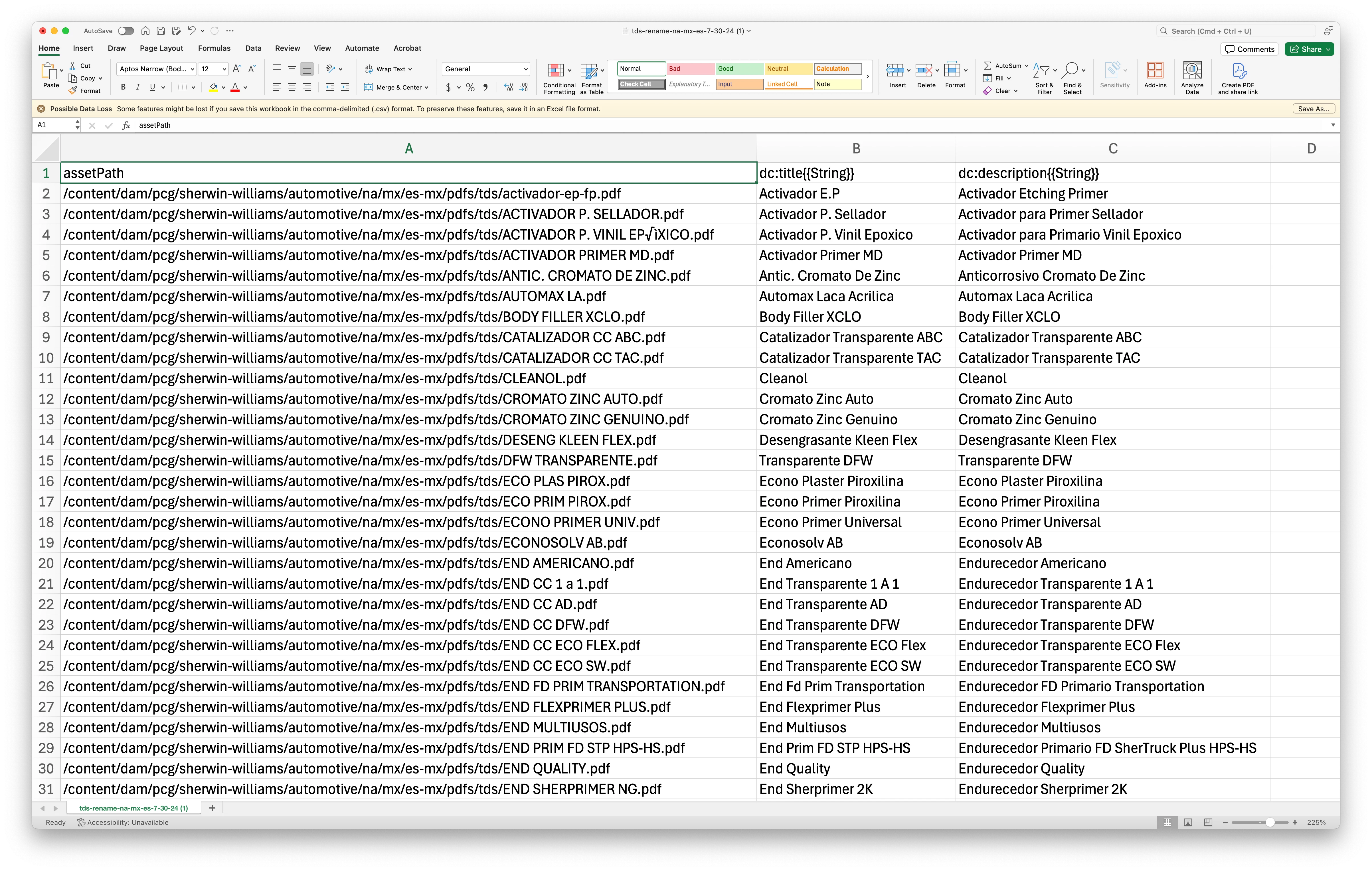
I have been trying to add a .csv file to AEM DAM and I keep getting a failure due to "Job failed due to an exception(Required column assetPath not present in the sheet)." I looked at other posts and did what was suggested but it will NOT work. I've added a photo of what the document looks like. Do not understand the problem. I also have 166 lines and the max is 100. How do I get the other 66 to upload. 
This post is no longer active and is closed to new replies. Need help? Start a new post to ask your question.
Best answer by diksha_mishra

@normhadad31  Please check the following:

1. The assets mentioned in the sheet are present in AEM DAM already

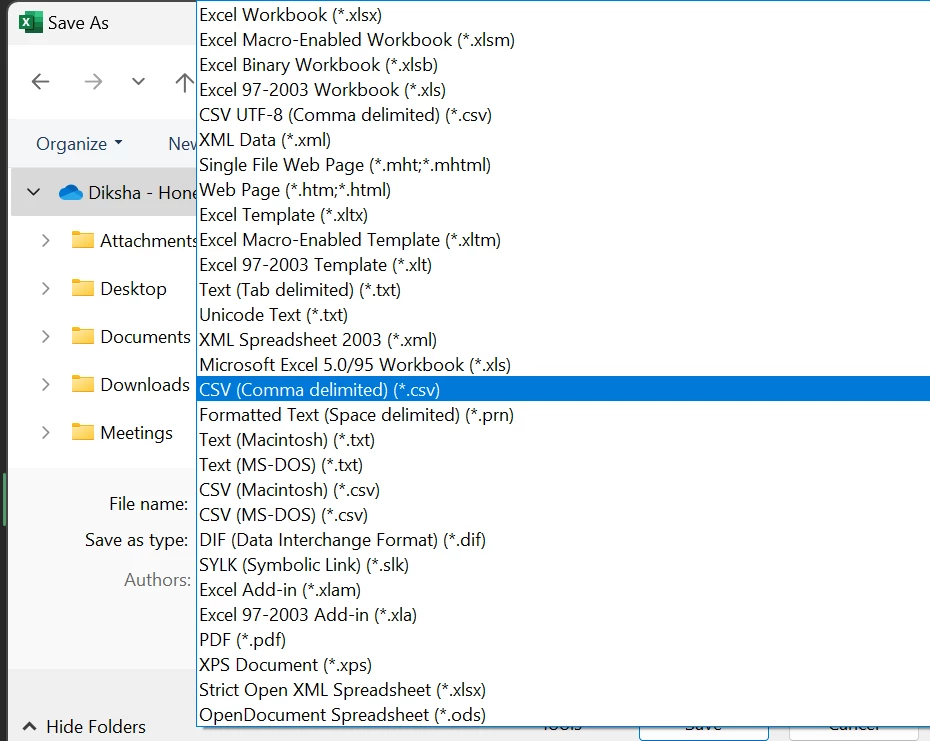
2. You are saving the file as CSV using below highlighted format only: 

I faced a similar issue because I was using CSV UTF-8 by mistake.

Please let me know if this helps.


1 reply

diksha_mishra
Community Advisor
diksha_mishraCommunity AdvisorAccepted solution
Community Advisor
August 1, 2024

@normhadad31  Please check the following:

1. The assets mentioned in the sheet are present in AEM DAM already

2. You are saving the file as CSV using below highlighted format only: 

I faced a similar issue because I was using CSV UTF-8 by mistake.

Please let me know if this helps.


NormHadad31
Level 2
August 1, 2024

I have made sure of both of those. The assets are in the DAM. Its the actual sheet I exported from AEM. One of my users just added the metadata and sent it back. I then checked it against the original and verified the format. When I tried to upload I got the error. 

"Job failed due to an exception(Required column assetPath not present in the sheet)."


I also need to mention I am NOT on the Cloud service. We are an "on prem" 6.5 customer.