
Image preset of dynamic media reducing the size of tiff images. | Community
Skip to main content
MayurSatav
Community Advisor and Adobe Champion
November 8, 2023

Image preset of dynamic media reducing the size of tiff images.

  • November 8, 2023
  • 2 replies
  • 1458 views

Hi all,


For the input image, we are generating a CMYK Tif DM rendition. The following image presets are created for this purpose.
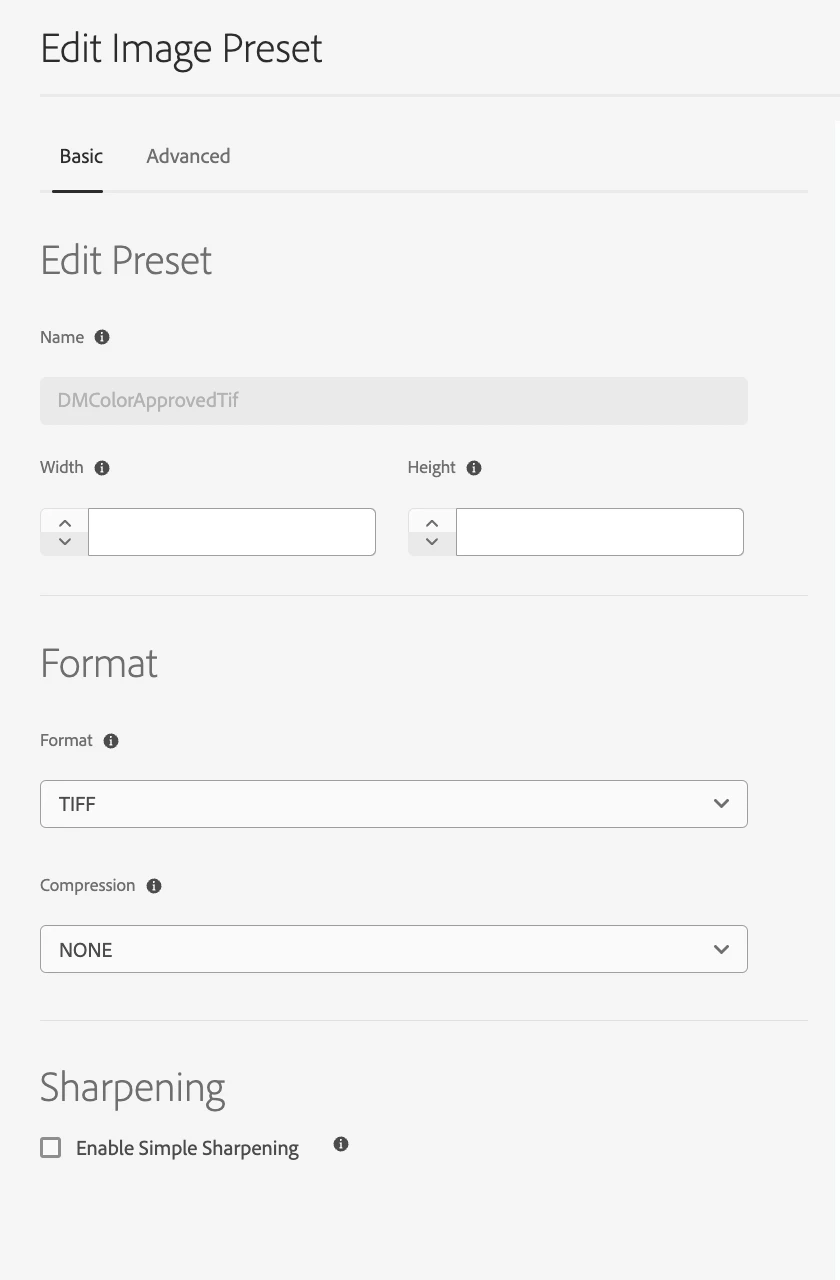
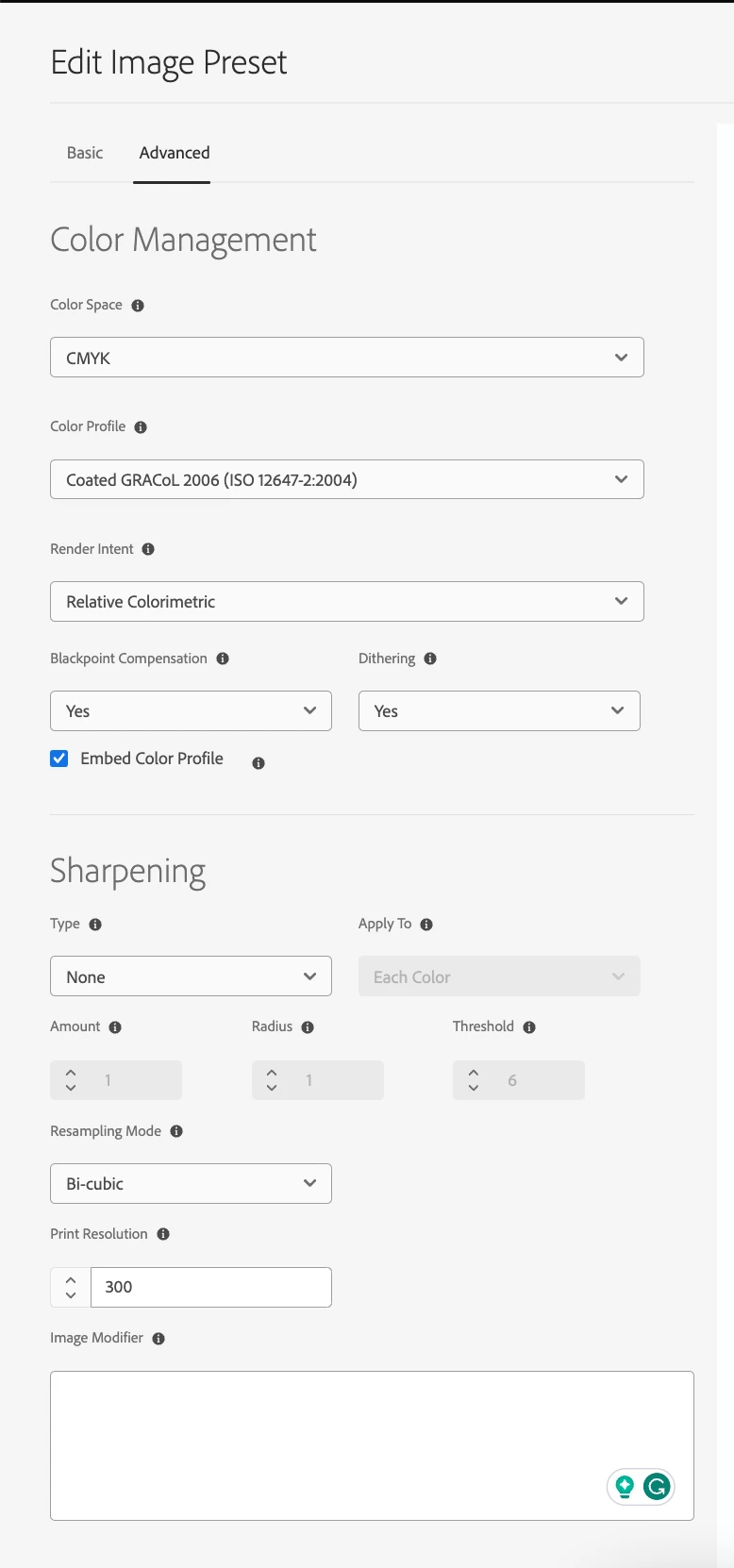
 

It's all working fine. However, DM is reducing the rendition's width and height.


Is there a way we can preserve the original width and height? Can anyone tell me whether Coated GRACoL 2006 (ISO 12647-2:2004) is responsible for size reduction?

This post is no longer active and is closed to new replies. Need help? Start a new post to ask your question.

2 replies

Adilos-Cantuerk
Community Advisor
Community Advisor
November 13, 2023

Presets have a limiter to 2000px as far as i know. 
As long as your TIFF file is smaller than that this should work as expected. 
The color profile should not make any difference.
If a user wants to download the big file, downloading the original file instead of a rendition is the way to go.

The moment you go above 2000px, which will be a very likely with tiff files, you get the scaling.
We tried to raise this limit and created more problems with it - involving the quality of the pictures.

An optimal scenario of a color management, the file keeps its original color profile.
Later in the production process, the color profile gets chosen within the InDesign PDF export, in accordance with the demands of the printing company.

MayurSatav
Community Advisor and Adobe Champion
November 15, 2023

You're right, @adilos-cantuerk . I've observed that the preset has a limit of 3000px.

The source file I'm working with has dimensions of 2400 × 4067, exceeding the limit and causing size reduction. Any suggestions on processing larger images beyond the 3000 size limit?


diksha_mishra
Community Advisor
Community Advisor
November 15, 2023

@mayursatav  The limit might be coming from MaxPix value in your DM config.

Can you please login to your Dynamic Media Classic, and set the following values:

1. Go to Setup> Application Setup

2. Publish Setup> Image Server

3. Request Attributes

       Reply Image Size Limit Width 4000 Height 4000

4. Save

Please note: this limit can't be increased beyond 4000x4000.

MayurSatav
Community Advisor and Adobe Champion
November 15, 2023

Hello @diksha_mishra , appreciate your response. I've already reviewed the information, but it's worth noting that we primarily use TIF renditions for offset, and the majority of source images exceed 4000 or 5000 dimensions.

Adilos-Cantuerk
Community Advisor
Community Advisor
November 15, 2023

Might i ask why you could need a big rendition?
We work the other way arround - have a big original file and create small renditions for users that need the files for web applications. Everybody else uses the original TIFF file.


Get yourself the new version of asset asset link, the indesign extension - enable your fpo renditions accordingly and just place the originals within your layout tool. Now you can work fast, because of the fpo - have the right file linked to the project and get it updated as soon as a new version is in the aem.

Sorry if i misunderstand your situation completely-