How to request metadata from images in Scene7? | Community
Skip to main content
garrettl1052837
December 12, 2018
Solved

How to request metadata from images in Scene7?

  • December 12, 2018
  • 1 reply
  • 2029 views

I am looking to pull metadata from images in scene7. I'd like to pull the information stored in the description field in scene7 into the alt tag field in Adobe Experience Manager.
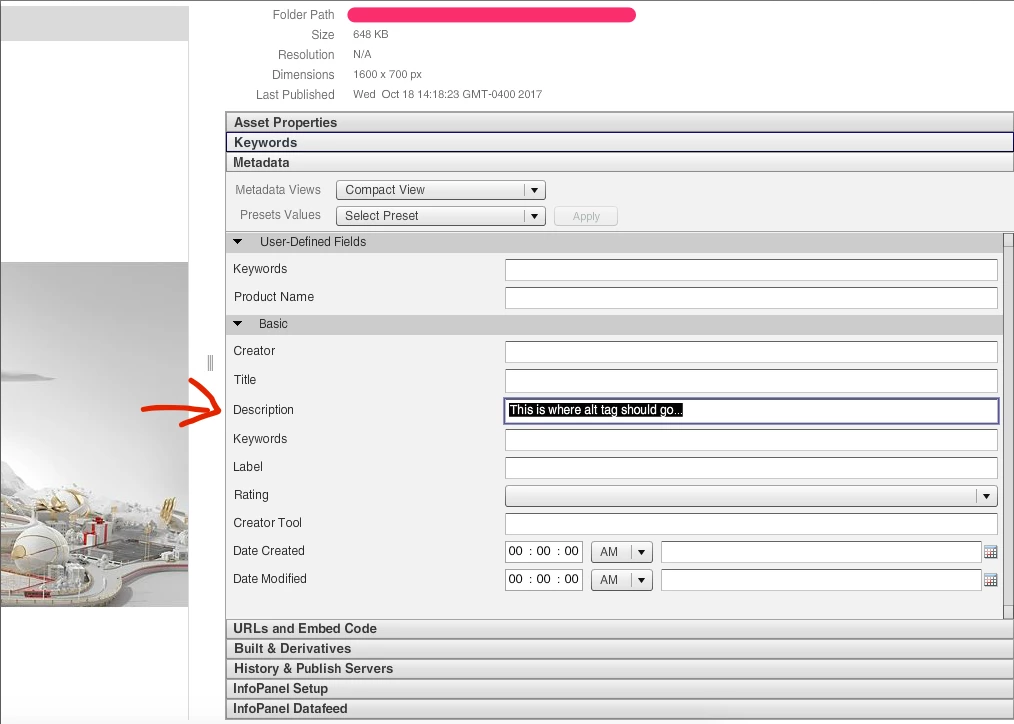
In looking through some archived documentation for scene7, this is the only information I've found regarding pulling metadata for image assets: 
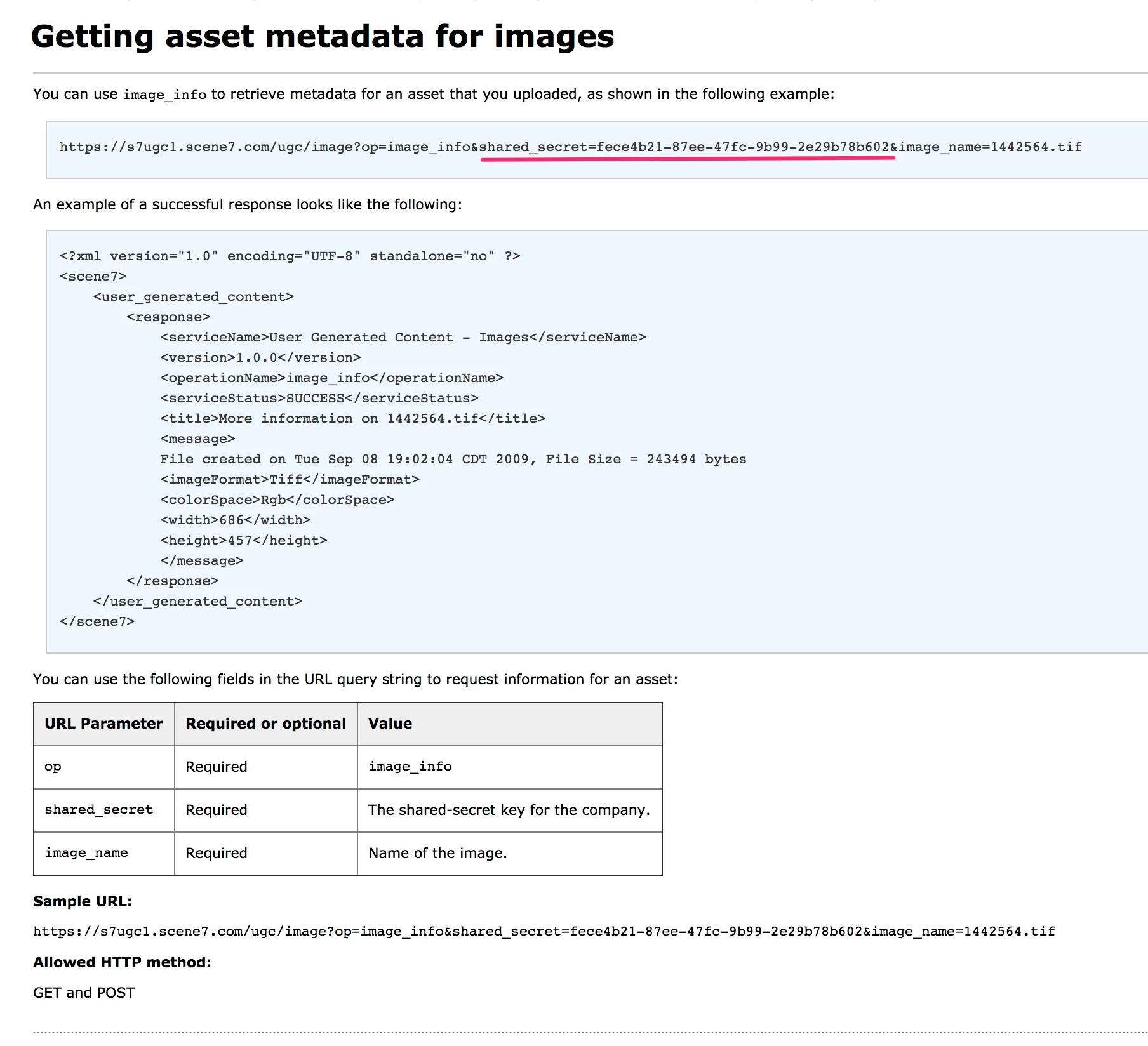
However, I haven't found any reference to a shared secret within Scene7.

Where can this shared secret be found?

Or is there an alternative method that can be used to pull metadata from Scene7 images?

This post is no longer active and is closed to new replies. Need help? Start a new post to ask your question.
Best answer by edh82899156

Hello Garret,

The metadata pictured in your first screen shot can only be obtained using the IPS API.  We don't publish that API to the general public, so for access to it you will need to reach out and create a ticket with the Support Team.  You can do that by sending an email to s7support@adobe.com

The documentation pictured in your second screen shot is for the UGC (User Generated Content) system.  It provides similar image serving functions for real-time user interactions, such as previewing a custom logo on a shirt or mug.  To get that shared secret, you will also need to open a ticket with the support team, so that it can be sent to you securly.

1 reply

edh82899156Adobe EmployeeAccepted solution
Adobe Employee
June 5, 2019

Hello Garret,

The metadata pictured in your first screen shot can only be obtained using the IPS API.  We don't publish that API to the general public, so for access to it you will need to reach out and create a ticket with the Support Team.  You can do that by sending an email to s7support@adobe.com

The documentation pictured in your second screen shot is for the UGC (User Generated Content) system.  It provides similar image serving functions for real-time user interactions, such as previewing a custom logo on a shirt or mug.  To get that shared secret, you will also need to open a ticket with the support team, so that it can be sent to you securly.