How to modify default columns in AEM Assets reports | Community
Skip to main content
Level 3
October 3, 2022
Solved

How to modify default columns in AEM Assets reports

  • October 3, 2022
  • 2 replies
  • 1066 views

I have requirement where I have to add the list of custom fields in the default columns list for the asset reports. Those custom columns should be displayed by default once I create a AEM report, so that the user don't have to add the columns manually using custom columns.


Can you provide some approach how this can be achieved?

This post is no longer active and is closed to new replies. Need help? Start a new post to ask your question.
Best answer by lukasz-m

Hi @reddyishanvi,

This is not possible without quite heavy customization that also could be against Adobe best practices, here are main reasons:

  • List of default columns, is defined under /libs/dam/gui/content/reports/steps/configurecolumns/items/column2/items - however this part and entire /libs/dam/gui/content/reports section in the repository is marked as granite:InternalArea - which means that this is internal AEM nodes that should not be modified, or overlaid.
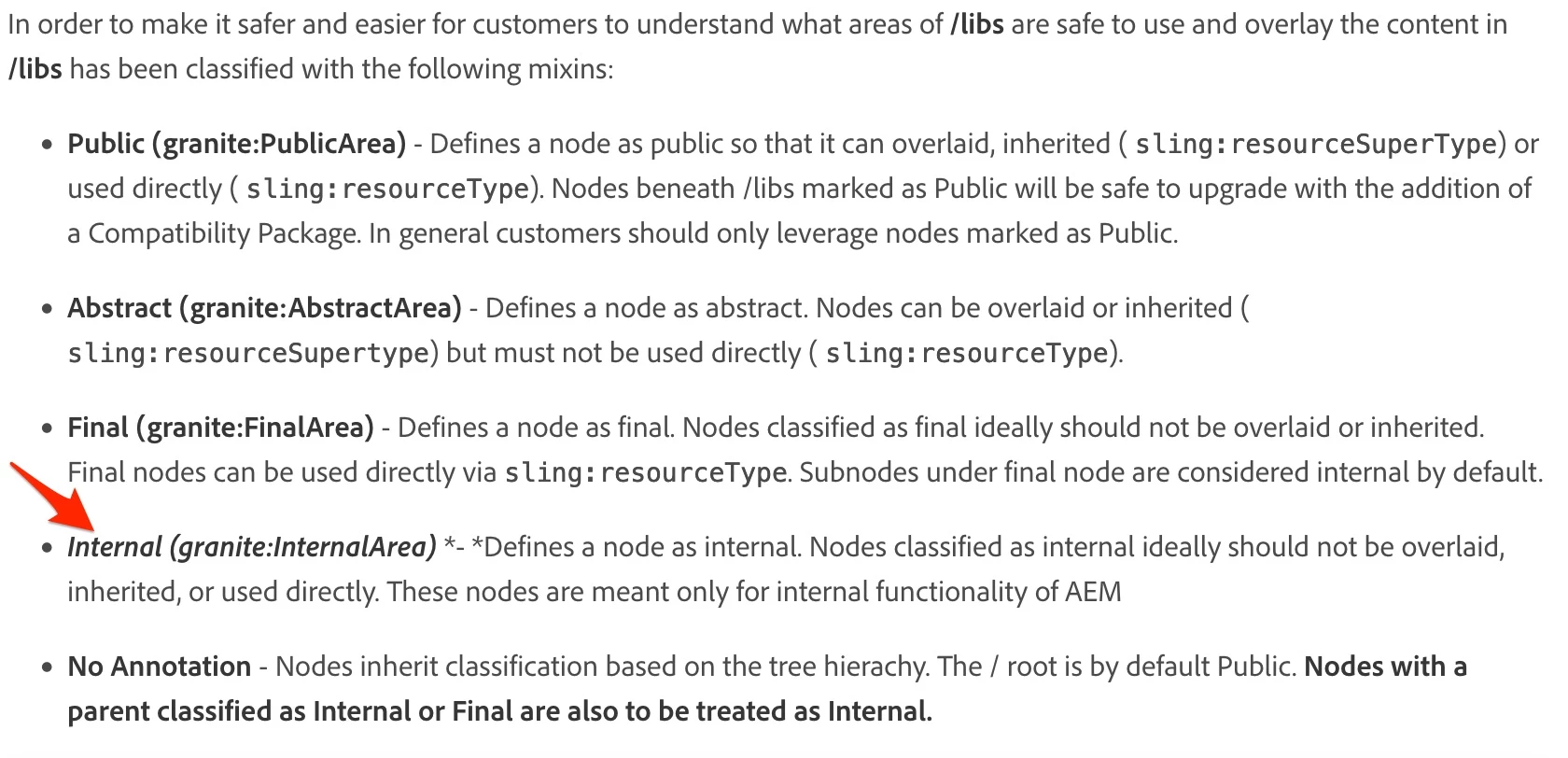
    Link to documentation - https://experienceleague.adobe.com/docs/experience-manager-65/deploying/upgrading/sustainable-upgrades.html?lang=en
  • Even if you ignore above and overlay /libs/dam/gui/content/reports/steps/configurecolumns/items/column2/items adding new default value to the column list, this will not work. Main reason for that is a fact that on backend code, list of default columns is hardcoded, so of course you will see additional column in report but it will be empty, because additional custom column added to the default section will not be take into account during report data aggregation/generation.

Summarizing, base on above, if you still would like to modify list of default columns, you will first have to add additional columns overlaid /libs/dam/gui/content/reports/steps/configurecolumns/items/column2/items, and implement a proper mechanism that will generate assets report taking into account custom set of default columns.

2 replies

krati_garg
Adobe Employee
Adobe Employee
October 17, 2022

I believe you are referring to Asset Reports, which supports a set of Default columns and the Custom Columns. Default Columns can be unchecked, if the user doesn't want those to be available in their final Asset Report.
https://experienceleague.adobe.com/docs/experience-manager-cloud-service/content/assets/admin/asset-reports.html?lang=en
Above is an OOTB feature. 
However, if the requirement is to customize the Asset Report Screen so that it displays custom columns on Default Column List, you will have to overlay and customize the Asset Report Screen.
Please explore the following node to overlay: /mnt/overlay/dam/gui/content/reports/createreportwizard.html

lukasz-m
Community Advisor
lukasz-mCommunity AdvisorAccepted solution
Community Advisor
October 18, 2022

Hi @reddyishanvi,

This is not possible without quite heavy customization that also could be against Adobe best practices, here are main reasons:

  • List of default columns, is defined under /libs/dam/gui/content/reports/steps/configurecolumns/items/column2/items - however this part and entire /libs/dam/gui/content/reports section in the repository is marked as granite:InternalArea - which means that this is internal AEM nodes that should not be modified, or overlaid.

    Link to documentation - https://experienceleague.adobe.com/docs/experience-manager-65/deploying/upgrading/sustainable-upgrades.html?lang=en
  • Even if you ignore above and overlay /libs/dam/gui/content/reports/steps/configurecolumns/items/column2/items adding new default value to the column list, this will not work. Main reason for that is a fact that on backend code, list of default columns is hardcoded, so of course you will see additional column in report but it will be empty, because additional custom column added to the default section will not be take into account during report data aggregation/generation.

Summarizing, base on above, if you still would like to modify list of default columns, you will first have to add additional columns overlaid /libs/dam/gui/content/reports/steps/configurecolumns/items/column2/items, and implement a proper mechanism that will generate assets report taking into account custom set of default columns.

Level 3
October 21, 2022

Thank you @lukasz-m