Hi @keerthana_h_n ,
Use /bin/asynccommand endpoint. Submit a POST request with appropriate form data, you can trigger specific reprocessing for assets. You can either fully reprocess the asset or choose selective processing as explained below.
A. Full Reprocessing
Form Data:

"processType": "full" (for complete processing)
"operation": "PROCESS"
"description" : "Process-/content/dam/sample.jpg-1745920456563" (optional)
"asset": "/content/dam/sample.jpg" (asset path)
This triggers a complete reprocessing of the specified asset, including all associated profiles, metadata and renditions.
B. Advanced Reprocessing with Profile Category
Form Data

"processType": "advanced" ( supported options are "full" or "advanced")
"profileCategory": "standard-preview" (one to one mapping with options available in UI, you can observe network tab when you reprocess from UI)
"runPostProcess": "true" (flag to indicate whether to run post processing workflow or not)
"operation": "PROCESS"
"description": "Process-/content/dam/sample.jpg-1745920515730" (optional)
"asset": "/content/dam/sample.jpg"
This selectively reprocesses the asset to regenerate Default preview rendition and run post-processing step. You can club multiple assets in one request too, try to limit to only few assets or one per request.
You can check for status of these jobs in background operations console on the environment - /mnt/overlay/granite/async/content/asyncjobs.html?consoleId=cq-assets-asyncjobs-asyncjobs
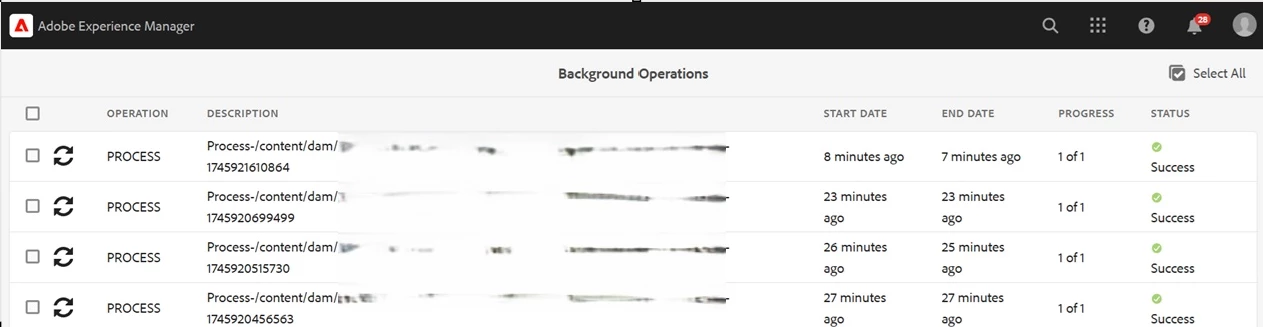
NOTE: Asynchronous Processing: The "/bin/asynccommand" endpoint queues reprocessing jobs to run asynchronously. Avoid overwhelming the reprocessing queue by submitting too many requests simultaneously. Excessive load can impact system performance and stability.
When dealing with large numbers of assets, batch your requests thoughtfully. For example, process assets in groups of 50 or 100 to maintain optimal performance.
You can use token based authentication on Cloud Service to call these curl commands from a script https://experienceleague.adobe.com/en/docs/experience-manager-learn/getting-started-with-aem-headless/authentication/overview
Reference
https://danklco.com/posts/2022-08-bulk-asset-reprocessing-in-aem-as-a-cloud-service-assets/