Hiding default static image presets | Community
Skip to main content
Level 4
February 28, 2024
Solved

Hiding default static image presets

  • February 28, 2024
  • 3 replies
  • 605 views

HI,


We've got 5 static image renditions created on upload to provide thumbnails for Assets to use when displaying the image in card or list view etc.


I beliege these are mandatory.


See attachment.


That's fine - but these are no use for real users of Assets and I'd therefore like to hide them from the 'renditions' panel and as options on download.


Has anyone got ideas if that's possible ... and if so how ?


Thanks



Best answer by Tethich

Hi @geraintjo 


Assuming you are interested only in not having them visible in the left panel and not actually prevent AEM from rendering them, I believe you can achieve this using custom JS.

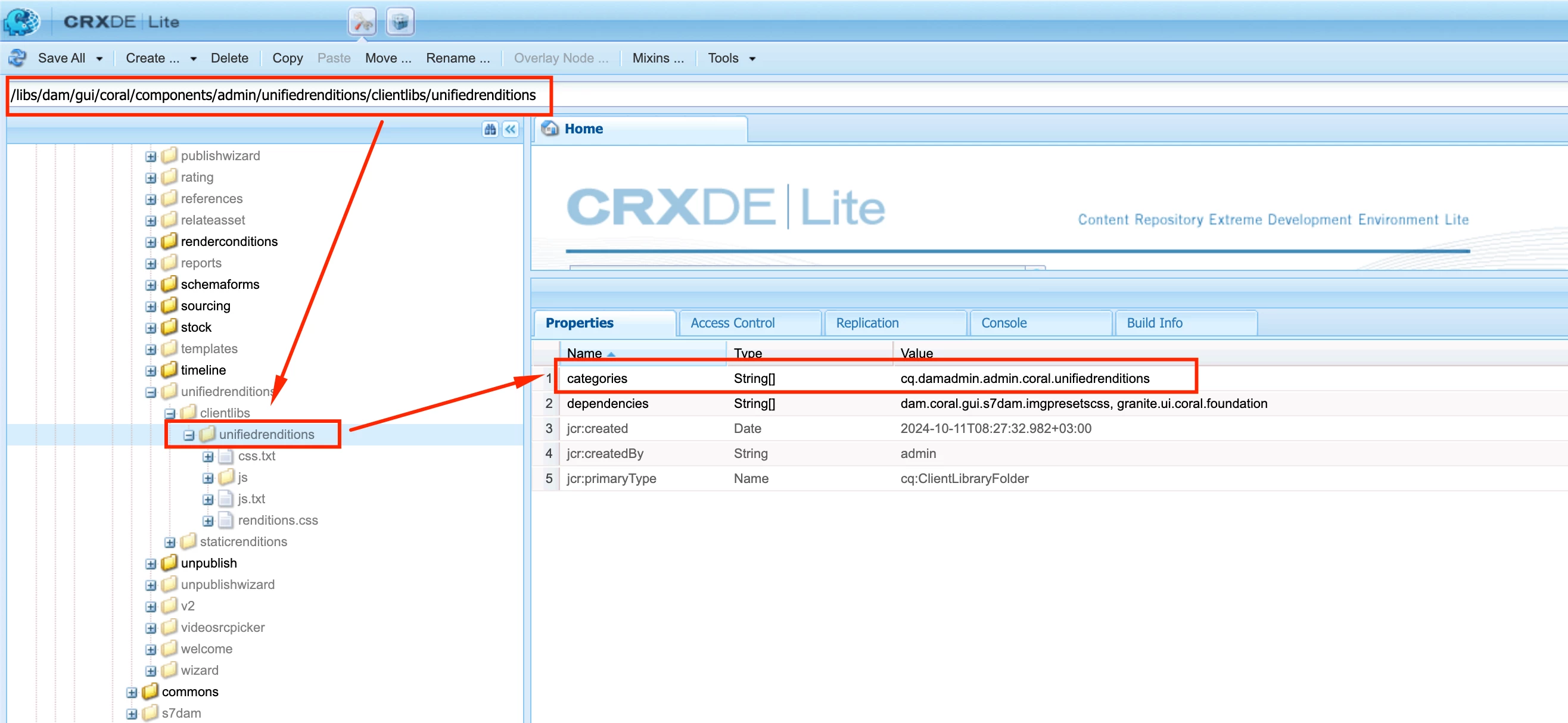
I am not 100% sure, but maybe this the ootb clientlib to which can glue your own custom clientlib.


And then in browser, your custom clientlib can make your renditions not visible, or maybe read-only.

Check this example, which is talking about smartcrops, but maybe you can get some inspiration on the whole idea:
https://experience-aem.blogspot.com/2020/04/aem-6540-assets-dynamic-media-show-specific-rendition-by-default-in-asset-details.html

I hope I understood well your issue.


3 replies

kautuk_sahni
Community Manager
Community Manager
February 26, 2025

@diksha_mishra @abhishekanand_ @albinis1 @tethich @ankurahlawat-1 @kamal_kishor Can you take a quick look at this question? Any guidance you can provide would be much appreciated!

Kautuk Sahni
Tethich
Community Advisor
TethichCommunity AdvisorAccepted solution
Community Advisor
February 26, 2025

Hi @geraintjo 


Assuming you are interested only in not having them visible in the left panel and not actually prevent AEM from rendering them, I believe you can achieve this using custom JS.

I am not 100% sure, but maybe this the ootb clientlib to which can glue your own custom clientlib.


And then in browser, your custom clientlib can make your renditions not visible, or maybe read-only.

Check this example, which is talking about smartcrops, but maybe you can get some inspiration on the whole idea:
https://experience-aem.blogspot.com/2020/04/aem-6540-assets-dynamic-media-show-specific-rendition-by-default-in-asset-details.html

I hope I understood well your issue.


narendiran_ravi
Level 6
March 2, 2025

Hi  @geraintjo ,

Adding to @tethich inputs, you can hide the renditions from the server side based on some conditions by overlaying the file -/libs/dam/gui/coral/components/admin/unifiedrenditions/staticrenditions/staticrenditions.jsp with your custom logic. For example, I could hide the renditions by updating the variable hideRendition to true from false. I would recommend adding your own logic per your requirement to hide the renditions.