find similar | Community
Skip to main content
Level 3
September 28, 2022
Solved

find similar

  • September 28, 2022
  • 1 reply
  • 680 views

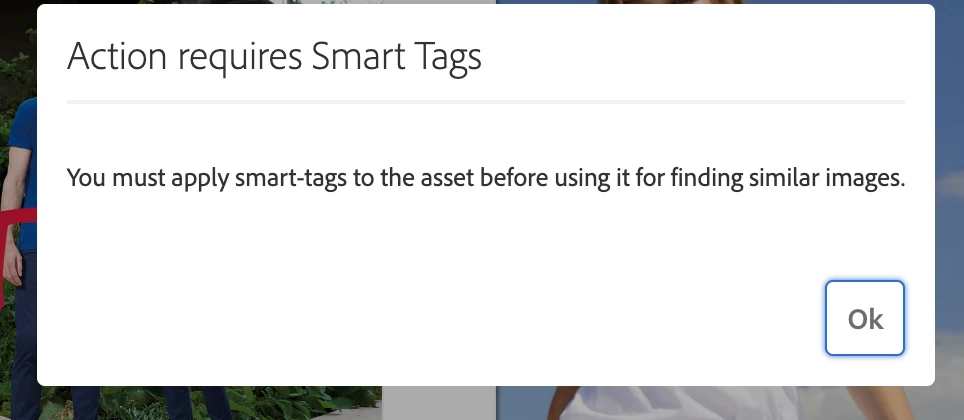
"Find similar" when selecting an image is not working in our PROD and STAGE implementations. Please advise how to turn this on if necessary.

I was viewing this tutorial in AEM Experience League for expected mathematical results based on the image to locate similar assets.

time stamp in video:  1:37-2:20
https://experienceleague.adobe.com/docs/experience-manager-learn/assets/search-and-discovery/search.html?lang=en
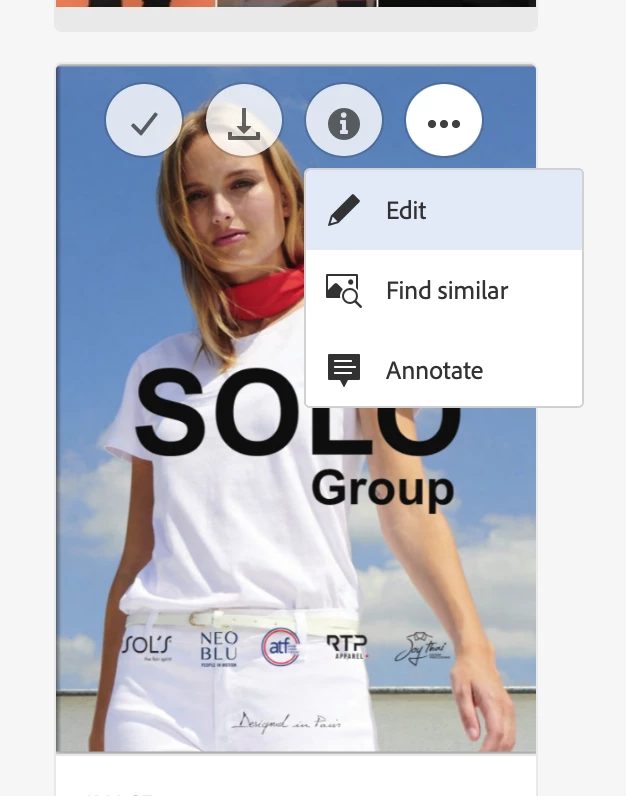
This post is no longer active and is closed to new replies. Need help? Start a new post to ask your question.
Best answer by digarg17

Find similar expects images to be smart tagged , only works on images . Check out link below that details out how to configure visual search .Also make sure your user permissions are set right in case you don't see the find similar option itself.

https://experienceleague.adobe.comxdocs/experience-manager-65/assets/using/search-assets.html?lang=en#configvisualsearch


Few questions : - 

Which AEM version are you checking?

Can you share snapshot of what you are expecting 

1 reply

digarg17Adobe EmployeeAccepted solution
Adobe Employee
September 29, 2022

Find similar expects images to be smart tagged , only works on images . Check out link below that details out how to configure visual search .Also make sure your user permissions are set right in case you don't see the find similar option itself.

https://experienceleague.adobe.comxdocs/experience-manager-65/assets/using/search-assets.html?lang=en#configvisualsearch


Few questions : - 

Which AEM version are you checking?

Can you share snapshot of what you are expecting