Edit an image or place a border around an image or add polygons to my existing image | Community
Skip to main content
May 12, 2025
Solved

Edit an image or place a border around an image or add polygons to my existing image

  • May 12, 2025
  • 3 replies
  • 652 views

I want to edit an image directly within the AEM editor by selecting a portion of the image and adding elements like borders and polygons. I prefer not to use a different application for these edits and would like to know how to apply them directly in AEM. And save once borders are added. For example, I want to put a border around the image below;
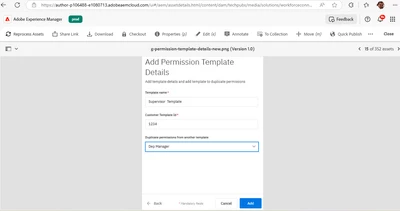
 

Path I used in our AEM : https://author-p106488-e1080713.adobeaemcloud.com/ui#/aem/assetdetails.html/content/dam/techpubs/med... /workforceconnect/sync-portal/g-addpermission-template-details-new.png

Regards

Shivashankar

Zebra Technologies, Bengaluru, India.

Best answer by ShubhanshuSi2

Hi @shivshankarkt 
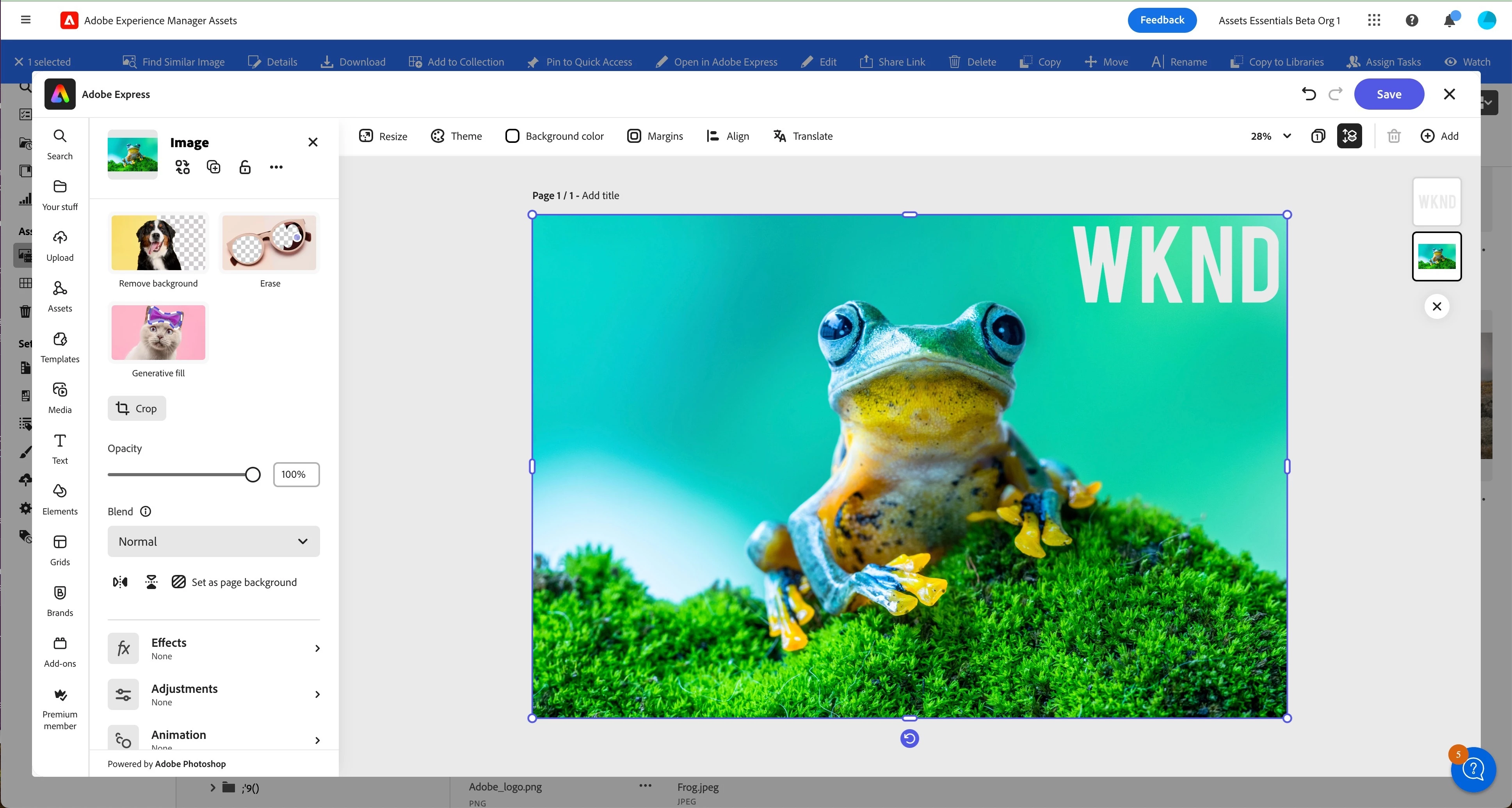
Adobe Experience Manager Assets(Assets Essentials) enables basic image editing powered by Adobe Express, integrated to the UI.
https://experienceleague.adobe.com/en/docs/experience-manager-assets-essentials/help/edit-images#edit-images-using-adobe-express 

Users with Express entitlement can use the embedded Express editor from within the Assets Essentials UI to edit the content and create new content with GenAI from Adobe Firefly.


3 replies

khamat_bn
Level 4
May 19, 2025

Hello @shivshankarkt ,

As of now, AEM does not offer out-of-the-box capabilities to perform such image edits. However, there are a couple of possible approaches to achieve this, though they involve complex customizations:

You can develop a custom image editing interface using HTML5 Canvas. This editor can be integrated into the AEM Asset Editor, allowing users to draw borders or shapes directly on the image. Once the edits are complete, the updated image can be saved as a new rendition or version of the asset.

You can apply effects such as borders, overlays, or image masking programmatically through custom workflows or Asset Compute Workers. However, this approach applies the same effects uniformly to all images, which limits flexibility and may not be suitable for use cases requiring manual, asset-specific edits.

May 21, 2025

AEM does not offer out-of-the-box capabilities to perform such image edits !!


ShubhanshuSi2Community AdvisorAccepted solution
Community Advisor
June 19, 2025

Hi @shivshankarkt 
Adobe Experience Manager Assets(Assets Essentials) enables basic image editing powered by Adobe Express, integrated to the UI.
https://experienceleague.adobe.com/en/docs/experience-manager-assets-essentials/help/edit-images#edit-images-using-adobe-express 

Users with Express entitlement can use the embedded Express editor from within the Assets Essentials UI to edit the content and create new content with GenAI from Adobe Firefly.

 
kautuk_sahni
Community Manager
Community Manager
June 26, 2025

@shivshankarkt Just checking in — were you able to resolve your issue?
We’d love to hear how things worked out. If the suggestions above helped, marking a response as correct can guide others with similar questions. And if you found another solution, feel free to share it — your insights could really benefit the community. Thanks again for being part of the conversation!

Kautuk Sahni