Copying Asset from One Folder to Another | Community
Skip to main content
This post is no longer active and is closed to new replies. Need help? Start a new post to ask your question.
Best answer by EstebanBustamante

Hi, 

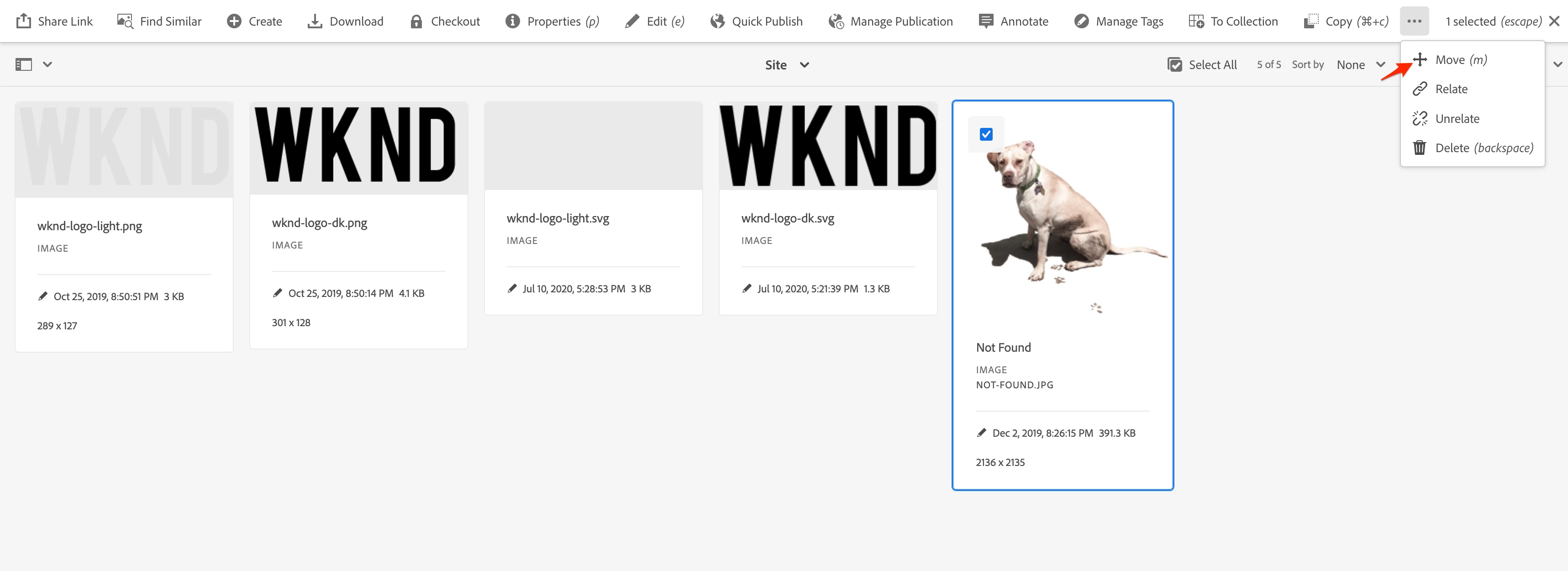
You can use the "Move" operation from the UI to do that. To make it more efficient, you could turn off the Assets Workflows that trigger upon asset updates so the work of move itself is isolated and more performant. You can check here more general practices around DAM Workflows: https://experienceleague.adobe.com/en/docs/experience-manager-65/content/assets/administer/performance-tuning-guidelines 

https://cqdump.joerghoh.de/2020/01/03/prevent-workflow-launchers-from-starting-a-workflow/


Hope this helps

1 reply

EstebanBustamante
Community Advisor and Adobe Champion
EstebanBustamanteCommunity Advisor and Adobe ChampionAccepted solution
Community Advisor and Adobe Champion
October 28, 2024

Hi, 

You can use the "Move" operation from the UI to do that. To make it more efficient, you could turn off the Assets Workflows that trigger upon asset updates so the work of move itself is isolated and more performant. You can check here more general practices around DAM Workflows: https://experienceleague.adobe.com/en/docs/experience-manager-65/content/assets/administer/performance-tuning-guidelines 

https://cqdump.joerghoh.de/2020/01/03/prevent-workflow-launchers-from-starting-a-workflow/


Hope this helps

Esteban Bustamante