Level 2
May 27, 2026
Question

Content Hub Custom Action Button on Asset Card

  • May 27, 2026
  • 3 replies
  • 28 views

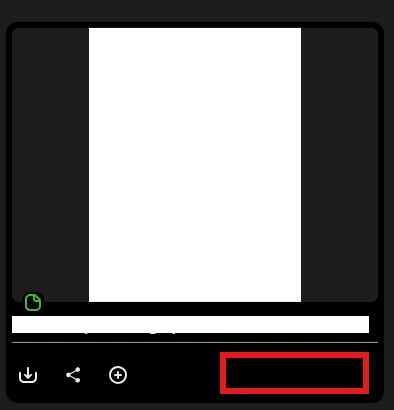
I’m looking for more details about the custom action button that can be created in Content Hub. I recall there was some information shared about adding a custom action button to the asset card. I’ve attached a screenshot showing where these buttons would appear. Does anyone have more information on this? I checked Experience League for resources but wasn’t able to find much.
 

3 replies

Adobe Employee
May 28, 2026

@ShannaBo 

We reviewed the currently available Content Hub documentation. The officially documented capabilities today focus on configuring the Content Hub experience — for example asset card metadata, branding, search behavior, and custom links. We did not find public documentation describing a generally available, self-service method to add a custom action button directly on the Content Hub asset card.

If your use case requires a custom workflow or button in Content Hub, we should treat that as a feature validation / product discussion with Adobe rather than commit to it as an out-of-the-box documented capability.

As a related point, Adobe does document UI extensibility for AEM Assets View, but that is a different surface from Content Hub, so it should not be assumed to apply the same way to Content Hub asset cards.

Adobe Employee
May 28, 2026

Hi ​@ShannaBo ,

The custom action button in Content Hub is part of Content Hub extensibility via AppBuilder. It is intended to let customers add their own UI action around assets, such as sending an asset into another workflow or opening a custom interaction panel.


Please refer to the below documentation that may help.

https://developer.adobe.com/uix/docs/services/aem-assets-view/api/browse-view/

Level 4
May 28, 2026

@ShannaBo This is a really interesting question, thanks for raising it, as this comes up quite a bit when teams start extending Content Hub.
 

From the responses above, it looks like there are two slightly different contexts being discussed, so just to help clarify:

  • Out-of-the-box, there isn’t currently a self-service way to configure a custom action button directly on the Content Hub asset card via standard settings/config (as mentioned earlier).
  • However, if you’re looking for custom actions (like triggering workflows, integrations, or external panels), this is supported through Content Hub extensibility using AppBuilder, where you can extend the UI and attach custom actions to assets.
     

So effectively, this isn’t a simple configuration-level feature yet, but more of an extensibility/custom development scenario depending on your use case.
 

One thing worth considering is how tightly the action needs to be integrated into the asset card UI vs. whether it can be handled via a panel/workflow extension, that usually influences the approach quite a bit.
 

Curious what specific use case you’re targeting (e.g., workflow trigger, external system integration, metadata action)? That might help narrow down the best pattern here.

ShannaBoAuthor
Level 2
May 28, 2026

This is helpful, thank you. Our team is considering adding a custom button that would launch a Workfront request and retrieve all the relevant metadata for the asset. I hope this clarifies things.

Level 4
May 28, 2026

That makes sense, that’s a solid use case.
 

In that scenario, using Content Hub AppBuilder extensibility to trigger a Workfront request is definitely the right approach. You can pass the asset metadata as part of the action payload and use it to pre-populate the request on the Workfront side.
 

We’ve seen similar patterns work well for workflow/approval integrations, especially when the action is tied directly to asset context.
 

Sounds like you’re on the right track.