Bundle installation - local vs prod
Hello,
I have developed a simple Bundle with one Servlet:
@SlingServlet(
paths={"/bin/schafbergbahn/ticker"},
methods = "GET",
metatype=true
)
public class SchafbergBahnServlet extends org.apache.sling.api.servlets.SlingAllMethodsServlet {
@Reference
private CSVFileReaderImpl csvFileReader;
...
doGet implemented
and one Service:
@Service({CSVFileReaderImpl.class})
@Component(immediate=true, metatype=true, label="Ticker Service")
public class CSVFileReaderImpl implements CSVFileReader {
protected final Logger log = LoggerFactory.getLogger(this.getClass());
@Property(unbounded=PropertyUnbounded.DEFAULT, label="CSV path", description="csv file path")
private static String CSV_PATH = "csvpath";
private String csvPath;
@Activate
protected void activate(Map<String, Object> properties) {
readProperties(properties);
}
protected void readProperties(Map<String, Object> properties) {
Object obj = properties.get("csvpath");
this.csvPath = obj.toString();
}
...
After installation it looks like this (local at top, productiv at bottom)
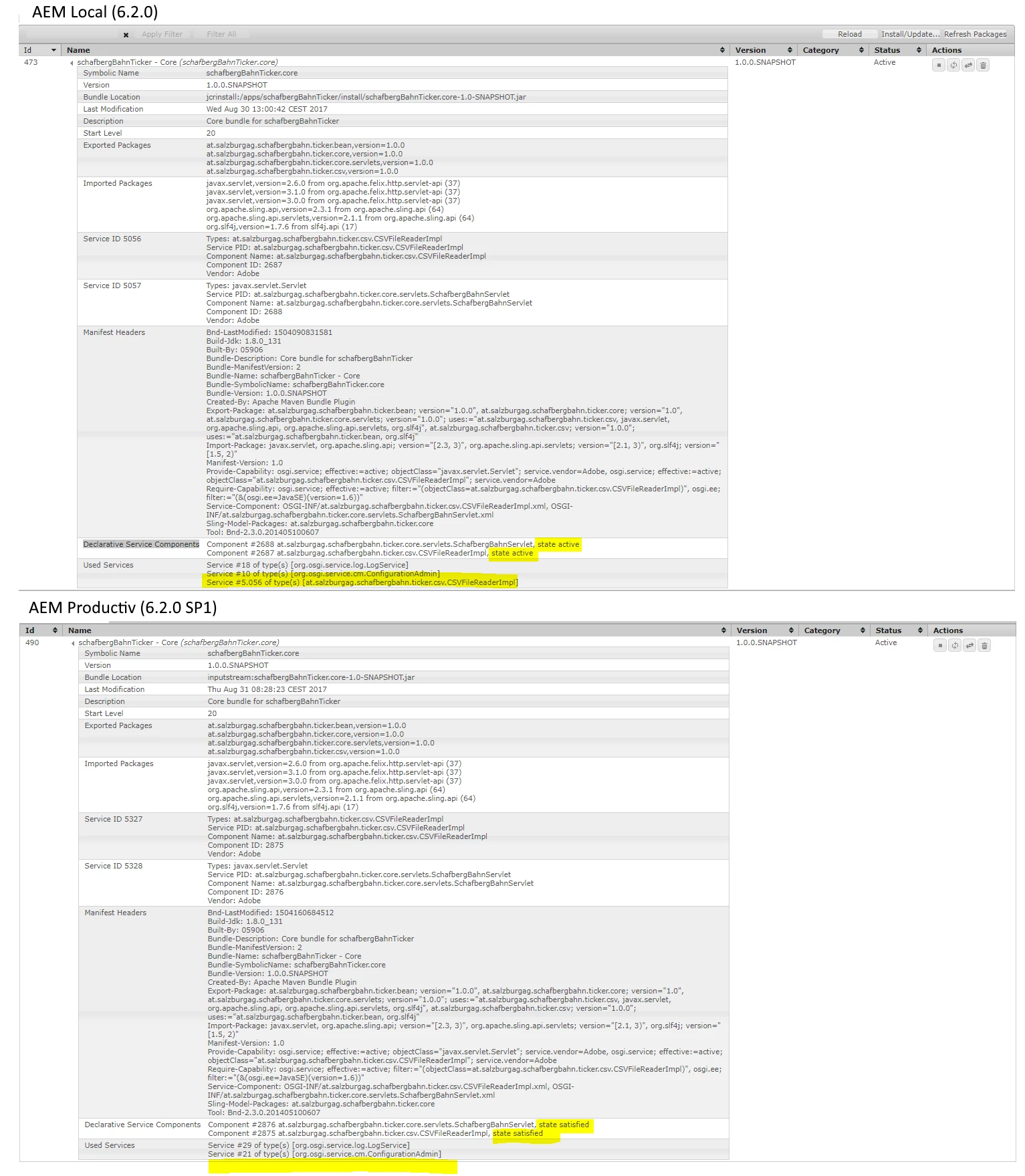
The difference is that
1. in productiv environment one Used Service is missing (CSVFileReaderImpl)
2. Declarative Service Components are in state "satisfied" at productive environment
Local I can invoke the servlet and it works fine, at productive environment I get the following HTTP 404 error:
Resource at '/bin/schafbergbahn/ticker/' not found: No resource found
Apache Sling
Does anyone know what I can do in order to get it work at productiv environment?
Thanks!
Hannes