Solved
Bulk Edit Metadata Clears Out Value - Bulk edit Feature Customization
Summary: Bulk edit clears locked “DRM Admin” value and allows override when set to YES
Description:
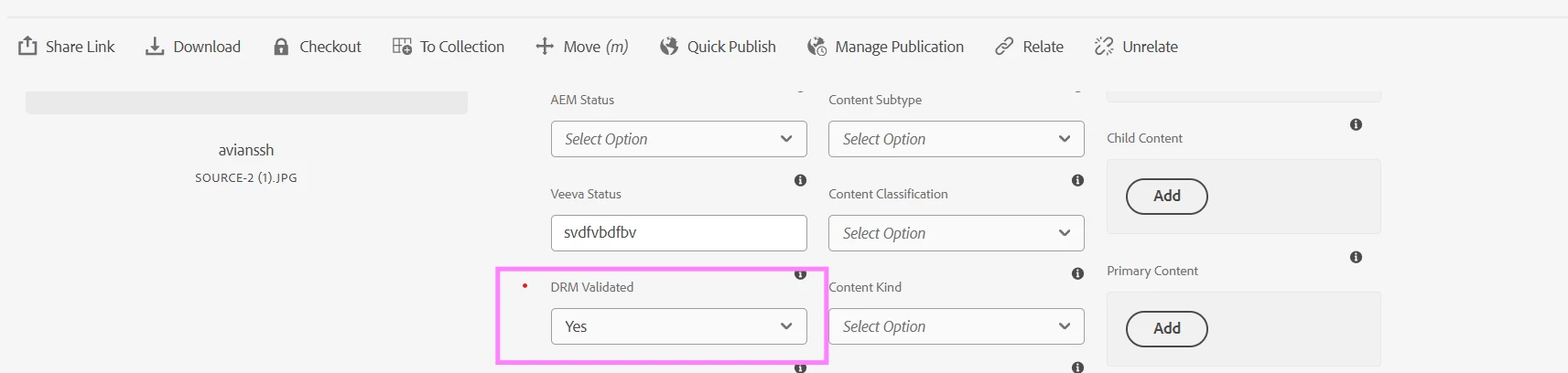
The DRM Admin metadata field is intended to be locked/read-only when its value is YES, preventing users from changing it. However, in the Bulk Edit flow, the editor clears the DRM Admin value for assets that already have DRM Admin = YES, and then allows the user to modify and save it—overriding the intended lock behavior.
Preconditions:
- At least one asset exists with DRM Admin = YES (field should be locked in normal edit).
Steps to Reproduce:
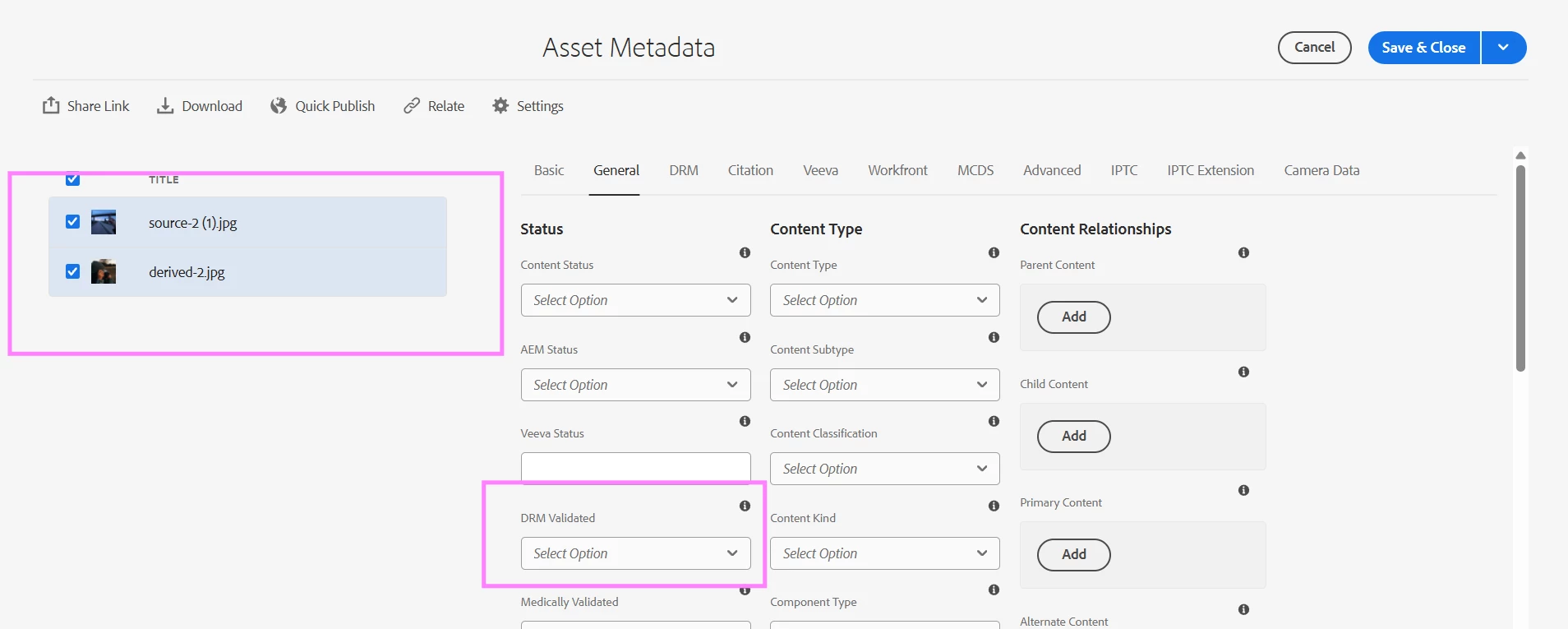
- Select multiple assets, including at least one asset where DRM Admin = YES.
- Open Bulk Edit.
- Observe the DRM Admin field in the bulk edit editor.
- Change the DRM Admin value and click Save.
Actual Result:
- Bulk edit view clears the DRM Admin value (even when it is YES on selected assets).
- User can edit DRM Admin and save successfully.
- Assets with DRM Admin previously set to YES get their value overwritten.
Expected Result:
- If any selected asset has DRM Admin = YES (locked), bulk edit must not clear the field or allow updates that override the lock.
- DRM Admin should be read-only/blocked in bulk edit (or the save should be blocked/ignored for locked assets), consistent with single-asset edit behavior.
Impact:
Users can bypass the intended lock and modify DRM Admin values, causing metadata integrity and compliance issues.