Brand Portal: Share option not available for nested folders | Community
Skip to main content
Level 2
May 7, 2021
Solved

Brand Portal: Share option not available for nested folders

  • May 7, 2021
  • 1 reply
  • 993 views

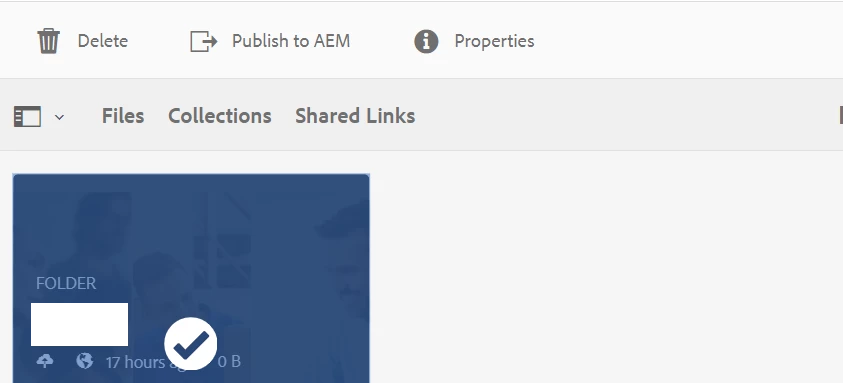
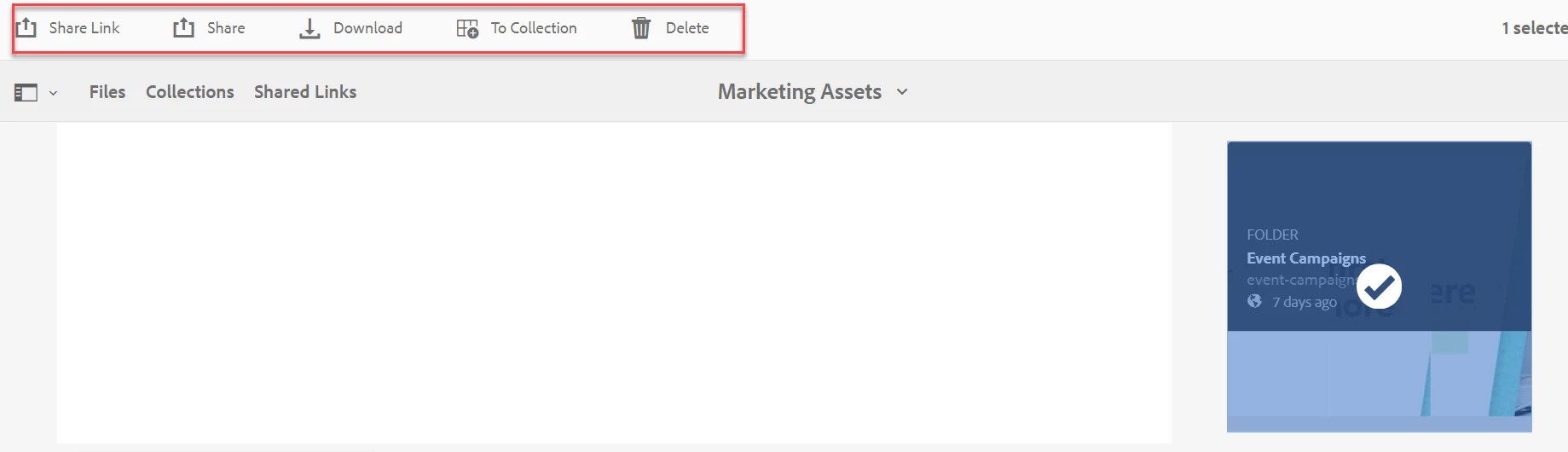
Our current brand portal instance shows the "Share" option when we are at the top folder and also shows the same for one level down folder. But once we go to second level folder, it only shows "delete', "publish to aem", "properties". Both available and not available screenshots are attached. Is this a product limitation?
This post is no longer active and is closed to new replies. Need help? Start a new post to ask your question.
Best answer by vikasbharti

In the first screenshot it looks like the selected folder is a Contribution folder. This is by design, and we cannot share the contribution folder from BP. The sole purpose of using the same is reverse replication i.e. publishing assets to the AEM from BP.

1 reply

vikasbhartiAdobe EmployeeAccepted solution
Adobe Employee
May 8, 2021

In the first screenshot it looks like the selected folder is a Contribution folder. This is by design, and we cannot share the contribution folder from BP. The sole purpose of using the same is reverse replication i.e. publishing assets to the AEM from BP.

Level 4
May 18, 2021
Vikas: Thanks for it. I think that was the reason. Sorted that. Another question. So our partners are not able to see "Create" CTA inside the new folder. I assume that was because I had not added that user by going in AEM -> Tools --> Assests --> Brand Portal Users and uploaded CSV and then configured the contribution folder by adding those users. Is that correct? I need to add users by going to AEM assets contribution folder for them to be able to see "CREATE" cta? Follow up on that, now that I know that was the issue and have added, how to sync the list of users who have access to contribution folder ot brand portal? Do I need to publish brand portal