Brand Portal Configuration - Don’t appear button create (author instance) | Community
Skip to main content
jlfera
Level 2
September 11, 2020
Solved

Brand Portal Configuration - Don’t appear button create (author instance)

  • September 11, 2020
  • 2 replies
  • 3002 views

Hello,

I’m trying to configure the connection between the AEM author instance and my brand portal (https://COMPANY.brand-portal.adobe.com/).


We have 5 steps:

The first 3 steps were OK, but in the step 4 I have a problem:

https://docs.adobe.com/content/help/en/experience-manager-65/assets/brandportal/configure-aem-assets-with-brand-portal.html#configure-the-cloud-service

When I enter in the Cloud Services AEM Brand Portal, the button "Create" does not exists:
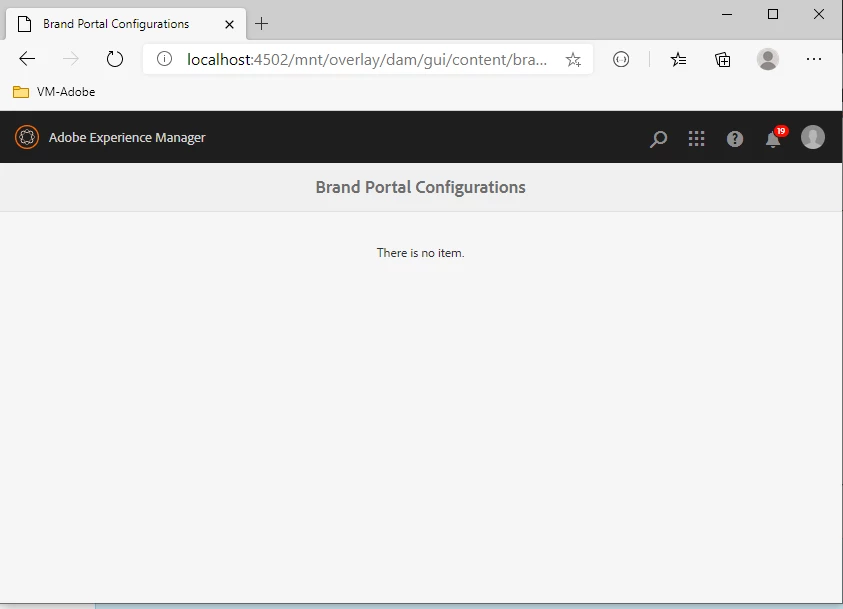
How I can resolve this problem?

Thanks

This post is no longer active and is closed to new replies. Need help? Start a new post to ask your question.
Best answer by vikasbharti

Hi,

Kindly confirm the exact AEM version you are working with, configuring AEM Assets with Brand Portal via Adobe I/O is supported on AEM 6.4.8.0 and above and AEM 6.5.4 and above. So, make sure you've got the latest service pack installed on the instance. Also, login as administrator on the instance to have sufficient rights for making the config.


Regards,

Vikas

2 replies

vikasbhartiAdobe EmployeeAccepted solution
Adobe Employee
September 11, 2020

Hi,

Kindly confirm the exact AEM version you are working with, configuring AEM Assets with Brand Portal via Adobe I/O is supported on AEM 6.4.8.0 and above and AEM 6.5.4 and above. So, make sure you've got the latest service pack installed on the instance. Also, login as administrator on the instance to have sufficient rights for making the config.


Regards,

Vikas

jlfera
jlferaAuthor
Level 2
September 11, 2020
I have the Adobe Experience Manager: 6.5.6.0, and Im loged as admin
Level 2
December 10, 2020

If anyone is looking this up and is looking for a solution. I found one.


I am on AEM 6.5.6 and if a brand portal config doesn't appear it might be because a config is already created under Tools -> Cloud Services -> Legacy Cloud Services. You can also check if a config is made by going in /crx/de and seeing if there is a config under /etc/cloudservices/mediaportal. If there is, you can remove the config by either deleting it or replacing it using a package. This fixed it for me.

Adobe Employee
December 17, 2020
Thank you for posting this solution, this will surely help all the community members.