This post is no longer active and is closed to new replies. Need help? Start a new post to ask your question.
digarg17Accepted solution
Adobe Employee
January 23, 2023

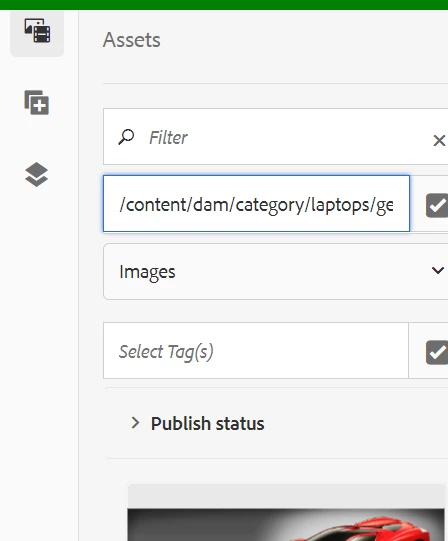
@vani1012  : can you just try and search for the other image which is missing by its name - is it showing up?You can try to run Dam update workflow on it and try again. Is it in a processed state , can you try and upload it again ? 

5 replies

Avinash_Gupta_
Adobe Champion and Community Advisor
January 19, 2023

Hi @vani1012 


Kindly refer to the following post, ignore if you have already seen it.


https://experienceleaguecommunities.adobe.com/t5/adobe-experience-manager/some-images-are-not-showing-up-in-side-panel/td-p/558157 

Translate
Adobe Employee
January 19, 2023

Hi @vani1012 
Please use sling:Folder as primary-type & sling:resourceType while creating asset folder.

Translate
Nitin_laad
Community Advisor
Community Advisor
January 20, 2023

Can you please clarify the type of images that are being used here? Are they of the same type or different types? Additionally, could you check if the images are in a locked state, which may be causing the issue and preventing them from showing up?


Translate
Vani1012Author
Level 6
January 23, 2023

Both image types are same and its jpg and they are not in locked state.

I replicated the issue on local there I can see the logo but in test environment I am not able to see

Translate
digarg17Adobe EmployeeAccepted solution
Adobe Employee
January 23, 2023

@vani1012  : can you just try and search for the other image which is missing by its name - is it showing up?You can try to run Dam update workflow on it and try again. Is it in a processed state , can you try and upload it again ? 

Translate