Assets have not been published when publishing page via activate tree | Community
Skip to main content
Level 2
March 26, 2020
Solved

Assets have not been published when publishing page via activate tree

  • March 26, 2020
  • 3 replies
  • 4137 views

I have a page and some related assets in it,when i trying to publish this page by acticate tree,the related assets will not be published successful,but can be published successful when i try to publish this page by quick publish button


This post is no longer active and is closed to new replies. Need help? Start a new post to ask your question.
Best answer by Nupur_Jain

Hi @leonzhao0327 


Tree replication does not support activation of refrenced content like pages, assets, tags etc. It can perform plain replication of the pages in the hierarchy you have selected.


In order to activate pages along with reference, you can use "manage publication" option which will allow you to activate page along with its child pages and references.


Refer the screenshot below to select manage publication option:
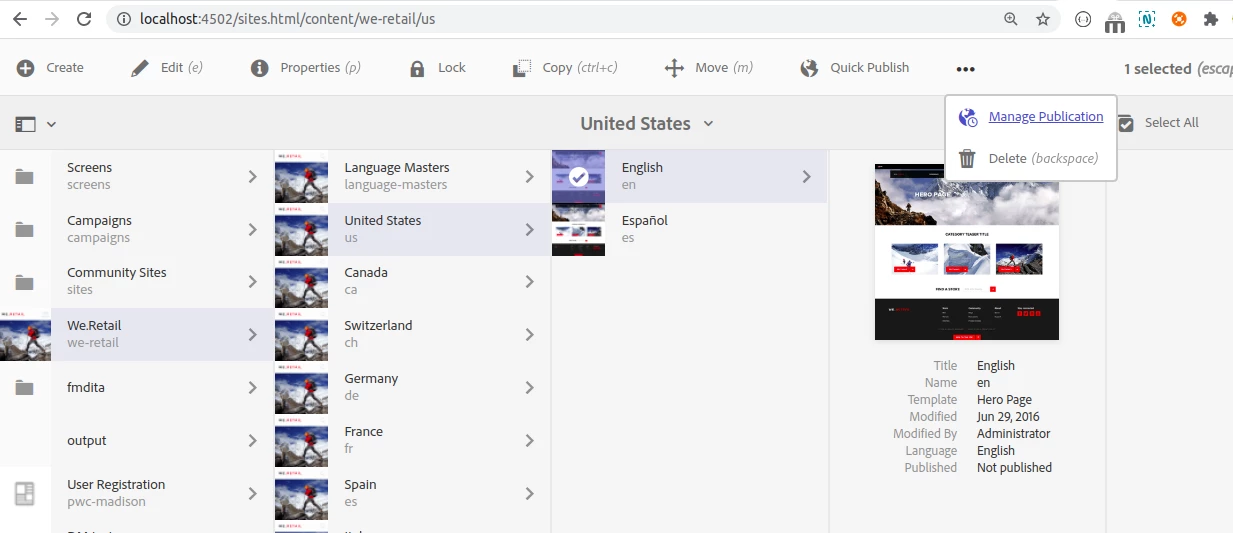
 

Once you click on next, There will be a screen, selecting the page will show an option to include children like this


Click on include children and select further options like "include modified" etc. Children pages will be added and once you click on publish, all added pages along with refernces like assets, tags will be published as well.


This option will provide you similar functionality as replicating pages hierarchy with tree activation along with refrences selected.


Hope it helps!

Thanks!

Nupur

3 replies

Adobe Employee
March 26, 2020

Do you see this Asset in the to be activated list after checking the "Dry Run" checkbox?

Nupur_Jain
Adobe Employee
Nupur_JainAdobe EmployeeAccepted solution
Adobe Employee
July 21, 2020

Hi @leonzhao0327 


Tree replication does not support activation of refrenced content like pages, assets, tags etc. It can perform plain replication of the pages in the hierarchy you have selected.


In order to activate pages along with reference, you can use "manage publication" option which will allow you to activate page along with its child pages and references.


Refer the screenshot below to select manage publication option:
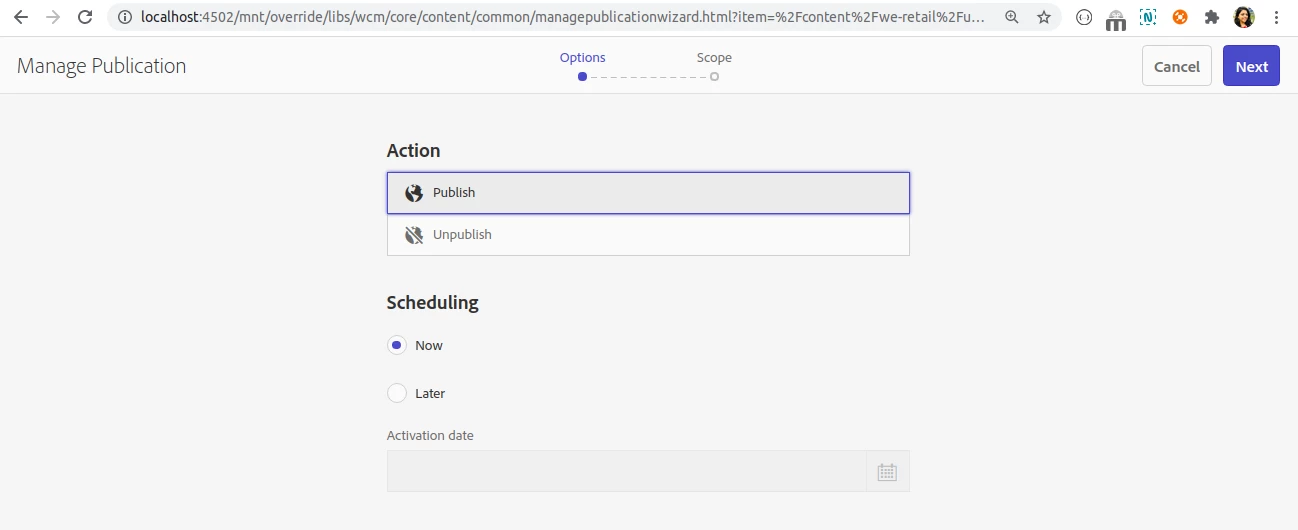
 

Once you click on next, There will be a screen, selecting the page will show an option to include children like this
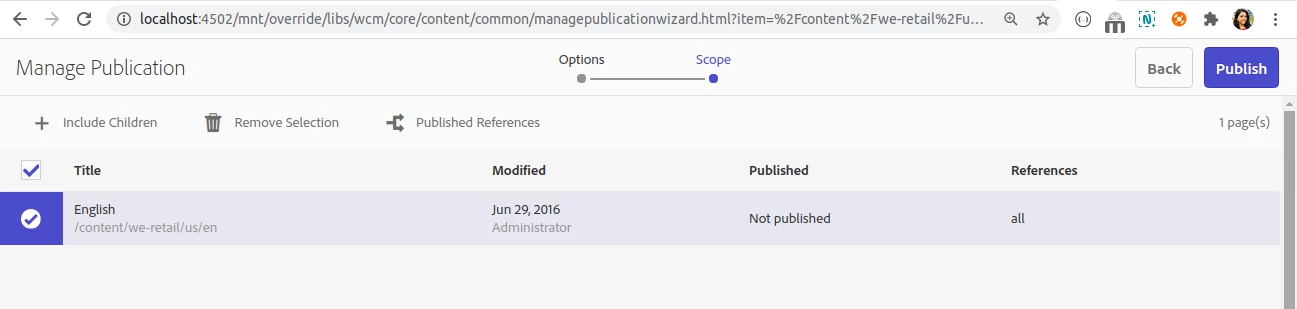


Click on include children and select further options like "include modified" etc. Children pages will be added and once you click on publish, all added pages along with refernces like assets, tags will be published as well.
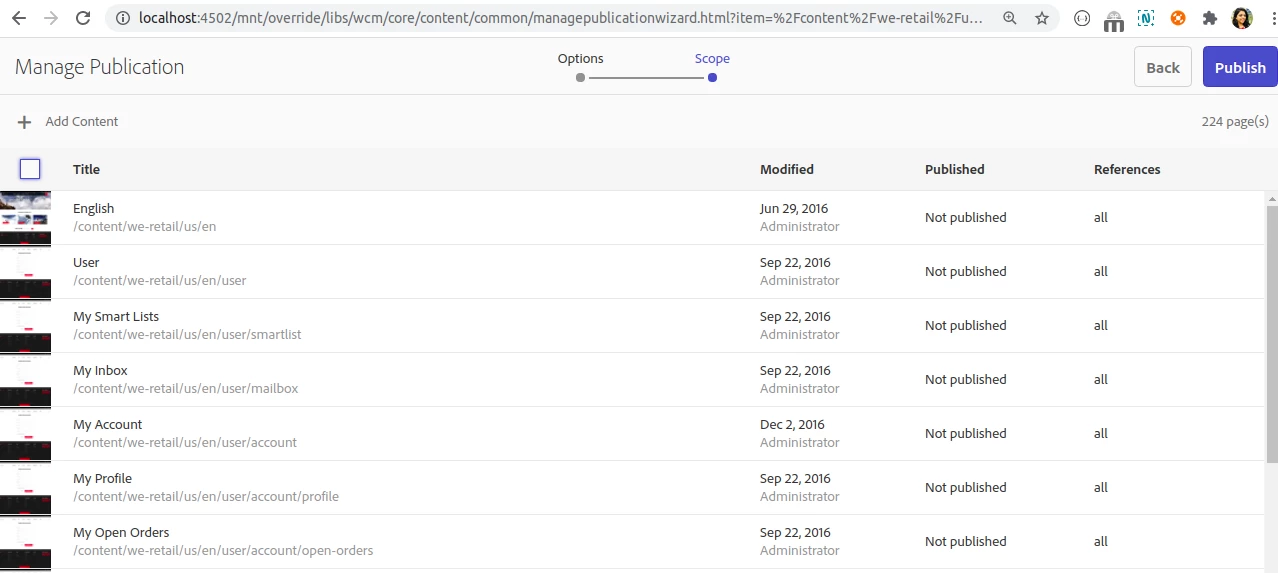


This option will provide you similar functionality as replicating pages hierarchy with tree activation along with refrences selected.


Hope it helps!

Thanks!

Nupur

September 25, 2020

Hi, close this issue as this feature is not support by Activate Tree, it's implemented by our self service.