Asset Redundancy Best Practice | Community
Skip to main content
January 11, 2023
Solved

Asset Redundancy Best Practice

  • January 11, 2023
  • 2 replies
  • 1234 views

We are trying to find a way to avoid asset redundancy. E.g, an asset residing in folder A should be consumable by an account that doesn’t have permission to folder A. We would like to avoid duplicating the asset into a folder that the account has permission to. We may need to move the asset into a “public” folder to be shared across different accounts, but other than this, is there any other better way? Can you perhaps share some best practices around this topic?
This post is no longer active and is closed to new replies. Need help? Start a new post to ask your question.
Best answer by digarg17

Yes it will , use filter as below.

2 replies

Adobe Employee
January 11, 2023

Like you mentioned ,one way is to keep such assets under a global/shared folder. Other than that 

You may try and explore:-

a) Asset collections: Collections store reference to assets 

https://experienceleague.adobe.com/docs/experience-manager-65/assets/managing/manage-collections.htm...


b) Asset share link - > sharing asset link to account to be able to view /downloa

niwindAuthor
January 12, 2023

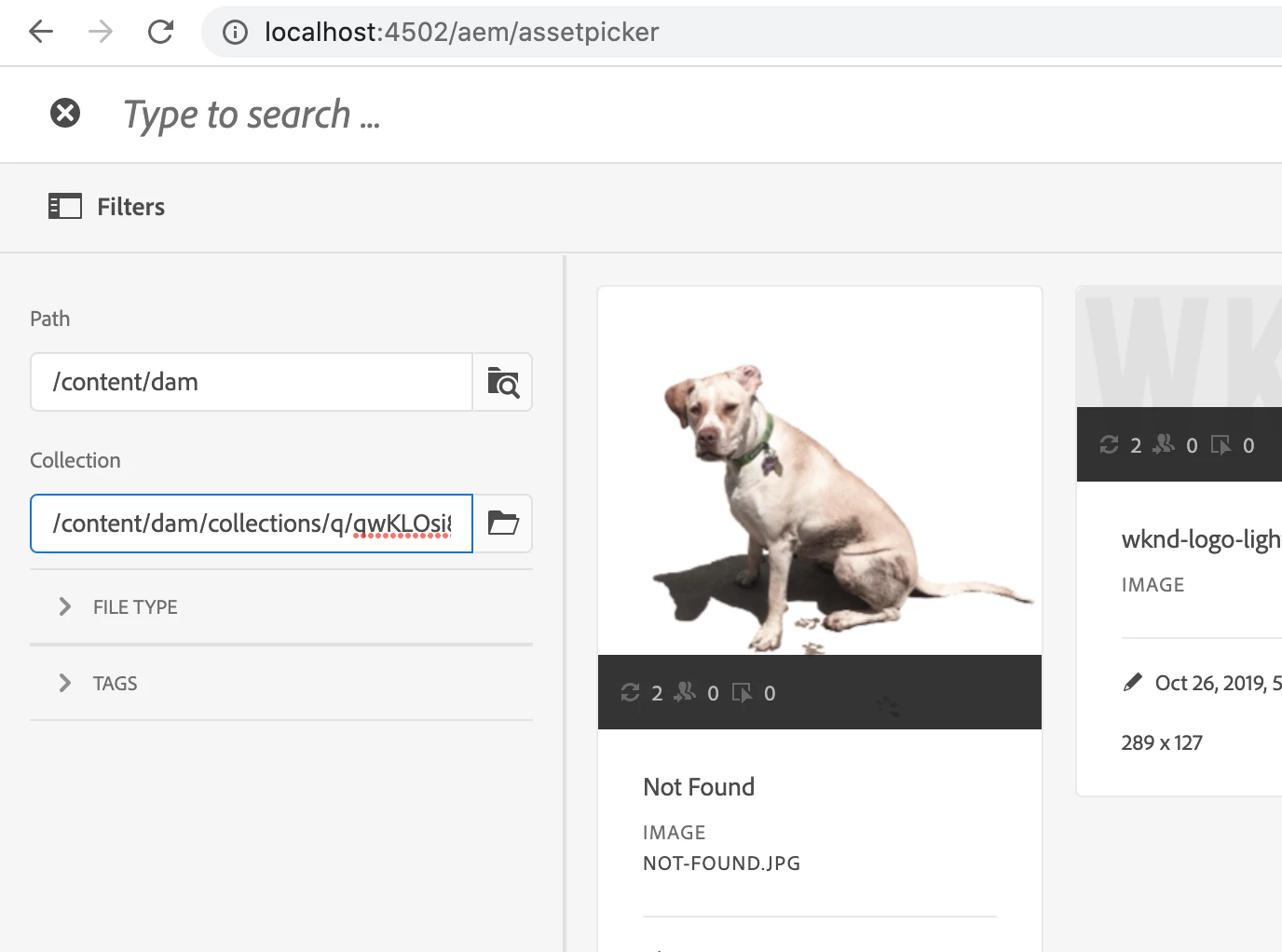
Just curious, can Asset Picker picks up asset from collection?

digarg17Adobe EmployeeAccepted solution
Adobe Employee
January 12, 2023

Yes it will , use filter as below.

Nitin_laad
Community Advisor
Community Advisor
January 20, 2023

Hi @niwind 

You may follow below 2 approaches

1. Use public folder for the assets sharing across accounts/departments
2. Enable Duplicate detection, If your authoring team is uploading duplicate assets and you want to notify them, then these steps will help you.

: Duplicate detection is disabled by default. To enable the feature, do the following steps:

Open the Adobe Experience Manager Web Console Configuration page at https://[server]:[port]/system/console/configMgr.

Edit the configuration for the servlet Day CQ DAM Create Asset.

Select the detect duplicate option, and click/tap Save.