AEM assets Publish URL | Community
Skip to main content
harsingh91
Level 3
July 5, 2021
Solved

AEM assets Publish URL

  • July 5, 2021
  • 3 replies
  • 6681 views

Hello Team,

I am using AEM 6.5


On my PROD author, I am not able to see the "Publish URL" of assets even when my asset is published and "Copy Publish URL" button is available. On clicking of button it opens empty box.
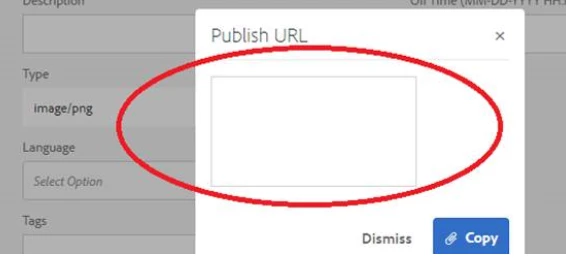
On STAGE environment, it is working fine. I checked the externalizer config files for PROD and STAGE ad they are identical.


Can someone please suggest what can be the problem for this?


Thanks in advance

This post is no longer active and is closed to new replies. Need help? Start a new post to ask your question.
Best answer by Dipti_Chauhan

Hi @harsingh91 

   It seems there is some issue with this feature

Refer this open issue details : https://github.com/Adobe-Consulting-Services/acs-aem-commons/issues/2534

Unfortunately this is still in open state.


Thanks

Dipti

3 replies

diksha_mishra
Community Advisor
Community Advisor
July 5, 2021

1. Try manually creating the Publish URL once to make sure the asset was published correctly to linked publisher. 

Example: 

Author URL: <server:port>/assets.html/content/dam/abc.jpg

Published URL: <server:port>/content/dam/abc.jpg

2. Please refer to the following article to verify that the configurations are setup correctly: https://adobe-consulting-services.github.io/acs-aem-commons/features/assets-components/copy-publish-url/index.html 

harsingh91
Level 3
July 5, 2021

Hello Diksha,

Thank you for your answer.

I tried "<server:port>/content/dam/abc.jpg" , it is working fine and my asset is getting downloaded.


Also, configuration seems fine in configMgr.


shelly-goel
Adobe Employee
Adobe Employee
July 5, 2021

@harsingh91The externalizer config for PROD should have the PROD domain and not be identical with Stage. Please check if the correct domain is configured.

You can also rebuild the clientlibraries: http://<host>:<port>/libs/granite/ui/content/dumplibs.rebuild.html?invalidate=true


Please also check the browser console for any errors, that would help debug/ fix the issue.


harsingh91
Level 3
July 5, 2021

Hello @shelly-goel,

Thanks for your answer.

My externalizer config for PROD looks fine. Please check


<? xml  version = "1.0"  encoding = "UTF-8" ?>
< jcr: root xmlns: sling = " http://sling.apache.org/jcr/sling/1.0 " xmlns: jcr = " http://www.jcp.org/jcr/1.0 "  
jcr: primaryType = "sling: OsgiConfig"
externalizer.domains = "[clientName https: //author-client-prod.adobecqms.net,publish https: //client-prod.adobecqms.net,local https: //author-client-prod.adobecqms.net,author https://author-client-prod.adobecqms.net ] "
externalizer.host = ""
externalizer.contextpath = ""
externalizer.encodedpath = "{Boolean} false" />
Dipti_Chauhan
Community Advisor
Dipti_ChauhanCommunity AdvisorAccepted solution
Community Advisor
July 6, 2021

Hi @harsingh91 

   It seems there is some issue with this feature

Refer this open issue details : https://github.com/Adobe-Consulting-Services/acs-aem-commons/issues/2534

Unfortunately this is still in open state.


Thanks

Dipti

harsingh91
Level 3
July 12, 2021

Thanks Dipti, Yes I saw this post also.

Hoping to get a solution in sometime.