Why does table shows other values despites having segment at hit level? | Community
Skip to main content
Level 5
August 16, 2022
Question

Why does table shows other values despites having segment at hit level?

  • August 16, 2022
  • 1 reply
  • 1511 views

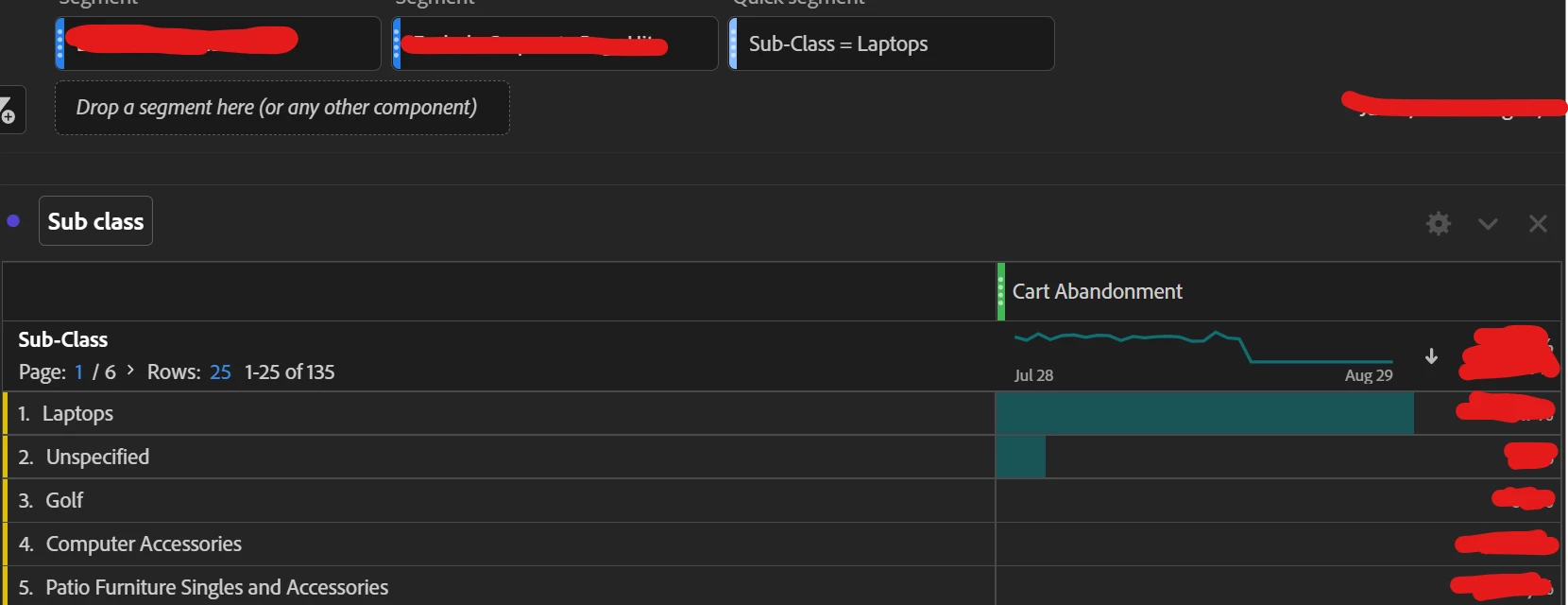
Why does table shows other dimension values instead of showing only "Laptops" despites having segment at hit level? 

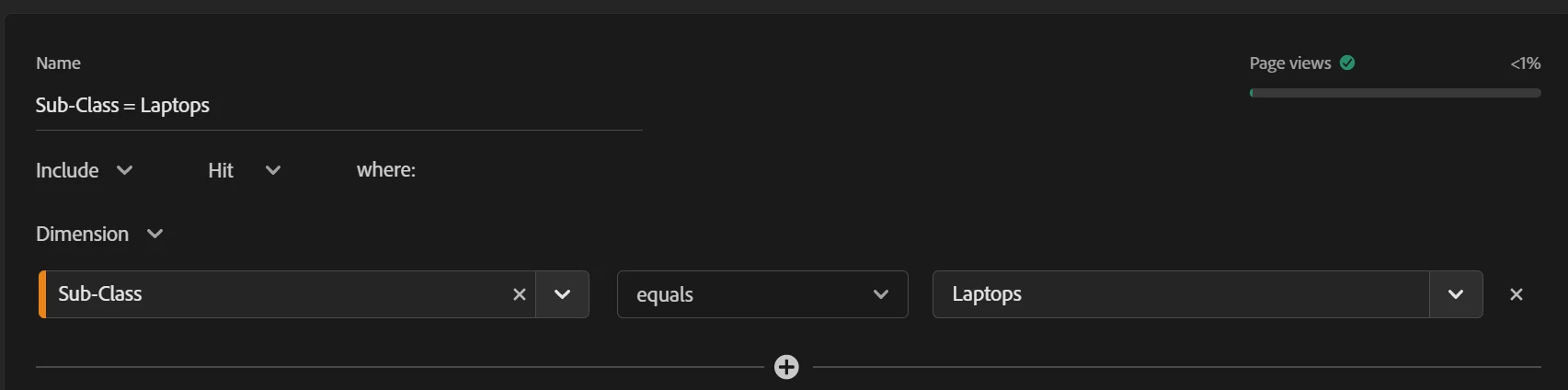
FYI the dimension is a classification and is from product variable. I expect table to show only the "laptop" instead of all other values since the segment is hit level. Please explain.
 

This post is no longer active and is closed to new replies. Need help? Start a new post to ask your question.

1 reply

MandyGeorge
Community Advisor and Adobe Champion
August 16, 2022

When you create a segment, whether it's hit/visit/visitor, it brings in everything that happens at that level as long as the conditions of the segment are met. In your example, you have a segment where sub-class = "laptops". So it is going to look at everything that happens in the hits where sub-class is laptops. In your cart abandon, it will show you the amount of cart abandons for laptops, but it will also show you what other sub-classes were were abandoned at the same time (in the same hit). 

If you want it to be just that sub-class only, don't use a segment, bring in the dimension and drop it in the table. You can put it above/below the metric 'cart abandonment' so it says "filter by" and then it uses it as a dimension and not a segment. On the left hand components menu click the little ">" icon at the right to dive into the dimension items, and just drag in laptop into the table.

aagk123Author
Level 5
August 16, 2022

I have 100 subclasses not sure which is the effective way.

MandyGeorge
Community Advisor and Adobe Champion
August 16, 2022

trying to build a dashboard for specific 100 sub class to see their cart abandonment rate.


Best way to do that would be to use the filters for sub-class in the table. Click the filter icon beside the dimension name, click 'show advanced', and then you have different options for the filter. I suggest "contains any term" as that field is space delimited. So for example if you put "laptops golf", it will bring in any subclasses that have "laptops" or "golf" in their name. I think you can put up to 100 words in that field.