Short answer is no.. Regex is not yet supported in Segments.... that said, even if it was, it wouldn't result in what you are looking for... Segments are just rules to pull back data as tracked and present it... you cannot modify/edit how values are shown with a Segment, only what rows of data are returned....
What you are actually looking for is called Classifications.
Classifications allow you to create "sub dimensions" essentially, and you can modify the values in those, and Regex is supported.
To start, you need to create one or more classifications on your dimension:
Admin > Report Suites
(Choose one or more Suites - make sure the profiles match if you choose more than one)
Edit Settings > Traffic > Traffic Classifications (for props)
or
Edit Settings > Conversion > Conversion Classifications (for eVars)
etc
Now, find the item you want to add classifications to from the list, and new (well named) classifications
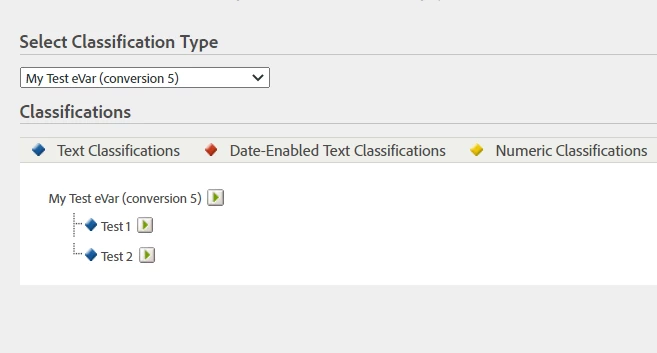
Once you have these set up, you can move over the Classification Rule Builder (you can also import classifications, but from the sounds of it, the Rule Builder should be more than sufficient)
Admin > Classification Rule Builder
First, add a new Rule Set, and give it an appropriate name
Now, you have to select the suite(s) and the dimension that you made the classifications in...
You can add multiple rules, they process in the order they appear, so later rules (if conflicting) will override previous rules.
You can see that here you can select Regular Expression, and if you create your rule with groups, you can reference the group in the "To" column... you can also use something like $1$2$3 if you want to concatenate the first three group, or $1$3 if you want to remove content from the middle.
There is a single value check in the rule builder, but you can check against a list of items in the "Test Rule Set"
Once you are happy with your rules, you can choose a processing lookback window of up 6 months... the initial processing will take up to 24 hours...
If you need to modify the rules, it will deactivate the rule, and you will have to reactivate the rule and re-process.
For more info on Classifications:
https://experienceleague.adobe.com/docs/analytics/components/classifications/c-classifications.html?lang=en



