Unspecified Showing up in ECID Report | Adobe Higher Education
Skip to main content
Level 2
November 1, 2023
Répondu

Unspecified Showing up in ECID Report

Hi Team,


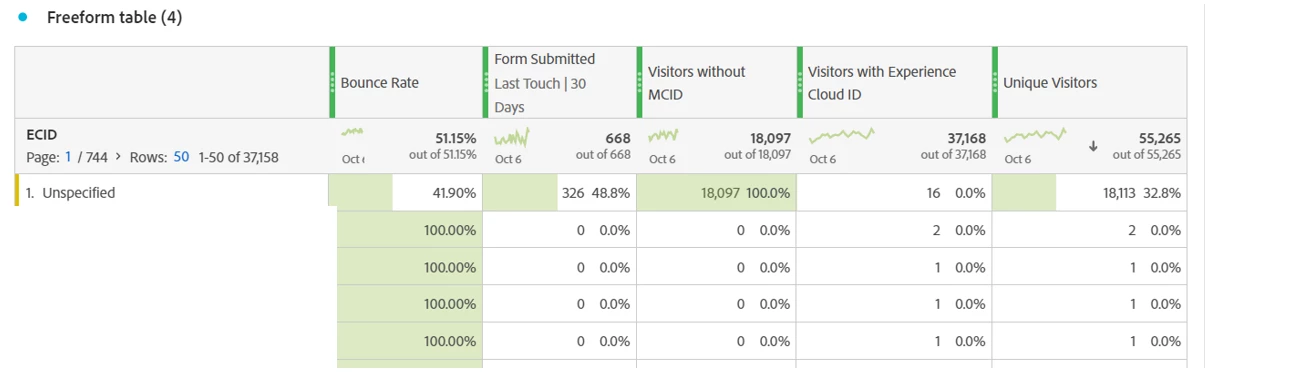
I am trying to understand why we have an Unspecified in our ECID Report.

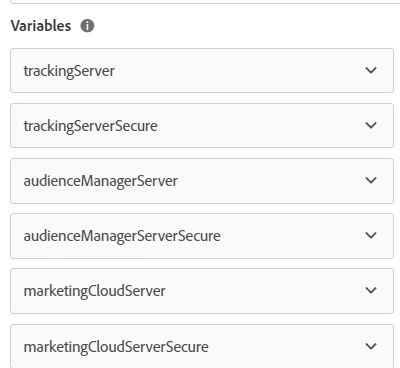
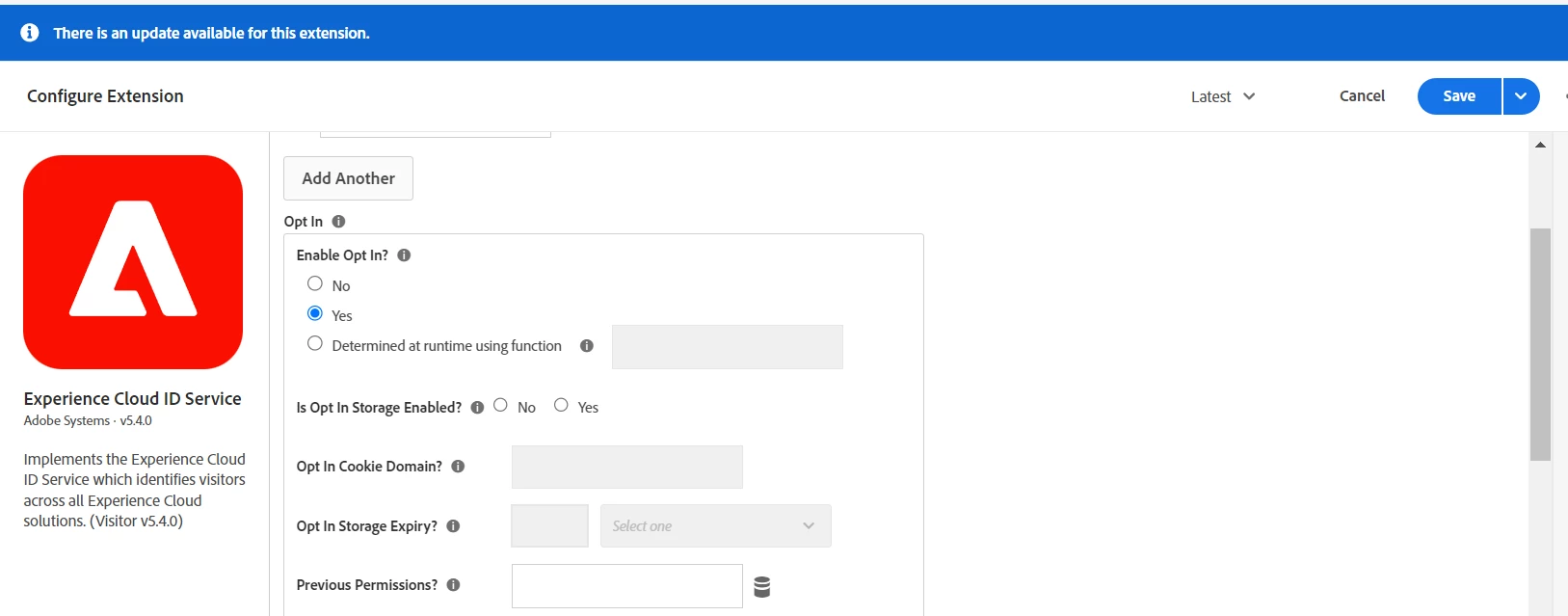
The  ECID evar is dynamically set as mid in adobe launch, and we have opt-in enabled in the Experience cloud extension, with certain variables added (see screenshot below). Also, when I test, I see the mid and ecid triggered. 

Can someone please help? Maybe @yuhuisg or @jennifer_dungan 


Thanks in advance.


Ce sujet a été fermé aux réponses.
Meilleure réponse par yuhuisg

I believe the "Opt-In" setting is what is preventing your mid from being set properly. I too haven't implemented this. However, here are 2 helpful web pages that might help you figure this out:

Hope those help you!

2 commentaires

Jennifer_Dungan
Community Advisor and Adobe Champion
November 1, 2023

I am not sure, but I believe if a user is opted out, then they don't get an ECID? We actually haven't implemented opting yet, so I haven't tested the behaviours fully...


But if you test with Incognito so that you have a completely fresh scenario each time.. try loading your site, then opting in, then hit some pages... then close incognito fully (all windows) and try that test again while opting out... check with the debugger or omnibug, or your testing tool of choice, and see if an mid value is being set, and being set for all pages...


Even in the first scenario, unless you are holding back tracking until the user chooses to accept cookies, that first tracking call could be without the ECID/MID.

mokonsAuteur
Level 2
November 1, 2023

Hi @jennifer_dungan  Thanks for sharing.


I tried the test as you explained, and Mid is not set once I decline cookies.

When I accept cookies, the first call sets evar48 as mid, but all subsequent page loads has as the actual  ECID (see screenshot below).


I am still not sure, why I  have unspecified in the ECID Report.


Jennifer_Dungan
Community Advisor and Adobe Champion
November 1, 2023

Hmm it might be something in your implementation? In mine, all calls show D=mid (page views and actions, etc). Unless you are showing "Post Processed" values, but I think those would be a darker background to distinguish set vs processed.


At least the value is correct in your example... but if this value is being extracted, or pulled via JS, it's possible that there are enough instances that are failing to cause an issue with your reporting?


I would check everywhere in your implementation where eVar48 is being set and see if you can find an inconsistency...


In my experience cloud extension, I also have cookieDomain and secureCookie set:


My implementation is one Launch Property shared with 30 Websites on the same code base... so I have a Data Element to set the correct tracking server, and I also ensure that the cookies are set against the base domain (i.e. www.domain.com or sub.domain.com would all set the cookie against .domain.com)


Then I just ensure that the Cookies are set securely... 


If the MID is not set once you decline, those users are probably a lot of your "Unspecified" traffic.... or are you filtering those users another way? Or not tracking anything once they decline?

yuhuisg
Community Advisor
yuhuisgCommunity AdvisorRéponse
Community Advisor
November 4, 2023

I believe the "Opt-In" setting is what is preventing your mid from being set properly. I too haven't implemented this. However, here are 2 helpful web pages that might help you figure this out:

Hope those help you!

mokonsAuteur
Level 2
November 7, 2023

Hi @yuhuisg  Yes, this is very helpful.


I read through both articles, and looking at my ECID Report from AA , I am now wondering how Analytics then differentiates between a new visitor and a returning visitor. From the explanation given by Jan, I left a question on his page about this. 


@jennifer_dungan  I have traffic from Web and App being passed in the suite but they are differentiated by a Data Element, so I can filter the report by what is App and what is Web. Also, I have checked the report by Page and URL and I can see the Unspecified ECID in these. The value is also set on all page loads, I checked the Custom links as well, and I did a test with some, and noticed that Mid is set, but a fall back visitor ID is set but not the ECID. Also, the numbers of these, is just about less than 1% of the actual Unspecified ECID report. 

Jennifer_Dungan
Community Advisor and Adobe Champion
November 7, 2023

@mokons I believe that the Opt-In Settings in the Visitor Service will determine whether to cookie people.. if you don't need/want to track based on that Opt-In/Out, you still need to add logic to your tracking rules based on the user's choice (i.e. add a Condition to check the status and either run the rule or not)


As for checking those additional correlations you ran, good. (I also distinguish between web and app, but I wanted to be sure that your specifics were happening on Web so that you we're investigating issues in a place they may not have been loading.)


However, you are saying that after Opting In, and you have an MID on the base page, some Action calls are only setting an FID? That doesn't seem right... if there's an MID, it should be used...  Or maybe I misread that, and you are saying during your testing, you were seeing that some tests weren't setting the MID, but just the FID?


I believe that when FID is used, because it's not a cookie and it's generated new for each use, it lasts the duration of the Visit, and that Visit would be treated as a "New" User....