I created an automated report using the Excel Report Builder. It emails me at least weekly, if not more. I no longer want to use this report, but there’s no link in the email, and I’m not sure what happened to the original file. How do I stop this?
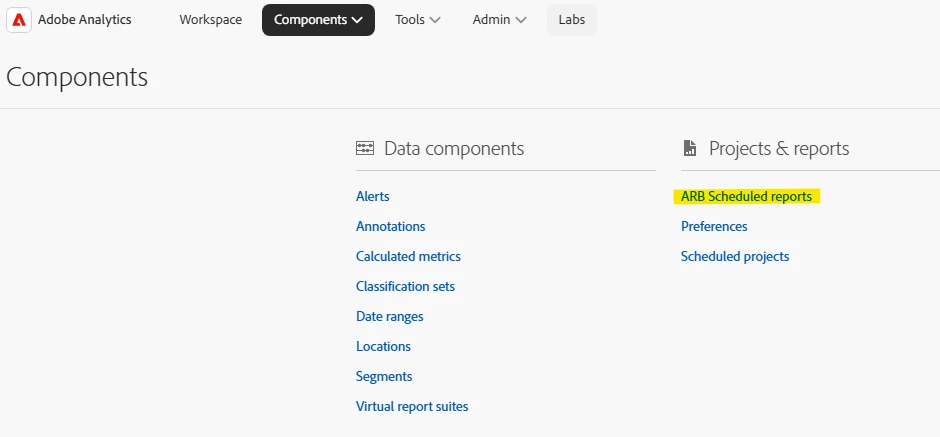
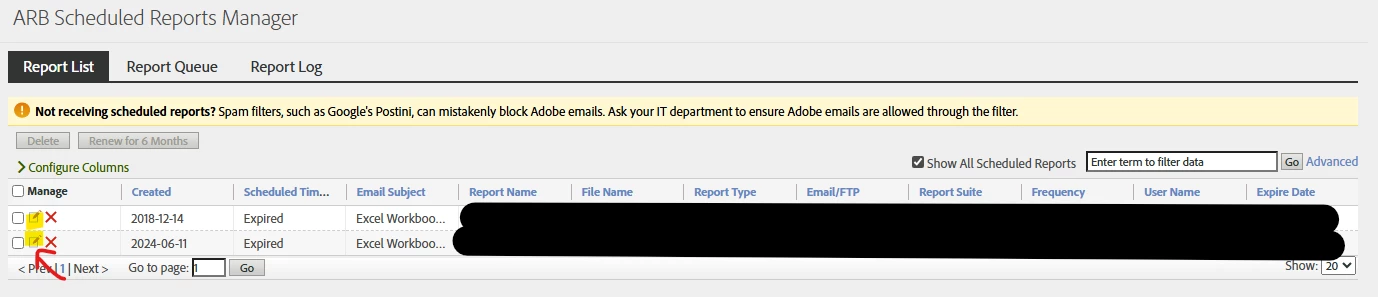
Here, you will have access to ALL scheduled Report Builder reports (including expired), and you can edit the schedule and who the report goes to:
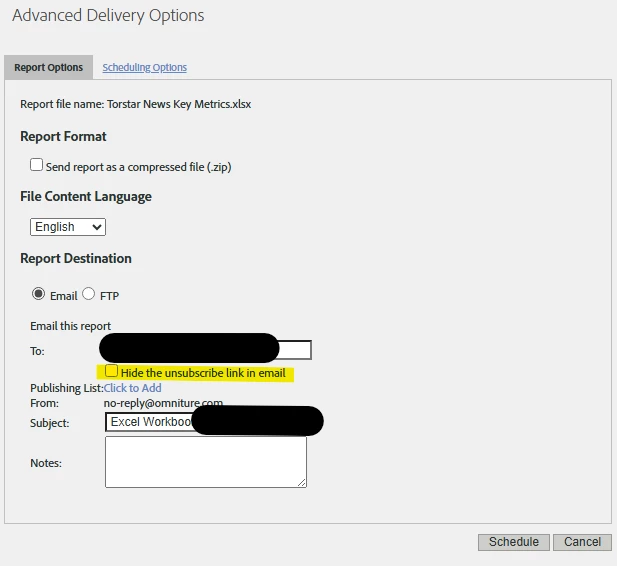
There is also an option to “hide” the unsubscribe link in the email, which might be the case for you:
However, if this is the NEW Report Builder, there is no Scheduled Report Manager (at this time, this is one of my requests to the Adobe Product Team, as management of Report Builder is basically impossible now).
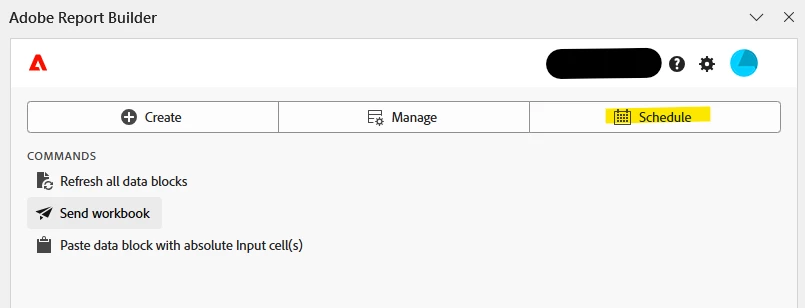
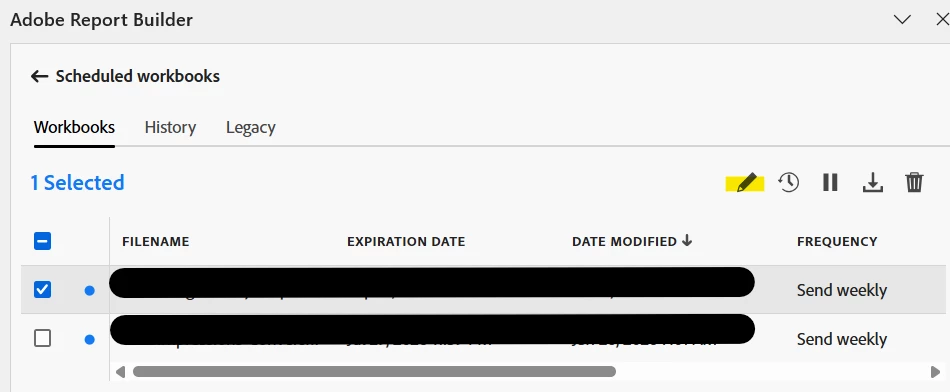
The only access is within Report Builder itself.
You can only adjust the schedule and subscription list for reports made from your own account:
I do not see the option to “hide the unsubscribe” in the new report builder… So the odds are, you are dealing with a Legacy Report.
If you are an admin (or have the right privileges) in Adobe Analytics, you can stop any of the automated reports that are running by going to Components > Scheduled Projects.
This lists all the scheduled reports that are sent out. If you don’t have the correct level of privileges, you will only see your scheduled reports.
When you click on the report, you will be shown a screen that allows you to edit the schedule and edit the recipients. If you click on the three dots next to the project, you will be given the option to delete it.
Here, you will have access to ALL scheduled Report Builder reports (including expired), and you can edit the schedule and who the report goes to:
There is also an option to “hide” the unsubscribe link in the email, which might be the case for you:
However, if this is the NEW Report Builder, there is no Scheduled Report Manager (at this time, this is one of my requests to the Adobe Product Team, as management of Report Builder is basically impossible now).
The only access is within Report Builder itself.
You can only adjust the schedule and subscription list for reports made from your own account:
I do not see the option to “hide the unsubscribe” in the new report builder… So the odds are, you are dealing with a Legacy Report.
It is in the new report builder. I didn’t realize I could just open a random Excel workbook and view my scheduled reports created elsewhere. So it should be deleted now. Thank you!
And I did find the unsubscribe button, but got it again, so maybe unsubscribe doesn’t work if you own it?
Glad you found it! And honestly, it wouldn’t surprise me if they removed unsubscribe for the owner lol…
We definitely need a better Admin area to manage reports (aside from inside Report Builder). That is fine if I am already in Excel and making some updates, but as Admins we need the ability to look at everything running in the network.