Set different values of variable(evar) for different environments | Community
Skip to main content
Adobe Employee
May 27, 2024
Solved

Set different values of variable(evar) for different environments

  • May 27, 2024
  • 2 replies
  • 1400 views

Hi Analytics Team,


I have a tag with certain number of rules in it, which are setting different evars. Below is for example a final changes committed in the library. 
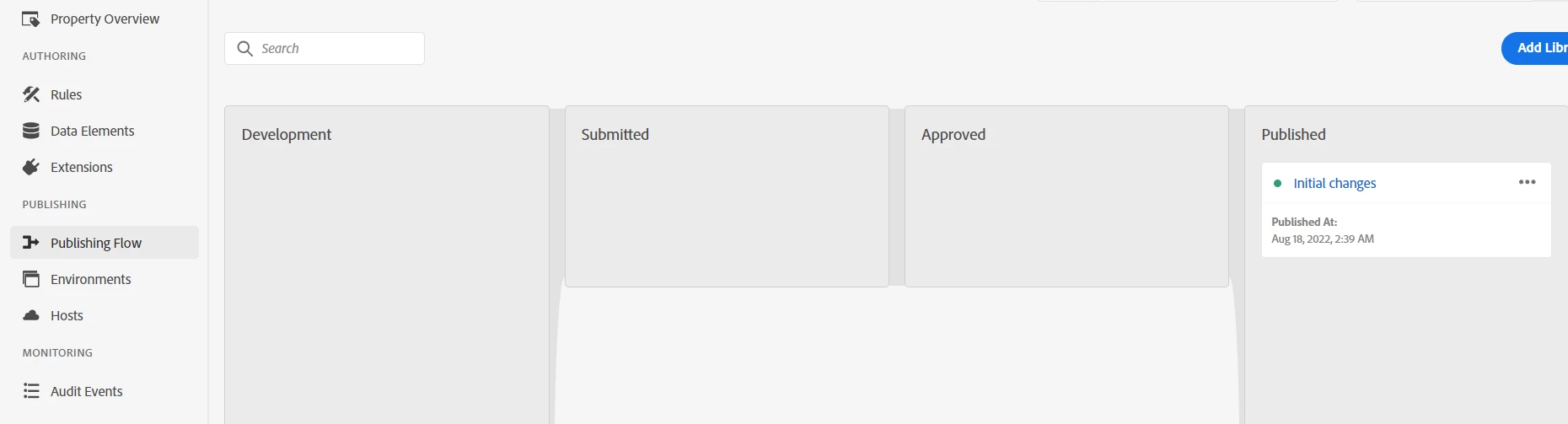
 

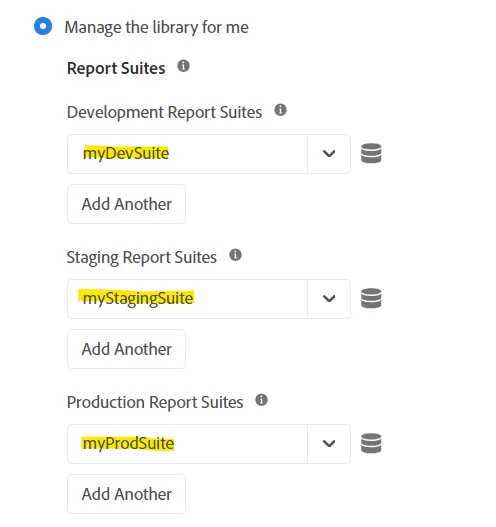
With respect to the above, i have set three different environments(dev, stage, prod) as below.
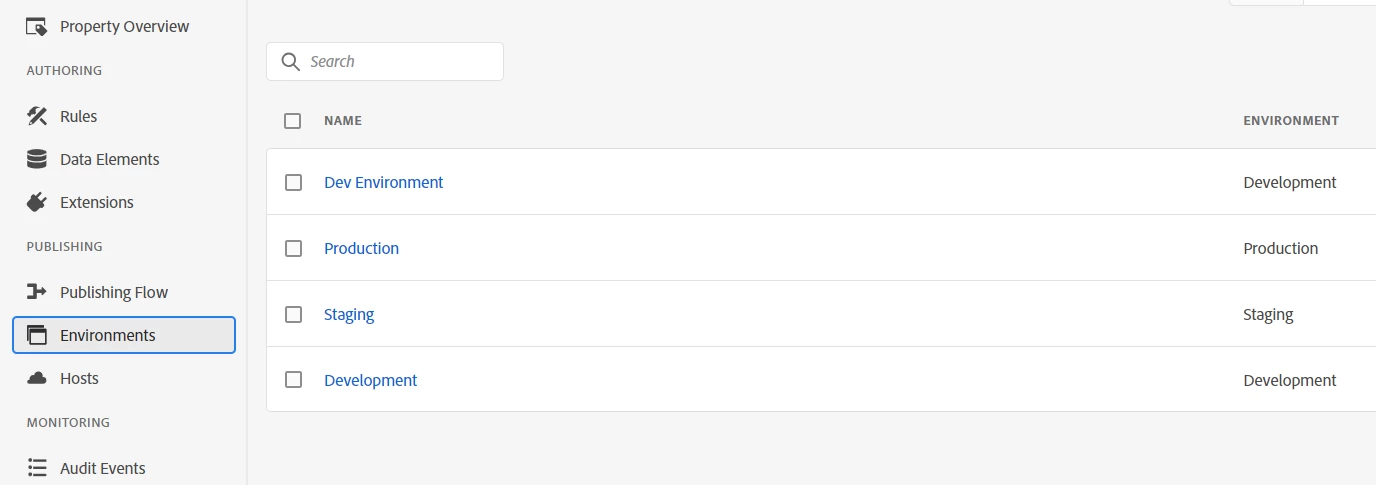
 

When i deploy these individual libraries to my dev, stage and prod environment. They all are setting the same evar(ex evar1).

Now, is there a way to segregate whether the evar1 value is generated from which environment? As when i map the values of evar1 in Adobe Analytics Workspace, i get all the values from each environment.


Thanks
This post is no longer active and is closed to new replies. Need help? Start a new post to ask your question.
Best answer by Jennifer_Dungan

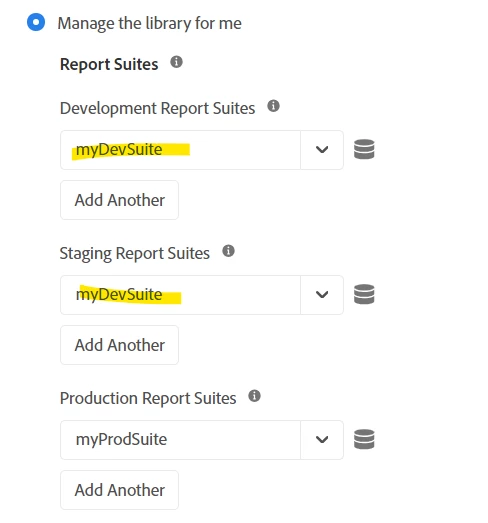
Well in best practice, you would have separate tracking for your environments... a tracking suite that is just Prod, a tracking suite that is just Dev, and a suite that is just Staging...


Though, in my case, I send all Dev and Staging to the same "Test" Suite, and only have Prod fully separated (basically, you don't want all your test data corrupting your prod data).


I send all Dev and Staging to my single "Dev" suite.


Now, in my case, if I need to see which data is coming from Dev1, or Dev2, or QA1 or QA2, etc I can just look at my URLs (which I track in a custom eVar)...  As you can see, we have multiple Dev and QA, etc environments for our developers to work on parallel initiatives...  All of these use the same "Dev" build, and therefore send into my Dev Suite.


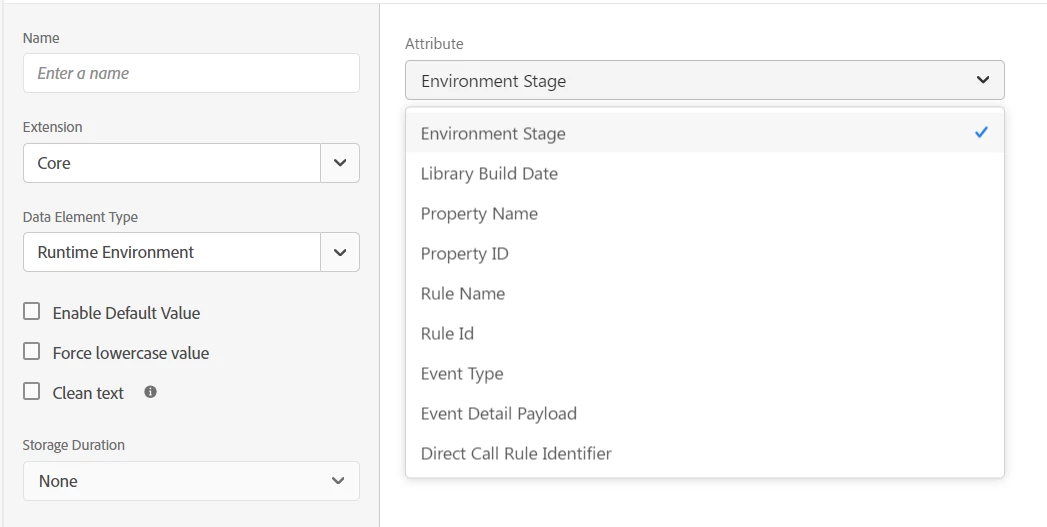
However, if you really need to pass environment info, there is a Data Element for that type of info:


You can set up these types of Data Elements, and send them to a dimension of your choice. The values will calculate within the environment and allow you to correlate or create segments in your reporting.

2 replies

Jennifer_Dungan
Community Advisor and Adobe Champion
Jennifer_DunganCommunity Advisor and Adobe ChampionAccepted solution
Community Advisor and Adobe Champion
May 27, 2024

Well in best practice, you would have separate tracking for your environments... a tracking suite that is just Prod, a tracking suite that is just Dev, and a suite that is just Staging...


Though, in my case, I send all Dev and Staging to the same "Test" Suite, and only have Prod fully separated (basically, you don't want all your test data corrupting your prod data).


I send all Dev and Staging to my single "Dev" suite.


Now, in my case, if I need to see which data is coming from Dev1, or Dev2, or QA1 or QA2, etc I can just look at my URLs (which I track in a custom eVar)...  As you can see, we have multiple Dev and QA, etc environments for our developers to work on parallel initiatives...  All of these use the same "Dev" build, and therefore send into my Dev Suite.


However, if you really need to pass environment info, there is a Data Element for that type of info:


You can set up these types of Data Elements, and send them to a dimension of your choice. The values will calculate within the environment and allow you to correlate or create segments in your reporting.

tarusharAdobe EmployeeAuthor
Adobe Employee
May 27, 2024

Hi Jennifer,


It totally makes sense, all i thought is that it can be achieved through one reporting suite.


Will create new for stage and prod data capturing.


Thanks,

Tarun

tarusharAdobe EmployeeAuthor
Adobe Employee
May 27, 2024

Well it can be.. like I said, you can set up Data Elements to pick up the build stage and other build info...


But consider what might happen to you Production Data if something fails to set for classifying the data into "Dev" or "Prod", etc... You could potentially start over-counting or under-counting your data depending on how your segments are set up... if your team is running load or automated testing that generate high traffic in Dev or Staging, and that happens in conjunction with a failure it might cause a big discrepancy.... 


The final call is up to you, and what works for your organization... personally, I keep all analytics Prod data separate no matter what system I am using (Adobe, GA, etc... I always make sure I send prod to prod, and all dev/qa/staging/pre-prod/etc into an isolated dev account.


Yes Jennifer, in my case too i want the stage and prod both to be separate. With above explanation i am pretty much clear with the way to achieve it.


It will not be a good option to capture the environment/build info so will go with creating new suite.


Thanks Again!

Tarun

abhinavpuri
Community Advisor and Adobe Champion
May 27, 2024

Hi @tarushar ,

There are only two ways I'm aware of that can help you segregate which value of eVar1 was set by which environment - 

1> You can have different report suites for each environment so you'll be able to report on individual values set by each report suite / environment.

2> You can below to reference existing environment and pass it in Adobe Analytics via additional variable to segregate eVar1 based upon environment used in single report suite.

_satellite.environment // Returns { id: "ENbe322acb4fc64dfdb603254ffe98b5d3", stage: "development" }


tarusharAdobe EmployeeAuthor
Adobe Employee
May 27, 2024

Hi Abhinav,


Thanks for your input, yes would go with the first choice.


Thanks

Tarun