Remove query string result in referrer tracking | Community
Skip to main content
Level 3
March 18, 2025
Solved

Remove query string result in referrer tracking

  • March 18, 2025
  • 1 reply
  • 390 views

Hi,


We have set up in Launch the referrer tracking to an evar, with following specs:

  • Extension: Core
  • Data Element Type: Page Info
  • Attribute: Referrer

In this variable we see query string parameters. We don't want to capture these values. 
I had found something like this online:

return document.URL.replace("/#!/", "")


But where do I put it (this Referrer variable uses an attribute, no custom code), do I need to put some code before/after it,... 

Hope someone can help me out. Thanks in advance
This post is no longer active and is closed to new replies. Need help? Start a new post to ask your question.
Best answer by bjoern__koth

Hi @byoid 

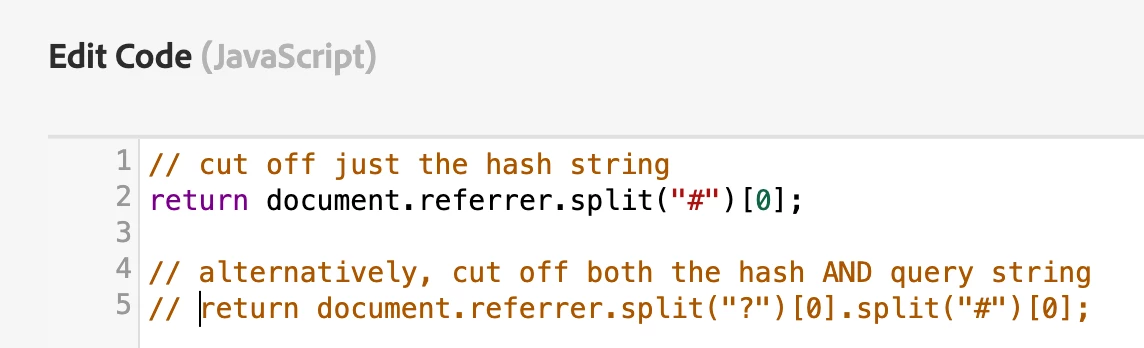
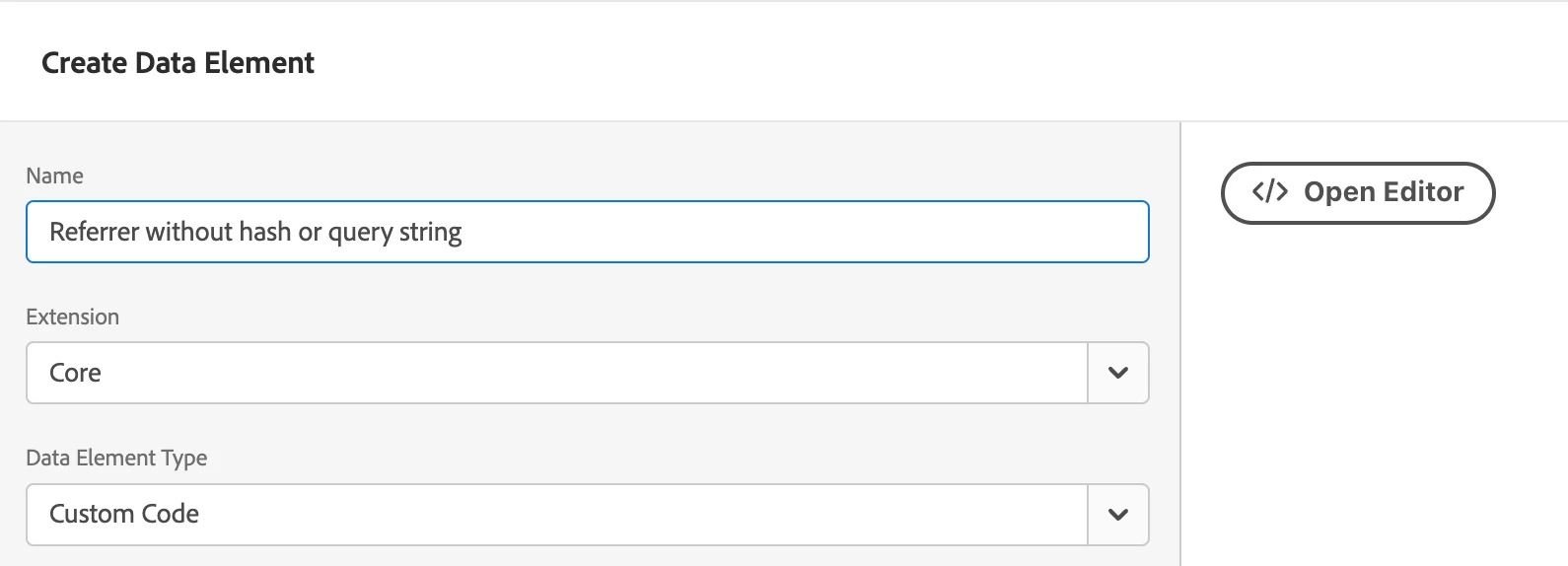
in this case, switch the Data Element Type to Custom Code and paste the code you that need to achieve your task.
Just make sure to return the value.


Note, your code is

  1. checking the current URL and not the referrer
  2. replacing a specific string in the URL, but not actually removing anything else than the exact string "/#!/"


So, If I may give you my quick suggestion how to tackle this. Two options, just use the line that suits your needs best

  1. cut off the hash string
  2. cut off the hash string AND the query string e.g., all that is following and including the question mark ?hello=world
// cut off just the hash string return document.referrer.split("#")[0]; // alternatively, cut off both the hash AND query string return document.referrer.split("?")[0].split("#")[0];


1 reply

bjoern__koth
Community Advisor and Adobe Champion
bjoern__kothCommunity Advisor and Adobe ChampionAccepted solution
Community Advisor and Adobe Champion
March 18, 2025

Hi @byoid 

in this case, switch the Data Element Type to Custom Code and paste the code you that need to achieve your task.
Just make sure to return the value.


Note, your code is

  1. checking the current URL and not the referrer
  2. replacing a specific string in the URL, but not actually removing anything else than the exact string "/#!/"


So, If I may give you my quick suggestion how to tackle this. Two options, just use the line that suits your needs best

  1. cut off the hash string
  2. cut off the hash string AND the query string e.g., all that is following and including the question mark ?hello=world
// cut off just the hash string return document.referrer.split("#")[0]; // alternatively, cut off both the hash AND query string return document.referrer.split("?")[0].split("#")[0];


Cheers from Switzerland!