PowerBI Desktop / Adobe Analytics Connector - Date Granularity Issue | Community
Skip to main content
Level 2
June 8, 2021
Question

PowerBI Desktop / Adobe Analytics Connector - Date Granularity Issue

  • June 8, 2021
  • 5 replies
  • 3286 views

Hi All,


When using PowerBi with the 2.0 (Beta) implementation for analytics, whenever I try to add "Year" from "Date Granularity" I am getting this error which seems to be saying that "Year" is a string (I can't see a method to change this either): 
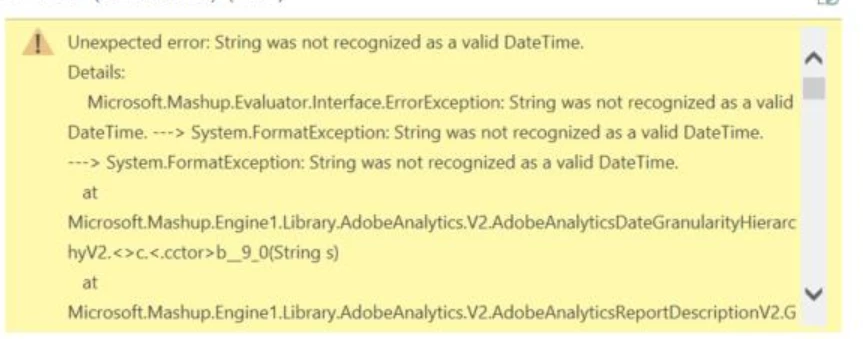


Has anyone encountered this before?


This post is no longer active and is closed to new replies. Need help? Start a new post to ask your question.

5 replies

July 7, 2021

I encounter a similar problem. Is there any workaround for this?

July 16, 2021
this should absolutely be fixed and should be part of the MVP, the 2.0 API is useless without it and shouldn't even be released in a beta without it
July 28, 2021

If you have "day of year" as a dimension you can leverage that with YTD (or whatever period you need) segmentation applied.  You'll have to also build a fiscal calendar table to link "day of year" with an actual date. 

This worked on my end but it was very time consuming and doesn't feel like the most stable solution out there.

December 22, 2022

Hi All, hi @alexjbaker11: I have got exactly the same problem here. Did you find a way out of it? Also the segment dimension doesn’t work right..

Level 2
January 25, 2024

This still seems to be unresolved. Having the same problem particularly with dates.