
Once the Web Vitals extension is installed, Data elements are created - How to create the rules? | Community
Skip to main content
Vinay_Chauhan
Community Advisor
Community Advisor
January 12, 2022
Solved

Once the Web Vitals extension is installed, Data elements are created - How to create the rules?

  • January 12, 2022
  • 2 replies
  • 4694 views

Once the Web Vitals extension is installed, Data elements are created - How to create the rules?

1. I have installed the Web Vital Extension enabling CLS, FCP, FID and LCP.
2. Have created data elements using the web vitals as extension and using Data Elements Type - Entries, Full Name, ID, Value.

Can you please explain - how to create the rules to capture these values?
Do we have to create eVars and capture these with events also firing?
This post is no longer active and is closed to new replies. Need help? Start a new post to ask your question.
Best answer by yuhuisg

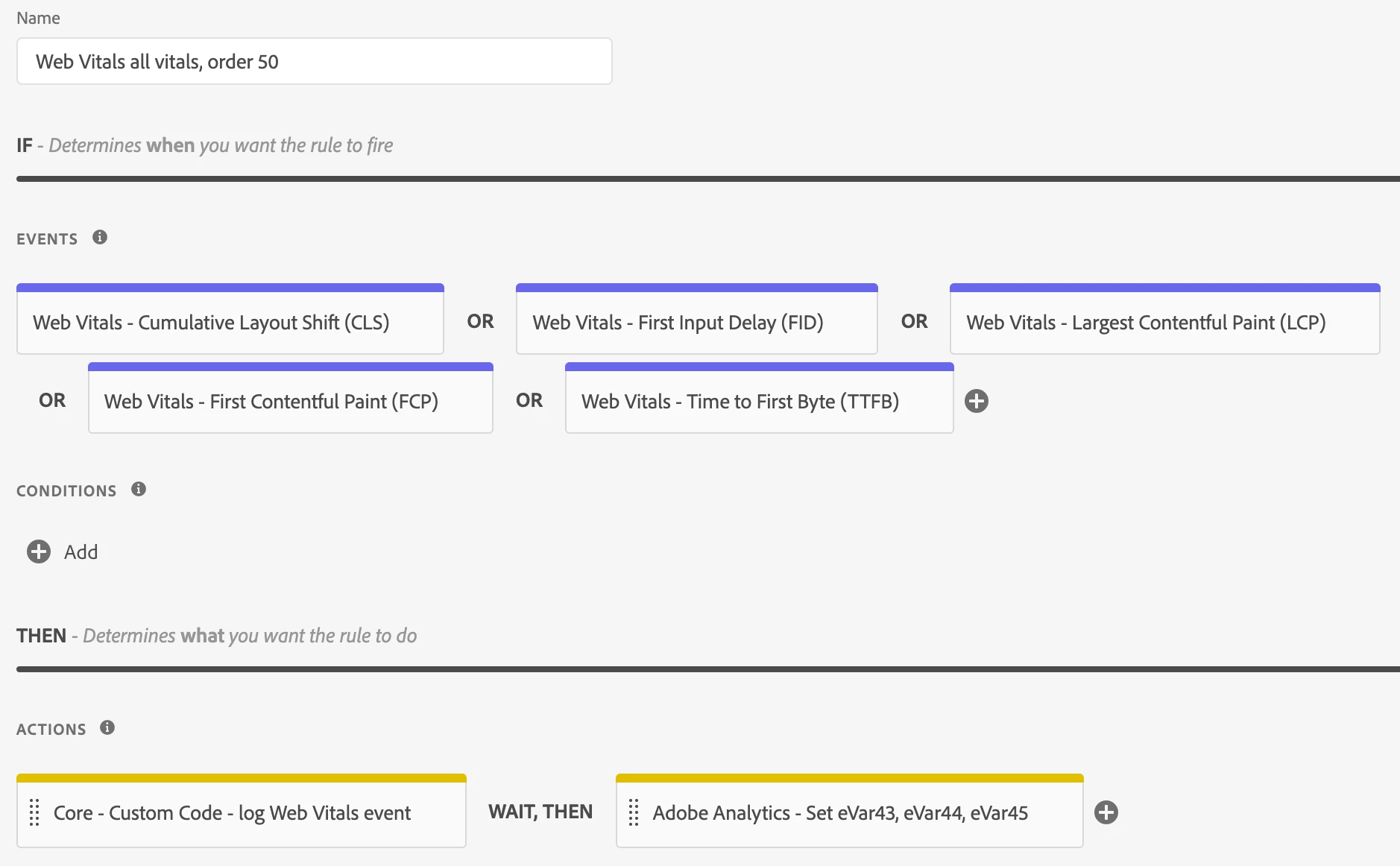
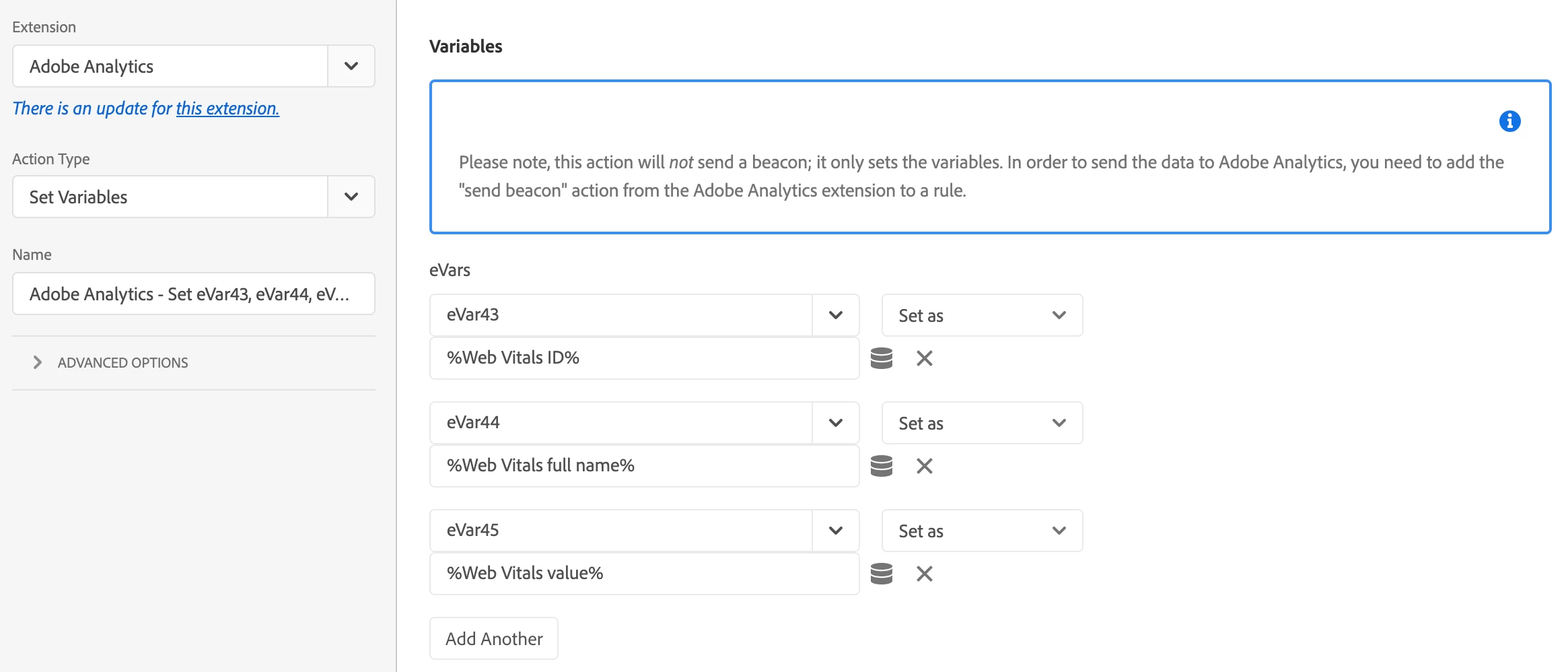
Here are screenshots of an example rule that sets eVar43, eVar44 and eVar45 using the Web Vitals data:


2 replies

Adobe Employee
January 12, 2022

@yuhuisg Thoughts?

yuhuisg
Community Advisor
yuhuisgCommunity AdvisorAccepted solution
Community Advisor
January 13, 2022

Here are screenshots of an example rule that sets eVar43, eVar44 and eVar45 using the Web Vitals data:


Vinay_Chauhan
Community Advisor
Community Advisor
January 13, 2022

Thanks @yuhuisg 

Can you please also share what logic have you used in the custom code action.

(Action --> log web vitals event)

yuhuisg
Community Advisor
Community Advisor
January 13, 2022

Here you go! I basically created data elements from what was available in my extension, and then log them out when a Web Vitals event occurs.


console.group(event.$rule.name);
console.log(event);

console.group('Metric ID: ' + _satellite.getVar('Web Vitals ID', event));
console.log('Metric name: ' + _satellite.getVar('Web Vitals full name', event) + ' (' + _satellite.getVar('Web Vitals name', event) + ')');
console.log('Metric value: ' + _satellite.getVar('Web Vitals value', event) + ', delta: ' + _satellite.getVar('Web Vitals delta', event));
console.groupEnd();

console.groupEnd();