


Number stored as text? - How to convert from a prop/eVar to a metric
We all regret decisions in life; in Adobe Analytics we may regret storing a number in an eVar or prop! This is because unlike custom events, you can't perform numerical calculations (such as summing or averaging) on props or eVars.
Obviously, you can make changes to your implementation to capture these values in a custom event going forward. However, what can be done about your historical data? Fortunately, using a combination of Classifications and Calculated Metrics this can be taken care of.
Method
To explain the approach, I'm going to use the example of converting from a three-digit number stored in a prop, to a metric. However, this method can be extended to cope with any number of digits and decimal places as well.
Step1: Create classifications
We are going to use classifications to split our number up into separate classifications, one classification for each individual digit in the number.
In this example we are dealing with a three-digit number so we will need three classifications: one for the units, one for the tens, and one for the hundreds.
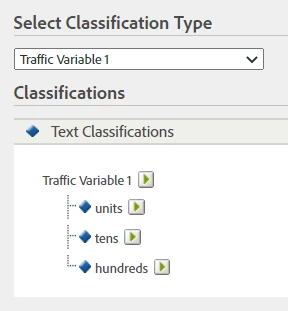
Step 2: Populate the classifications
We need to use the Classification Rule Builder to dynamically split the digits of the number into the three classifications.
For example, if the value in the prop was "874" then we would want the:
- "units" classification to be dynamically set to "4"
- "tens" classification to be dynamically set to "7"
- "hundreds" classification to be dynamically set to "8"
To do this we require some RegEx:
- (^\d*)(\d$) returns the ‘units’ in match group $2
- (^\d*)(\d)(\d$) returns the ‘tens’ in match group $2
- (^\d*)(\d)(\d)(\d$) returns the ‘hundreds’ in match group $2
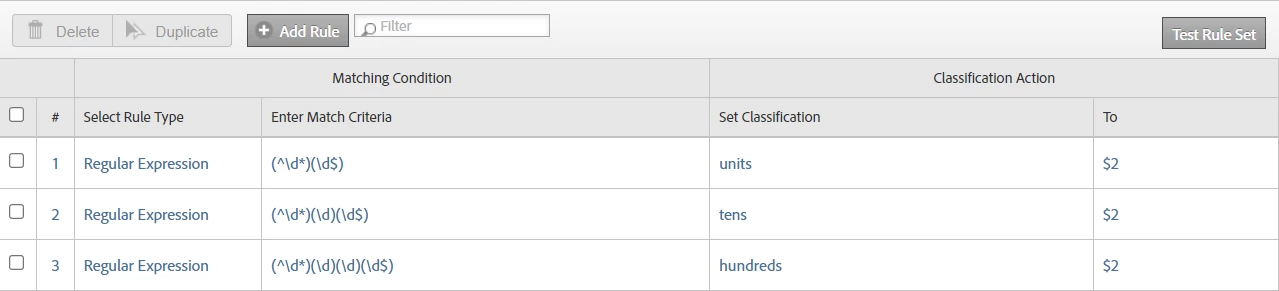
Step 3: Build the calculated metric
The final step is to build a calculated metric to convert these classifications to numbers using the "if" function and static numbers. For example...
- If "unit" equals "1" then static number 1, plus
- If "unit" equals "2" then static number 2, plus
- If "unit" equals "3" then static number 3, plus
- ...etc. (all the way to 9), plus
- If "tens" equals "1" then static number 10, plus
- If "tens" equals "2" then static number 20, plus
- If "tens" equals "3" then static number 30, plus
- ...etc. (all the way to 90), plus
- If "hundreds" equals "1" then static number 100, plus
- If "hundreds" equals "2" then static number 200, plus
- If "hundreds" equals "3" then static number 300, plus
- ...etc. (all the way to 900)
Screen shot of how this looks in the Calculated Metric Builder:
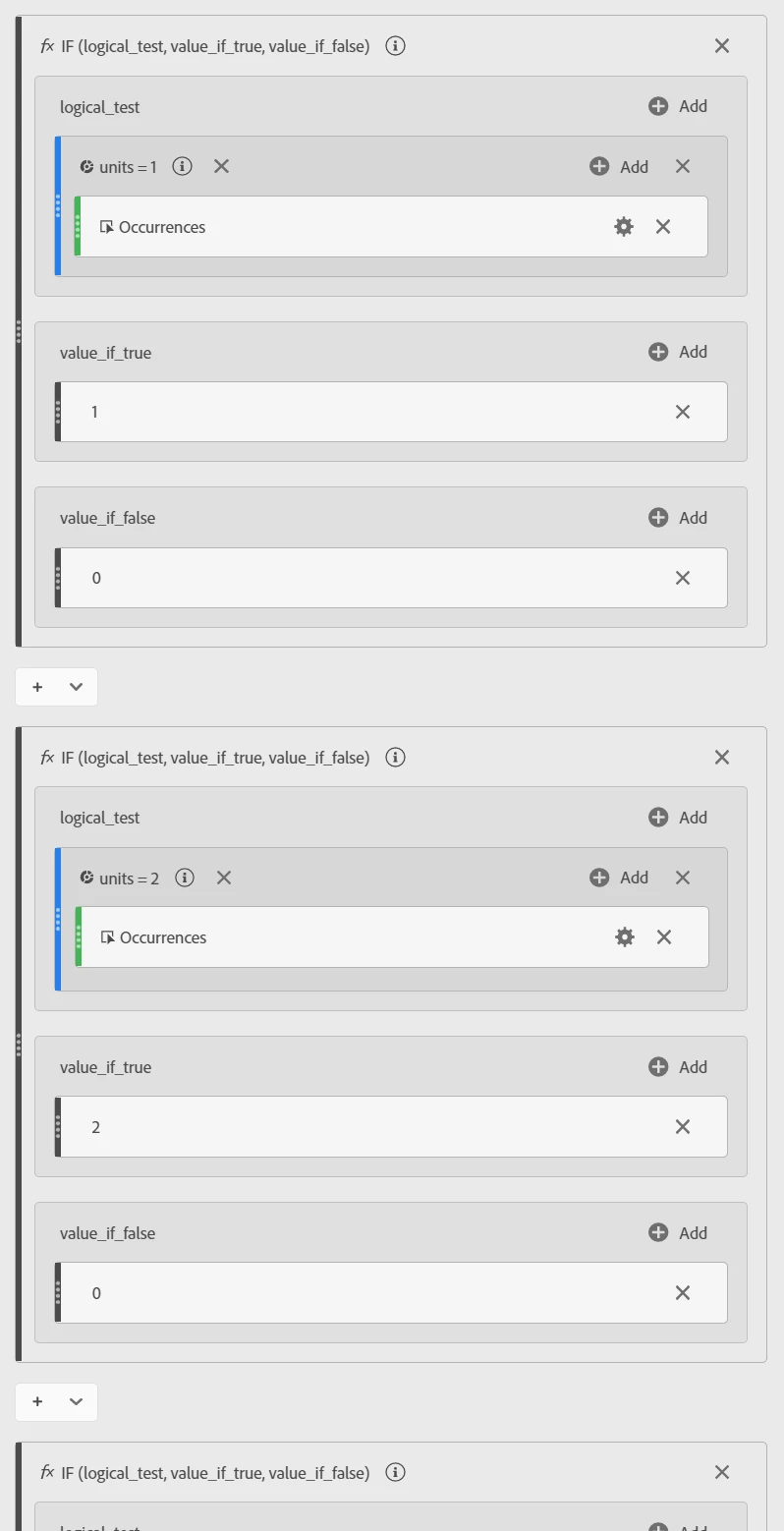
...and that's it! We now have a calculated metric for the values in the prop that we can perform numerical calculations on.
In conclusion, this method does take a bit of set up, but if you're stuck with a a number in a prop or eVar this may just save the day!