New MID generated even with Old one instanciated in URL | Community
Skip to main content
Level 4
October 20, 2021
Solved

New MID generated even with Old one instanciated in URL

  • October 20, 2021
  • 1 reply
  • 2214 views

Hi community,


I'm currently not able to track my visitor from my app to the webview.


already found lot of documentation like this one and this one. But it didn't fix my problem.

Currently, my third-party cookies are disabled (included demdex cookie) and I can't enable them. So I need to find a way to track the visitor without it.

When my user is on the app environment, a MID is generated. See the screenshot below from app context:
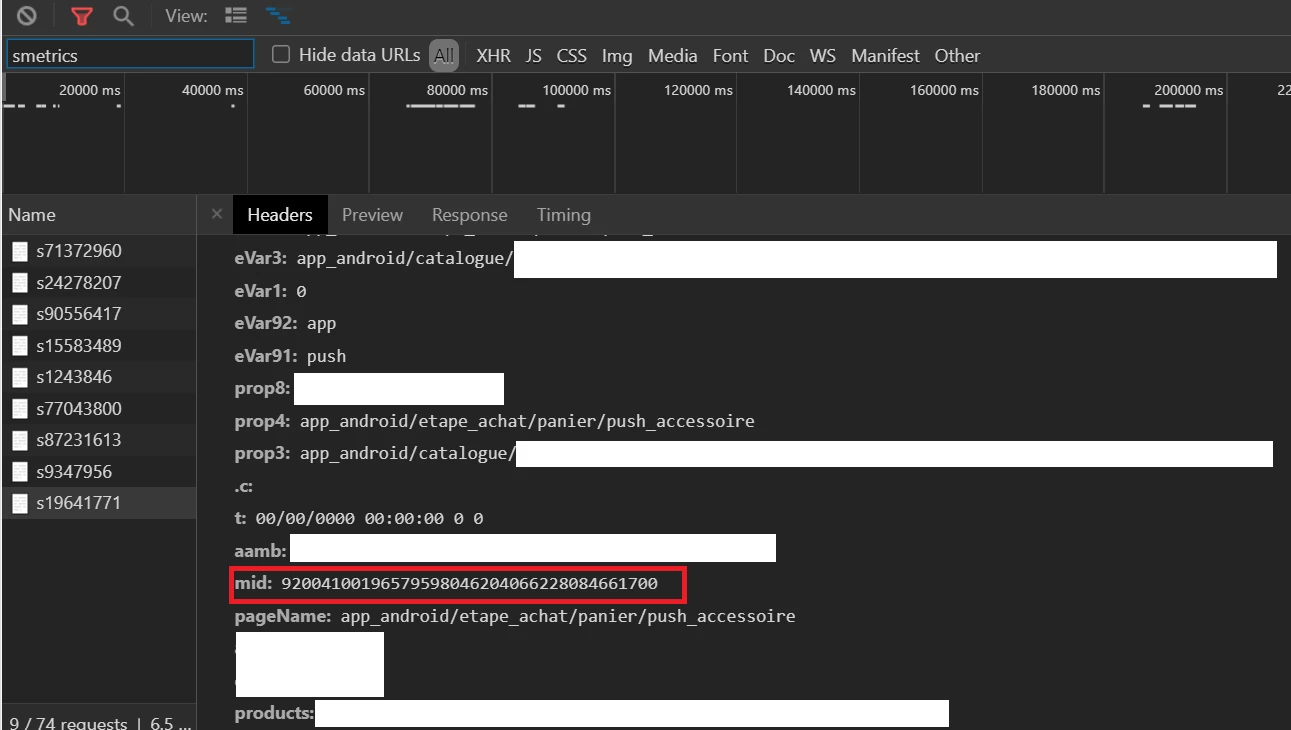
I achieved to save this ID in the URL when the user goes from the App context to the Webview context.

But my problem is that when the user is landing on the webview, a new MID is being generated even if the first one is instantiate in the URL.

See screenshot below from webview context:
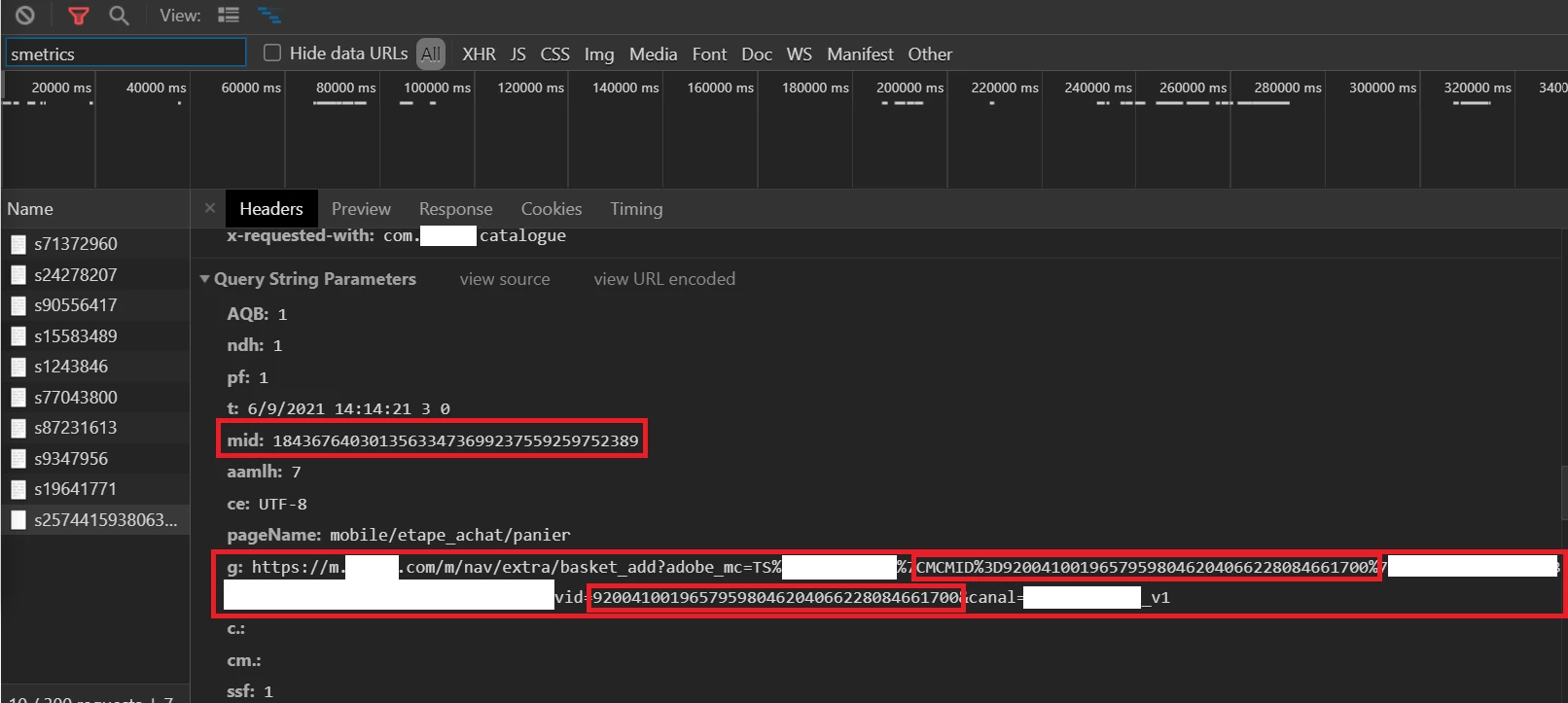
You can see on the mid variable a new MID being generated. While the first one is stored in the URL in the g variable.

We reached Adobe customer care to learn more about that. They told us to use the method overwriteCrossDomainMCIDAndAID but it didn't help us here.


Does anyone have any suggestion?

Thank you

This post is no longer active and is closed to new replies. Need help? Start a new post to ask your question.
Best answer by Andrey_Osadchuk

@swanan_ ,

Customer Care suggested the right option. I have reviewed the property "da**v2" and the option overwriteCrossDomainMCIDAndAID is not enabled now in live. Could you confirm that it was set to true while you were testing that scenario?


1 reply

Andrey_Osadchuk
Andrey_OsadchukAccepted solution
Level 10
October 20, 2021

@swanan_ ,

Customer Care suggested the right option. I have reviewed the property "da**v2" and the option overwriteCrossDomainMCIDAndAID is not enabled now in live. Could you confirm that it was set to true while you were testing that scenario?

 
Swanan_Author
Level 4
October 21, 2021

Hi @andrey_osadchuk 


I clicked a bit to fast on the "good answer" button lol sorry.


I didn't do the tests myself but I'll double check with my team in order to be sure that this has been done correctly.


Thank you for your feedback.