Is there a way to export data with more than 3 dimensions? | Community
Skip to main content
October 7, 2022
Solved

Is there a way to export data with more than 3 dimensions?

  • October 7, 2022
  • 1 reply
  • 1749 views

Does anyone know if there is a way to export data with more than three dimensions? I need to see metrics by day, campaign, event and page. Would really like to add Referrer Type to that also. But everything I have tried is too limited. Report Builder gets the closest, but still seems to be limited to 3 dimensions. Is there another way?
This post is no longer active and is closed to new replies. Need help? Start a new post to ask your question.
Best answer by Jennifer_Dungan

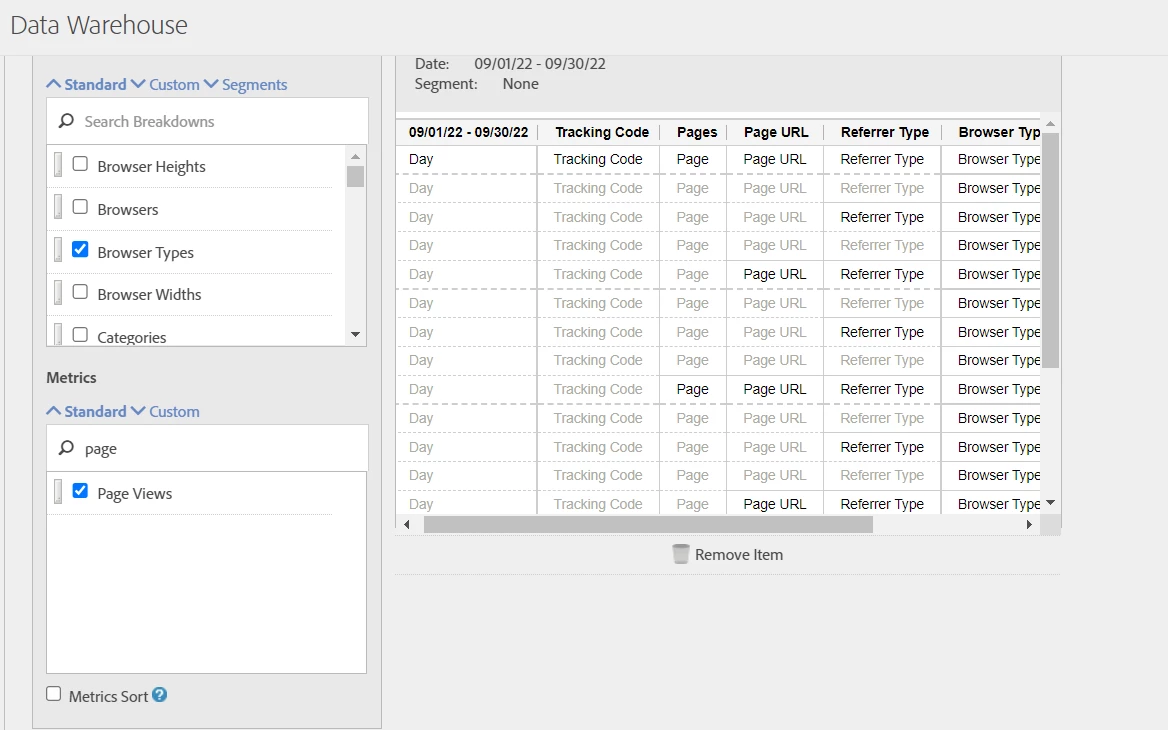
You should be able to add as many dimensions as you want with Data Warehouse, or with the Adobe API.


Data Warehouse:


API: https://adobedocs.github.io/analytics-2.0-apis/?urls.primaryName=Analytics%202.0%20APIs 


FYI, there is also a debugger mode in Workspace that will allow you to grab a pre-built API format for the dimensions you want to pull, which will make creating the API call a lot easier if you decide to do that method.


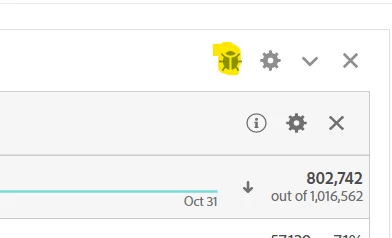
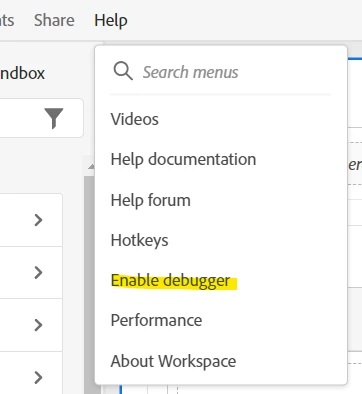
To enable debugger mode:


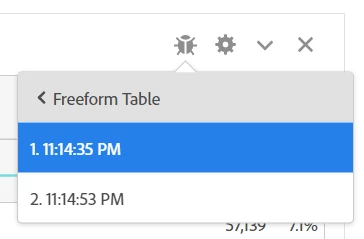
It will show you what calls are involved, depending on your pulls there may be several that need to be run in order:


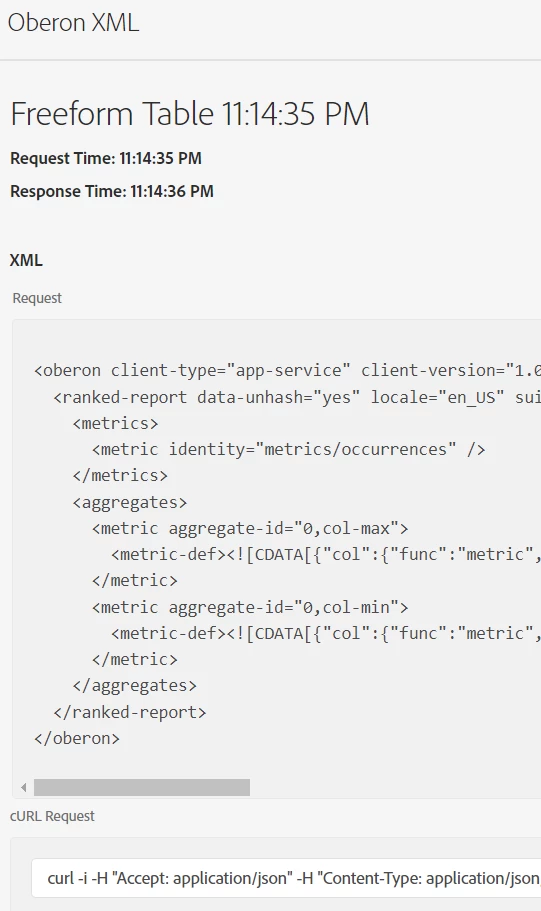
The XML request/response, cURL request and JSON request/response are all shown on the page, giving you either the pull you need, or at the very least a base to build from.


1 reply

Jennifer_Dungan
Community Advisor and Adobe Champion
Jennifer_DunganCommunity Advisor and Adobe ChampionAccepted solution
Community Advisor and Adobe Champion
October 8, 2022

You should be able to add as many dimensions as you want with Data Warehouse, or with the Adobe API.


Data Warehouse:


API: https://adobedocs.github.io/analytics-2.0-apis/?urls.primaryName=Analytics%202.0%20APIs 


FYI, there is also a debugger mode in Workspace that will allow you to grab a pre-built API format for the dimensions you want to pull, which will make creating the API call a lot easier if you decide to do that method.


To enable debugger mode:


It will show you what calls are involved, depending on your pulls there may be several that need to be run in order:


The XML request/response, cURL request and JSON request/response are all shown on the page, giving you either the pull you need, or at the very least a base to build from.


October 14, 2022

Thanks. Using Data Warehouse worked great!